

Microsoft Lens
Microsoft Lens screenshots (6)
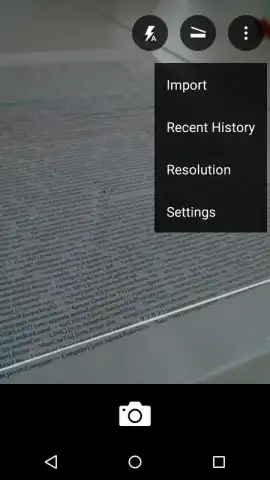
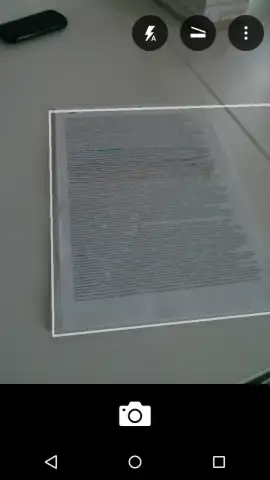
Description Microsoft Lens
Imagine needing to capture notes from a whiteboard after a meeting, or saving a printed document when there’s no scanner in sight. Your phone’s regular camera often leaves you with crooked, shadowy, or hard-to-read images. What if you could instantly transform those photos into clean, professional documents ready to edit or share? That’s the precise problem Microsoft Lens solves, turning your Android device into a powerful portable scanner that fits in your pocket.
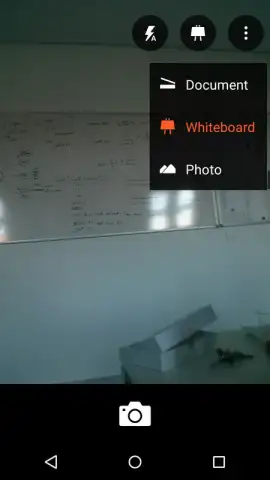
This official Microsoft Office app goes beyond simple photography. It intelligently recognizes text and surfaces, whether they are printed on paper or handwritten on a board. The moment you launch the app, your camera activates, presenting you with clear mode options to tackle any scenario. You experience a seamless process from capture to final document, eliminating the frustration of poor-quality image captures for good.
Core Features and User Workflow
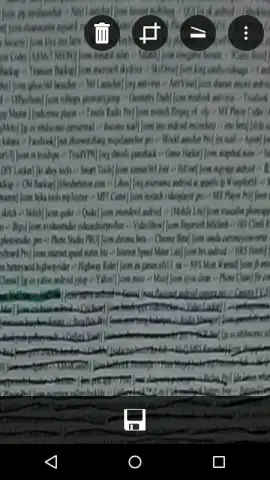
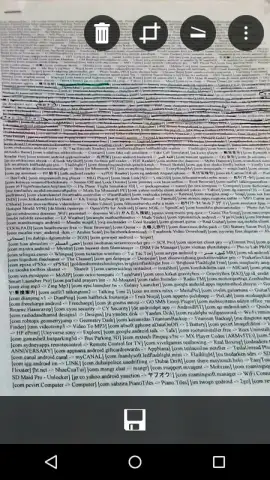
The application operates with remarkable simplicity. Upon opening, the camera interface is clean and focused, with a prominent button to switch between its specialized modes. The 'Document' mode automatically detects edges, crops your image perfectly, and enhances colors and contrast to produce a crisp, scan-like result from a simple photo. The 'Whiteboard' mode is equally intelligent, actively removing distracting glare and shadows from glossy surfaces, ensuring that every word or diagram captured from a board is perfectly legible.
Your scanned content becomes highly versatile. Each processed image can be saved directly to your device’s local storage for quick access. For cloud integration and seamless workflow, you can send scans directly to Microsoft ecosystems like OneNote for note-taking or OneDrive for secure storage and access from any device. The most powerful feature is the ability to convert these images into editable and shareable formats. With a few taps, a photo of text is transformed into a fully editable Word document (.docx), a PowerPoint presentation (.pptx), or a polished PDF file (.pdf), ready for immediate use.
Key Advantages at a Glance
- Transform photos of documents and whiteboards into clean, digital scans instantly.
- Choose between dedicated Document and Whiteboard modes for optimal results every time.
- Automatically crop images and enhance colors or remove shadows and glare.
- Save scans locally or directly to OneNote and OneDrive for cloud access.
- Convert any image with text into editable Word, PowerPoint, or PDF files.
Stop dealing with blurry photos and unreadable notes. Start creating perfect digital copies of any text you encounter. Download Microsoft Lens now and turn your phone into your most productive tool.
Internet required. IAP available.


