
MiniPhone Launcher
MiniPhone Launcher screenshots (8)
Description MiniPhone Launcher
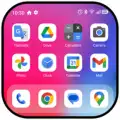
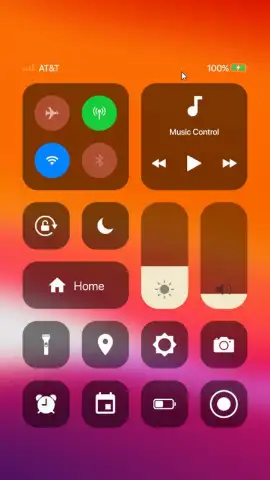
Imagine unlocking the sleek, iconic interface of a modern iPhone on your Android device. MiniPhone Launcher transforms your home screen into a precise replica of iOS, complete with the distinctive app grid, dynamic wallpapers, and the familiar dock. This is not merely a visual skin; it is a comprehensive system launcher that integrates functional iOS-style interactions into your Android operating system, providing a fresh and polished user experience without requiring a new device.
Core Functionality and Customization
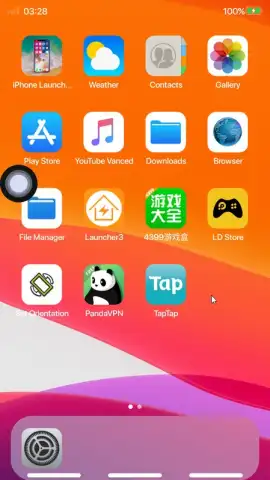
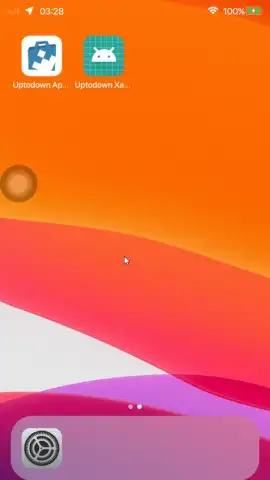
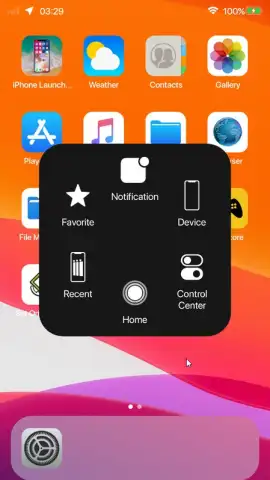
Upon installation, MiniPhone Launcher immediately presents the signature iOS visual environment. You begin by selecting a default iOS 12 wallpaper or uploading your own, which then activates the authentic iPhone-style taskbar that slides up from the bottom edge of the screen. All application icons are automatically formatted into uniform circular shapes, creating the cohesive grid layout characteristic of Apple's design language. The launcher operates as a full replacement for your default home screen, managing app drawers, widgets, and system gestures through an iOS-inspired lens.
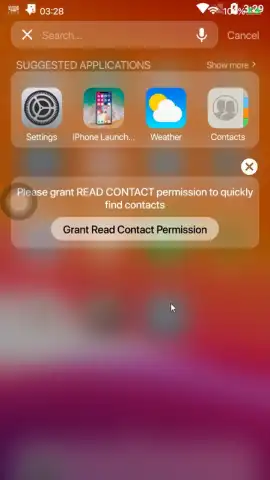
The settings panel offers granular control over this environment. You can adjust the density of the icon grid by modifying the number of rows and columns, scaling individual icon sizes to fit your preference. Navigation is enhanced through customizable gesture shortcuts, allowing you to assign actions to swipes and taps. A persistent virtual menu button can be enabled on-screen for quick access to settings or recent apps, adding a layer of convenience for users accustomed to traditional Android navigation keys.
Enhanced Features and Security
Beyond aesthetics, MiniPhone Launcher incorporates practical utilities. A notable feature is application-specific locking, which adds a pattern-based security layer to selected apps. When activated, accessing protected applications like your gallery, messaging, or notes requires drawing the correct unlock pattern, ensuring your private data remains secure from unauthorized access. This system integrates directly with the launcher, functioning independently of your device's main lock screen.
The launcher is engineered for performance, aiming to maintain system responsiveness while applying the visual overhaul. It manages home screen transitions, app animations, and widget rendering to emulate the fluid feel of iOS. Users can expect a stable daily driver that consistently applies the chosen theme without significant drain on system resources, making the iOS experience not only visual but operational.
- Authentic iOS Interface: Replicates the iPhone X and newer home screen layout with dynamic wallpapers, a sliding dock, and uniform circular app icons.
- Granular Grid Control: Customize your home screen density by adjusting icon size and the number of rows and columns in the settings panel.
- App Lock Security: Protect sensitive applications with an independent pattern lock, adding a privacy layer for galleries, messages, and notes.
We suggest trying MiniPhone Launcher if you are interested in personalizing your Android device with a clean, recognized interface while adding useful organizational and security tools. Consider downloading it to experience a different operational workflow.
Download the MiniPhone Launcher mobile app now.
This application requires an internet connection for initial setup and potential feature updates. It may offer in-app purchases for additional themes or premium functionalities.
 GooglePlay


