

Minuum Keyboard
Minuum Keyboard screenshots (8)
Description Minuum Keyboard
A Different Approach to Mobile Typing
For users seeking an alternative to the standard, space-consuming virtual keyboard, Minuum Keyboard presents a distinct solution. The application addresses the common issue of screen real estate being dominated by input methods, particularly on smaller displays or during one-handed use. Its core proposition is a dual-mode system that allows a switch between a conventional layout and a radically condensed, single-line keyboard. This review examines the mechanics, customization, and practical considerations of Whirlscape's input method, version 3.5.2.
Functional Analysis and User Adaptation
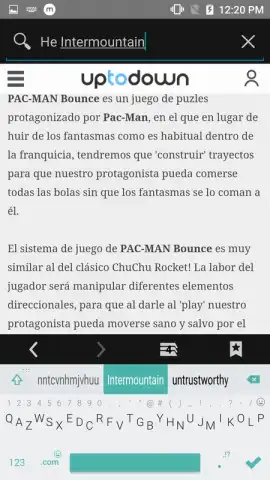
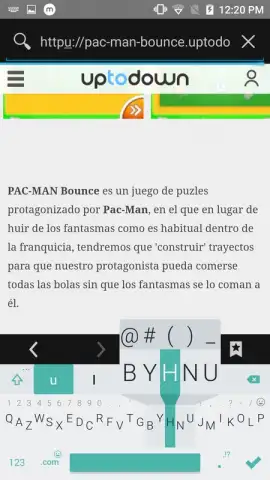
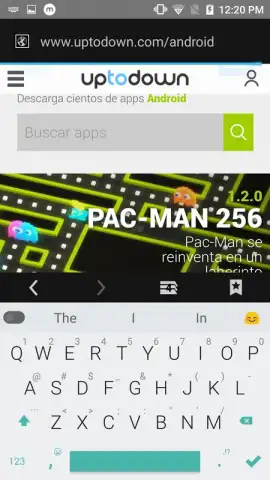
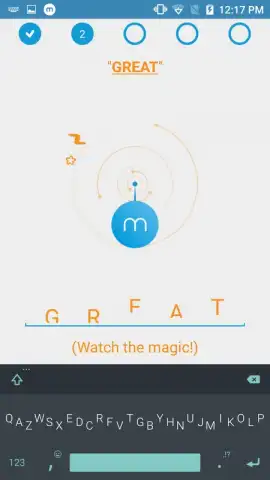
The primary operational mode is a standard QWERTY keyboard with full emoji support, serving as a familiar baseline. The defining feature is activated by a downward swipe, transforming the interface into the eponymous "Minuum" mode—a single, compressed row of keys designed for efficient one-thumb typing. Initial interaction with this condensed layout requires a brief period of adjustment, as the input logic differs from traditional keyboards. The application includes an integrated, concise tutorial to facilitate this transition, explaining gesture controls and correction mechanisms. This guide remains accessible within the settings menu for future reference, ensuring users are not left to decipher the functionality independently.
Extensive Customization and System Performance
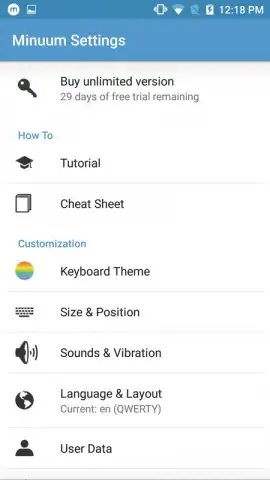
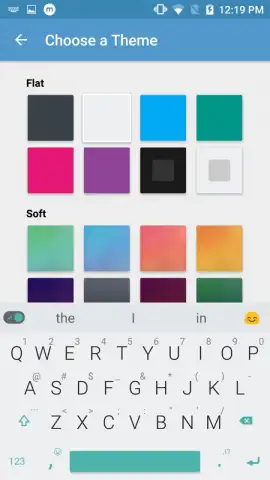
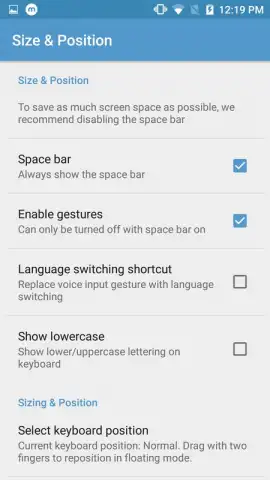
Configuration is managed through a dedicated settings menu, offering a notable degree of personalization. Users can apply various visual themes or skins, adjust the keyboard's vertical size and overall scale, and modify its layout parameters. Further tactile and auditory feedback can be calibrated, with options to enable keypress sounds, haptic vibration, and comprehensive gesture controls for actions like cursor movement and text selection. A significant operational note is the absence of advertising within the core typing experience. The application occupies approximately 50 megabytes of device storage, a volume that is above the average for utility applications in its category, which is a technical factor for users with highly constrained storage space.
- Dual-mode input system switches between a full keyboard and a minimal, single-line layout.
- Integrated tutorial provides immediate guidance on the unique typing and gesture mechanics.
- Deep visual customization through multiple skins, size adjustments, and layout configurations.
- Comprehensive feedback controls for enabling key sounds, vibration, and gesture navigation.
- Advertising-free typing experience maintained within the primary keyboard interface.
Download the Minuum Keyboard app now and reclaim your screen space! Install it immediately to experience a new method of text input.
Note: This application requires an internet connection for initial setup and certain features. It may offer in-app purchases for additional premium themes or functionalities.


