

MP3 cutter
MP3 cutter screenshots (2)
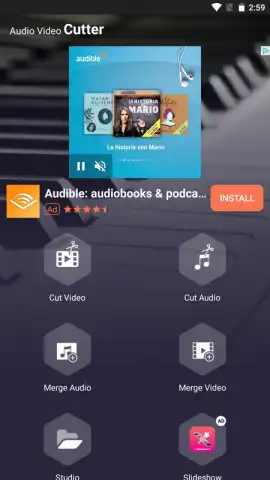
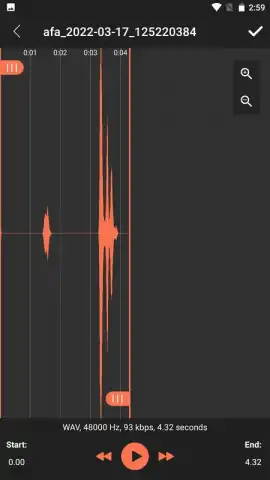
Description MP3 cutter
Ever had a perfect ringtone idea stuck in the middle of a long song, or needed to trim an audio clip for a project but found the tools too complex? That moment of creative friction ends now. MP3 Cutter transforms your audio editing tasks from a chore into a swift, satisfying process, putting precise control right at your fingertips. This is your direct gateway to customizing audio for any purpose—ringtones, samples, or clean clips—with remarkable ease and speed.
Core Editing Tools & Functionality
MP3 Cutter is engineered for efficiency and precision. The app provides a clean, visual waveform editor that lets you see the audio you're working with. Simply drag the start and end markers to select the exact segment you want to keep. You can then trim with a single tap, removing everything outside your selection. For more creative projects, use the split function to divide a long track into multiple smaller parts at any point you choose. The app also features a straightforward merge tool, allowing you to seamlessly combine multiple trimmed clips into a single, continuous audio file, perfect for creating custom mixes or compilations.
Key Advantages & User Experience
The strength of MP3 Cutter lies in its focused performance and user-centric design. It operates locally on your device for fast processing without unnecessary uploads, maintaining your privacy. The interface is intuitively laid out, eliminating clutter and making every tool discoverable within moments. You get high-quality output with support for various formats, ensuring your edited audio sounds crisp whether it's for a personal ringtone or a shared project. It’s a lightweight yet powerful toolkit that respects your time and delivers professional-grade results without a steep learning curve.
- Precise Visual Waveform Trimming
- Merge & Split Audio Files
- High-Quality Format Support
- Fast, Local Device Processing
- Intuitive, Clean Interface
We suggest trying MP3 Cutter to experience how quickly you can take control of your audio files. Consider downloading it today to start creating custom ringtones, perfect audio clips for social media, or simply organizing your music collection with precision.
The application requires an internet connection for initial download and potential access to cloud storage features. Some advanced features or ad-free experiences may be available via in-app purchases. Please review the in-app purchase details within the application.
 GooglePlay


