

MX Player
MX Player screenshots (13)




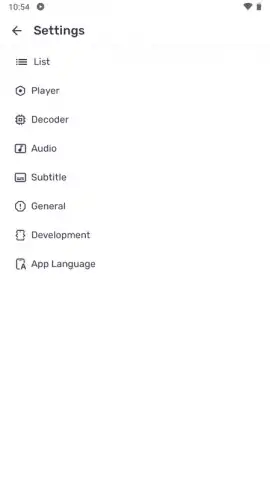
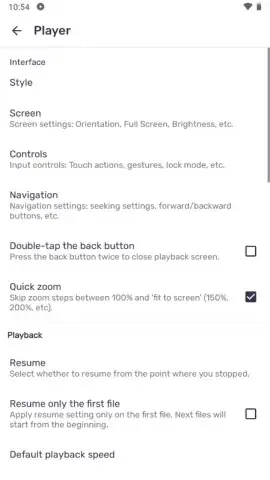
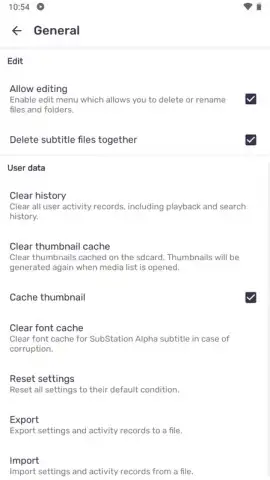

Description MX Player
A Video Player That Actually Plays Everything You Throw At It
MX Player establishes itself not merely as another media application, but as a comprehensive playback engine for Android. Its core proposition is eliminating format frustration, decoding virtually any video file stored locally on your device—from common MP4 and MOV containers to more niche formats—without the need for external codec packs. This technical foundation is paired with a granular control scheme and deep customization, positioning it as a tool for users who view playback as a customizable experience rather than a passive one.
Performance Engineered for Modern Hardware
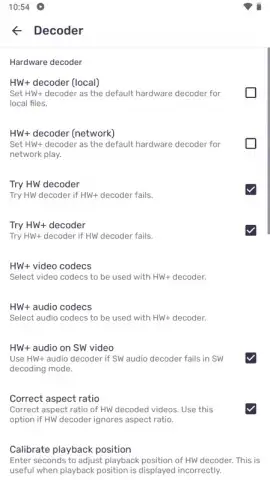
The application’s performance is rooted in its advanced multi-core decoding technology. Unlike standard players that utilize a single CPU core, MX Player distributes decoding workloads across all available processor cores. This is augmented by the HW+ decoder, a hybrid solution that dynamically switches between hardware and software acceleration to maintain stability and smooth playback. This architecture is particularly effective when handling high-bitrate 4K files or videos with multiple, complex subtitle tracks, preventing stutter and frame drops that plague simpler players. The result is a consistently reliable performance profile, even under heavy load.
Unmatched Subtitle Support and Gesture-Based Control
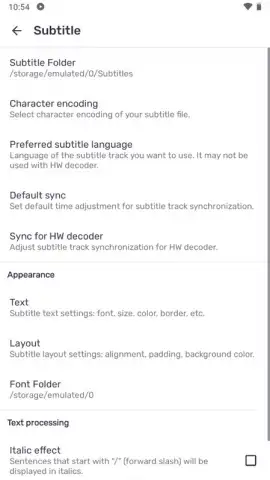
Subtitle handling is a particular strength. The player supports an extensive array of formats including SRT, SUB, SSA, VTT, and PJS. Users are provided with a detailed editing suite to modify font face, size, outline, color, and precise synchronization timings. This level of control ensures subtitles can be tailored for perfect readability on any screen. Complementing this is an intuitive gesture control system. A vertical swipe on the left screen edge adjusts brightness, while the same motion on the right controls volume. These gestures are fully configurable, allowing you to interact with playback through fluid, natural motions without navigating menus.
Ad-Free Experience and Enhanced Utility
While the standard MX Player is feature-complete, it is supported by advertising. The separate MX Player Pro variant removes all advertisements entirely, offering an uninterrupted viewing environment. Both versions share identical functionality, including the ability to cast video directly to smart TVs, PCs, and Macs. Additional features like a child lock ensure the app can be safely handed over for family use, preventing accidental navigation or settings changes. The interface remains accessible and clean, prioritizing immediate access to your media library and playback controls.
- Universal Format Support: Plays MP4, AVI, MOV, MKV, and dozens more video formats without extra codecs.
- Multi-Core & HW+ Decoding: Leverages all CPU cores and smart acceleration for flawless 4K and HD playback.
- Advanced Subtitle Engine: Load, sync, and customize SRT, SUB, VTT fonts, colors, and timing with precision.
- Fully Configurable Gesture Controls: Adjust brightness, volume, and seek with intuitive, customizable swipe gestures.
- Casting & Child Lock: Stream videos to Chromecast or smart TVs and restrict access with a parental lock feature.
We suggest trying MX Player if you demand robust format compatibility and granular playback control from a local media player. Consider downloading it to replace your device's default video application with a significantly more powerful alternative.
Download mobile app now
Heads up: you'll need wifi for casting features and initial codec downloads. Some advanced hardware acceleration modes depend on your device's chipset.
 GooglePlay


