
Native Clipboard
Native Clipboard screenshots (8)
Description Native Clipboard
A Superior Clipboard Manager That Transforms How You Handle Text on Android
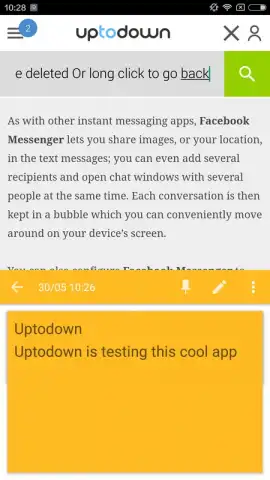
Native Clipboard by DHM47 is not merely a temporary holding area for text; it is a dedicated, persistent management system for your most-used phrases, addresses, and code snippets. This utility app solves the fundamental inefficiency of the standard Android clipboard by allowing you to save, organize, and instantly recall multiple text fragments. The core mechanic is elegantly simple: after saving any text to the app's library, you can invoke a discreet menu at the bottom of any text field with a double-tap, presenting your entire collection for immediate insertion. This eliminates the tedious cycle of copy-pasting between apps and the frustration of losing a previous clip when copying something new. For anyone who communicates, works, or creates on their device, it effectively creates a parallel, searchable memory for text.
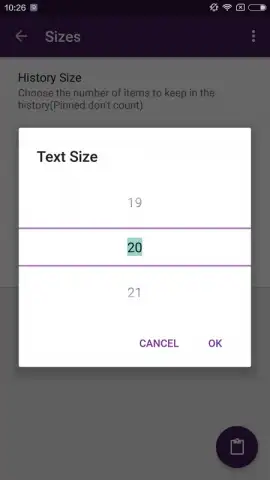
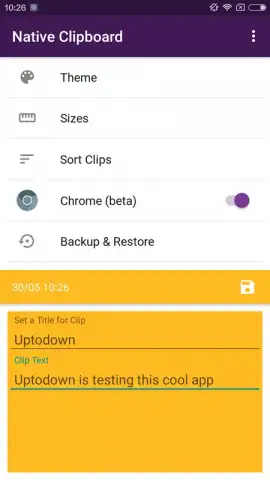
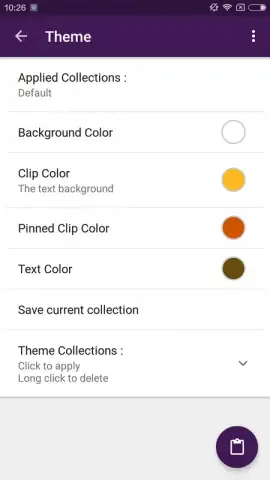
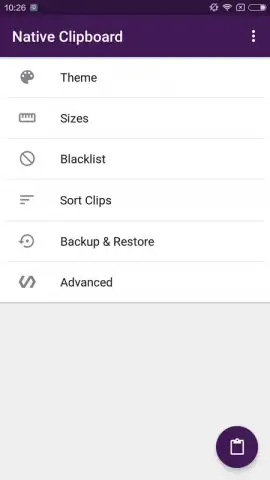
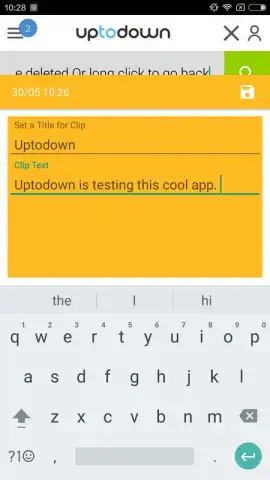
Beyond basic storage, Native Clipboard provides thoughtful customization and direct control over your snippet library. The settings panel allows you to adjust the visual presentation of your clips, letting you set a preferred font size and a highlight color for better visual scanning and organization. The app’s structure is inherently flexible; saved clips are not locked in place. You can manually reorder them through a simple drag-and-drop interface to prioritize your most frequent items, moving beyond the default chronological sorting. The most powerful feature, however, is the ability to edit any saved fragment in-place. A tap on a stored clip opens it for modification, allowing you to correct a typo, update a phone number, or refine a message without deleting and recopying. Removal is equally intuitive, executed with a swift swipe gesture.
The complete absence of advertising, a notable benefit of the app's operational model, ensures a focused and uninterrupted user experience. This makes the utility feel like a core, integrated system tool rather than a clunky third-party add-on. The app’s value compounds with daily use, becoming indispensable for tasks like filling forms, managing social media posts, or programming. It addresses a workflow gap most users tolerate without realizing a solution exists.
- Persistent Snippet Library: Save unlimited text clips for permanent access, ending single-clip clipboard limitations.
- Instant Insertion Menu: Double-tap any text field to summon a quick-select panel of all your saved fragments.
- Full Edit & Swipe Management: Directly edit any stored text or delete it with a swift swipe gesture for total control.
- Visual Customization: Configure the display font size and highlight color of your clips for optimal readability.
- Manual Clip Reordering: Drag and drop to reorganize your clips, prioritizing the ones you use most frequently.
- Streamlined, Ad-Free Interface: Experience a purely functional design with zero advertising interruptions.
Stop juggling one piece of text at a time. Transform your Android device into a productivity powerhouse with a constantly accessible text library. Download Native Clipboard now and experience the immediate upgrade to your daily workflow!
Download Native Clipboard now!
Disclaimer: This application requires an internet connection for initial download and potential updates. The app may contain in-app purchases for advanced features or donations. Use of this tool should comply with all applicable terms of service of other applications. Data management is local to the device; users are advised to review the developer's privacy policy for details on data handling. Suitable for all ages.


