

Navigation Gestures
Navigation Gestures screenshots (5)
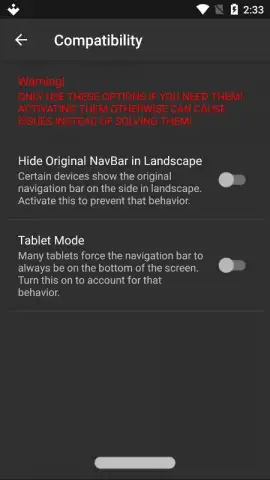
Description Navigation Gestures
Reclaiming Screen Real Estate on Android Without Root Access
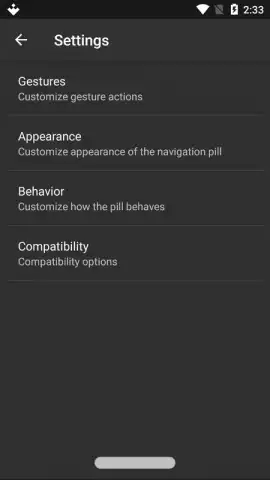
For Android users seeking to maximize usable screen space, the persistent navigation bar presents a persistent obstacle. While modern Android versions incorporate gesture controls, many devices, particularly older or manufacturer-skinned models, lack this native functionality or implement it in a restrictive manner. Navigation Gestures by XDA addresses this gap directly, providing a system-level control layer that replaces the traditional three-button or pill-based navigation bar with a fully customizable gesture zone. This utility operates without requiring root permissions, modifying the device's interface through the Android accessibility services framework to create a seamless, immersive interaction model.
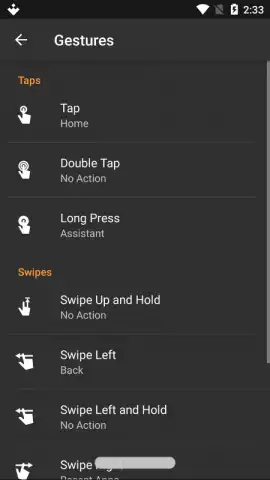
The core functionality involves activating a thin, dynamic gesture bar at the bottom edge of the display. This transparent bar serves as the input area for a suite of commands. A single tap executes a "Back" action, a tap-and-hold activates the Google Assistant or a chosen alternative, and a swipe upward from the bar returns to the Home screen. The application's primary utility extends beyond these basic mappings into a comprehensive gesture creation engine. Users can define actions for swipe gestures in all four cardinal directions, diagonal swipes, double-taps, and long-press combinations on different areas of the bar. Each gesture can be assigned to launch applications, toggle system settings like Wi-Fi or rotation lock, control media playback, or activate split-screen mode.
Core Functional Components
- Rootless Navigation Bar Replacement: Completely hides the standard software navigation buttons, freeing up screen space by utilizing Android's accessibility API without needing elevated root privileges.
- Fully Customizable Gesture Mapping: Allows assignment of system actions, app launches, or shortcuts to directional swipes, taps, and hold gestures on the invisible activation bar.
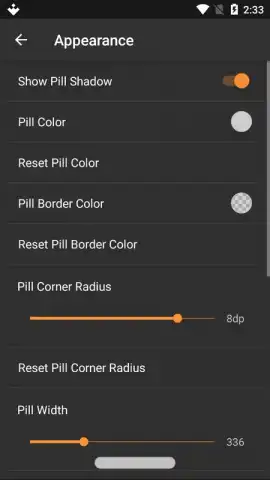
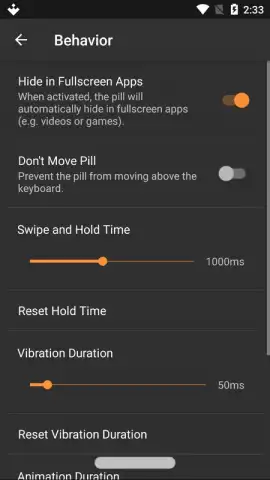
- Advanced Trigger and Feedback Customization: Configures the gesture bar's sensitivity, width, and visual feedback haptics, and includes a Turbo performance mode to minimize input latency.
The interface includes a detailed tutorial for initial setup, which is necessary to grant the required permissions. A notable operational consideration is the deactivation procedure. To fully uninstall the application, users must first disable its service within the app's settings before removal. Failure to do so may leave the gesture overlay active without a management interface, requiring a permissions reset. For sustained use, the Turbo mode is recommended to ensure the gesture recognition operates with minimal delay, matching the responsiveness of native system gestures. The application presents a practical tool for users aiming to modernize the navigation scheme of their Android device, offering a level of personalization typically reserved for custom ROMs or manufacturer skins.
Get full control over your Android navigation and unlock hidden screen space today.
Download Navigation Gestures mobile app now
Disclaimer: This application requires a stable internet connection for initial download and potential updates. It utilizes device accessibility services to function and may consume background battery resources. The app may contain in-app purchases for advanced features. Use is subject to the developer's Terms of Service and Privacy Policy. Data usage and performance may vary by device and Android version. This utility is intended for users familiar with system-level modifications; incorrect configuration may affect device usability. Recommended for users aged 16+ due to technical nature.


