

NavStar
NavStar screenshots (6)
Description NavStar
A Tailored Path Through Your Phone
For many Samsung device owners, the navigation bar—that persistent strip at the bottom of the screen—is simply a utilitarian tool, a static gateway to 'Back,' 'Home,' and 'Recent Apps.' It performs its function but offers little in the way of personal expression or efficiency. NavStar, an exclusive utility from Samsung, fundamentally shifts this perspective. It transforms the navigation bar from a fixed set of commands into a dynamic, fully customizable control center. This review examines how NavStar allows you to reconfigure not just the aesthetics, but the very mechanics of how you interact with your Android device, turning a standard interface into a deeply personal dashboard.
Core Functionality and Customization Depth
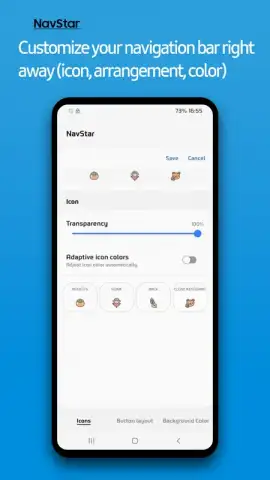
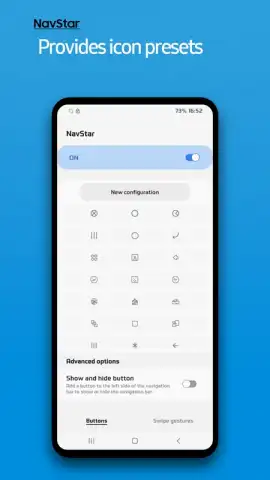
NavStar operates by integrating deeply with Samsung's One UI, offering granular control that third-party launchers cannot reliably achieve. Its primary function is to usurp the default navigation bar, providing an extensive toolkit for visual and functional overhaul. The application is divided into clear, logical sections for icon theming, gesture configuration, and layout adjustment. A significant operational note is that its features are designed to work in concert with Samsung's native navigation settings, allowing for a hybrid approach where buttons and gestures can coexist or be entirely replaced. The interface is straightforward, presenting sliders for opacity, color pickers for adaptive icon tints, and a library of icon packs that range from minimalist outlines to more elaborate designs.
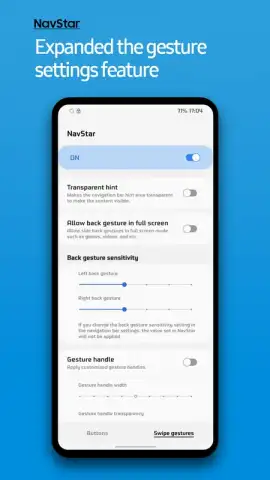
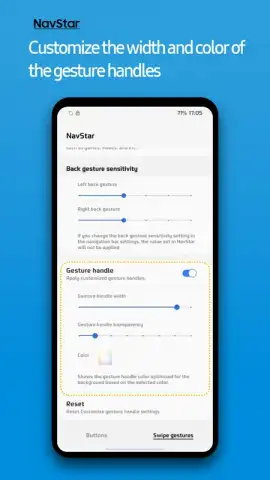
The true analysis of NavStar lies in the tangible detail of its customization layers. The visual customization extends beyond simple icon swaps. You can adjust the bar's opacity from fully transparent to solid, enabling it to either disappear into your wallpaper or stand out for clarity. The adaptive color feature is particularly nuanced, sampling hues from your current wallpaper to dynamically recolor the navigation icons, creating a cohesive look that changes throughout your day. Functionally, the gesture engine is robust. It allows you to map actions like 'Go Back' to a swipe from the bottom edge, or set a 'Hold' action on the home button area to launch a specific app or toggle the flashlight. This moves interaction from simple taps to fluid motions, which can significantly speed up frequent tasks.
Detailed Feature Breakdown
- Complete Icon and Bar Aesthetic Control: Replace default navigation icons with dozens of alternative designs and fine-tune the bar's transparency and adaptive coloring to match your wallpaper.
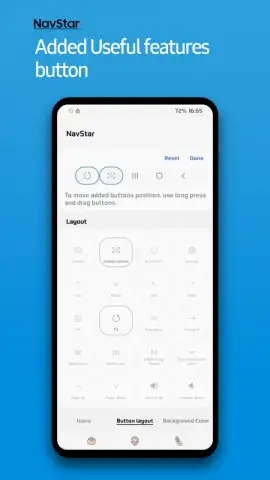
- Advanced Gesture Command System: Activate swipe and hold gestures to replace or supplement physical buttons, enabling faster navigation and quick access to custom shortcuts.
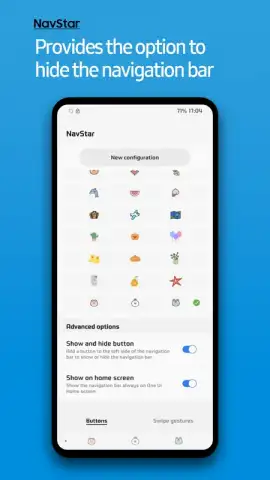
- Hybrid Navigation Layout Creation: Build a unique navigation panel that blends buttons, gestures, and visual styles, from feature-rich to ultra-minimalist, all tailored to your preference.
We suggest trying NavStar if you use a Samsung device and have ever felt constrained by the stock navigation system. It provides a level of system-level personalization that is rare, moving beyond themes to actual interaction mechanics. Consider downloading it to reclaim that portion of your screen and tailor your device's fundamental navigation to your personal workflow and aesthetic.
Download the NavStar mobile app now from the Samsung Galaxy Store to begin customizing.
Heads up: you'll need wifi for the initial download and to access any online icon packs. Some advanced gesture features and icon sets may be part of additional downloadable packages.


