

Nine Mail
Nine Mail screenshots (16)









Description Nine Mail
A Unified Productivity Platform for Microsoft Ecosystem Users
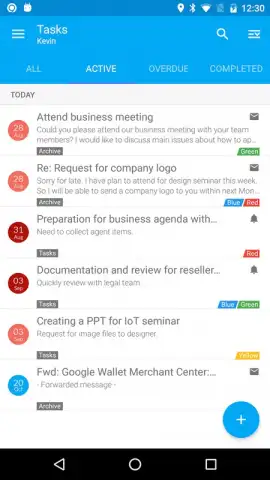
Nine Mail positions itself not merely as an email client, but as a consolidated productivity hub designed for users deeply integrated into Microsoft's ecosystem. The application's core functionality hinges on synchronizing with Microsoft email services—specifically Office 365, Exchange Online, Outlook.com, Hotmail, Live.com, or MSN—to unlock a centralized interface for communication, scheduling, and task management. This approach eliminates the need to switch between disparate apps for core business and organizational functions, aiming to streamline workflow directly from a single pane.
Feature Integration and Customization Framework
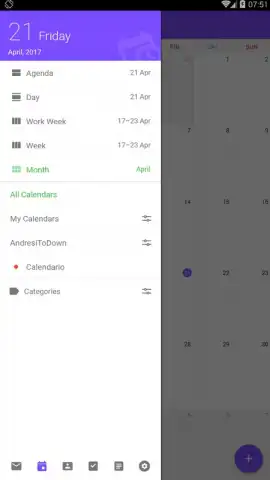
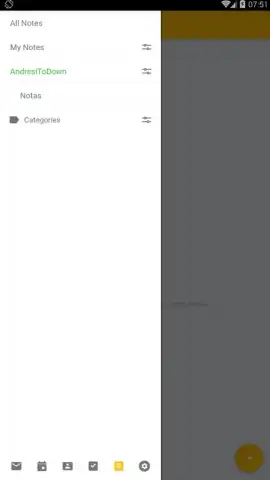
Upon successful account synchronization, the application provides full access to the connected mailbox with a suite of integrated tools. A slide-out navigation menu serves as the primary control center, offering immediate access to its various modules without cluttering the main view. Beyond standard email management, the platform incorporates a native calendar for scheduling appointments and tracking meetings, alongside a dedicated contact manager for organizing and updating professional networks. A notable addition is a built-in note-taking utility, allowing users to capture ideas, action items, or reminders contextually within the same environment where emails and calendar events are managed.
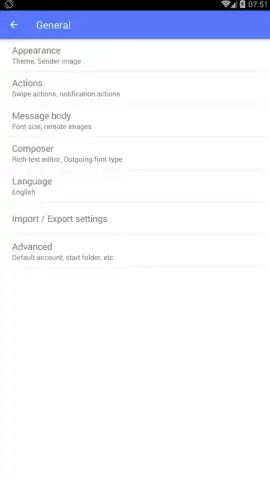
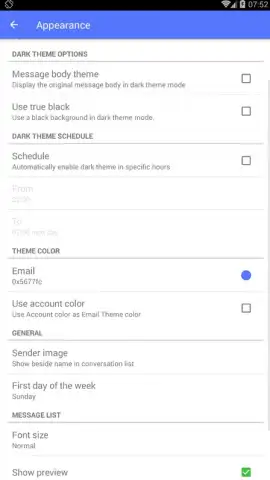
The application offers a significant degree of user control over the experience. The settings menu contains extensive options for customizing the visual interface, including themes and layout adjustments, allowing users to tailor the workspace to their preferences. Furthermore, the optional "Turbo" enhancement is presented as a key differentiator, reportedly removing all advertising elements from the application to provide an uninterrupted, focused user experience while potentially unlocking additional performance or feature benefits.
Core Functional Advantages
- Synchronizes seamlessly with Office 365, Exchange, Outlook.com, and related Microsoft email services.
- Integrates a full-featured calendar, contact manager, and note-taking tool within a single interface.
- Centralizes control through a slide-out navigation menu for swift access to all application modules.
- Provides extensive settings for customizing the visual theme and layout of the user interface.
- Offers an ad-free experience and enhanced functionality through the optional Turbo mode.
Get your unified productivity command center and streamline your Microsoft workflow today.
Disclaimer: This application requires an active internet connection for synchronization and full functionality. It may offer in-app purchases, such as the Turbo mode subscription. Use of this app is governed by its respective terms of service and privacy policy. Data usage applies. This product is intended for users aged 4+. Always review the app's permissions and data handling practices before installation.
 GooglePlay


