

Official XBMC Remote
Official XBMC Remote screenshots (4)
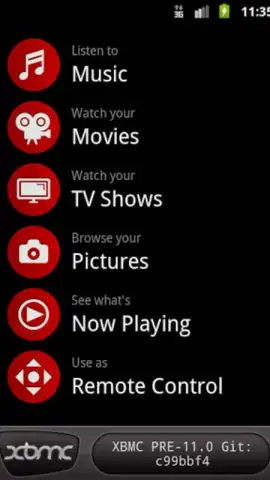
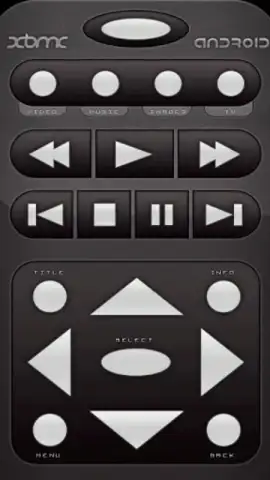
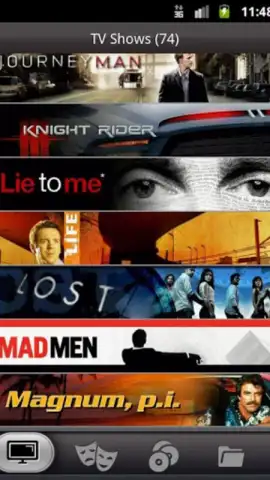
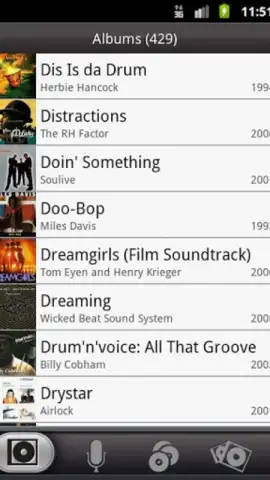
Description Official XBMC Remote
Imagine settling into your favorite chair, your media library curated and ready, only to realize the remote is across the room. The Official XBMC Remote app transforms that familiar frustration into seamless control, turning your Android device into a sophisticated command center for your XBMC multimedia hub. This isn't merely a virtual button replica; it's an open-source portal that deepens your interaction with your entire media collection, offering functionality that a physical remote could never encompass.
Core Functionality and Extended Control
The application establishes a direct and stable connection to your XBMC instance, functioning as a comprehensive input device. It handles all essential transport controls—play, pause, stop, skip, and volume modulation—for video, music, and photo libraries with precise responsiveness. The interface provides direct access to your full library browser, allowing you to navigate menus, select files, and manage playlists directly from your handheld screen. Beyond basic navigation, the app surfaces detailed metadata for the currently playing item, displaying information like title, runtime, plot summary, and album art in a clean, glanceable format.
Social Integration and Enhanced Discovery
Where the app truly diverges from a traditional remote is in its integrated social layer, activated through its optional Turbo feature. This system connects your personal viewing experience to a broader community. You can rate movies and TV shows directly within the app, contributing your opinion to a collective average score visible for each title. This transforms browsing from a solitary activity into a guided discovery process, where you can see what other users think about content before you commit to watching it, effectively crowdsourcing your next viewing choice.
- Comprehensive Media Control: Execute all playback commands and navigate entire XBMC libraries directly from a streamlined, customizable interface.
- Detailed Metadata Display: View rich, contextual information for playing media, including synopsis, artwork, and technical details in real-time.
- Community-Driven Ratings: Access and contribute to user ratings and feedback for films and series, informing your choices with collective insight.
Don't just control your media—enhance how you discover and experience it. Download the Official XBMC Remote app now for exclusive, early access to its full social feature set. This limited offer for new users unlocks the complete Turbo experience today only.
Heads up: you'll need a stable wifi connection for initial setup and for most advanced features. Some cool stuff, like the full Turbo social suite, is an extra optional enhancement.


