

OI File Manager
OI File Manager screenshots (4)
Description OI File Manager
Tired of Your Phone's Files Being a Mess? Take Back Control.
Ever felt that wave of frustration when you're trying to find a single photo, document, or download on your Android device? Scrolling endlessly through confusing folders, unsure where anything is saved? That chaos ends now. OI File Manager transforms your SD card and internal storage from a digital junk drawer into an organized, powerful file system you command with a simple tap. Imagine having the same effortless control over your phone's contents as you do on your computer desktop.
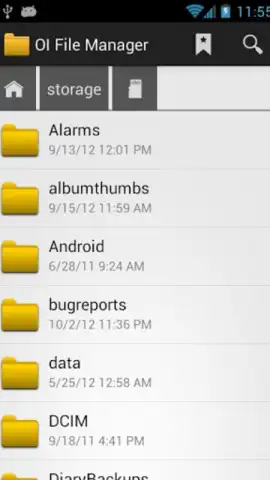
This isn't just another basic tool; it's your personal file command center designed for pure, intuitive action. The moment you open the app, you're greeted by a clean, logical interface that feels instantly familiar. You won't waste a second looking for tutorials or guides because everything is right where your intuition says it should be. Managing files becomes a seamless, almost enjoyable part of your digital life. See your photo collections come alive with automatic thumbnail previews, so you're always tapping on the right image, not just a cryptic filename.
Your Pocket-Sized File Powerhouse
OI File Manager goes far beyond simple copy and paste. It unlocks professional-grade file management that connects your phone to the wider digital world. Perform bulk actions with ease, organize thousands of files in seconds, and access advanced features that make you wonder how you ever managed without it.
- One-Touch File Sharing & Cloud Uploads: Send any file directly via email or upload it to Dropbox and other cloud services instantly. Just touch, select, and send—no more cumbersome saving and switching between apps.
- Intuitive Visual Browsing & Thumbnail Previews: Navigate your photos and images with confidence using clear, auto-generated thumbnails for every picture, making visual file selection fast and foolproof.
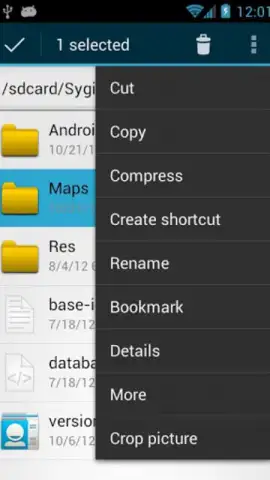
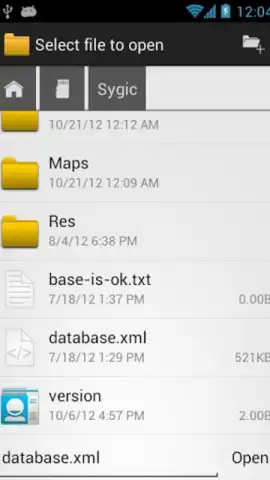
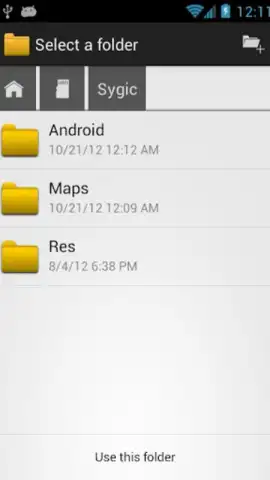
- Complete File Operations & Directory Control: Create new folders, copy, move, delete, and rename any file type with robust tools that handle everything from documents to APKs securely and efficiently.
This is the definitive tool that makes managing your device's memory—both SD card and internal storage—not just easier, but genuinely simpler and more powerful. Stop wrestling with disorganization and start enjoying streamlined, total control over every file on your Android.
Ready to transform your digital clutter into perfect order? Download OI File Manager now—exclusive, ad-free access is a limited-time offer for new users!
Heads up: you'll need wifi for most cloud uploads and sharing features. Some cool advanced tools and integrations may be part of additional extra modules.


