
Open Camera
Open Camera screenshots (14)
Description Open Camera
A Photographer's Toolkit, Unlocked
Imagine having a camera app that doesn't presume to know better than you. An app that steps aside, handing over every conceivable manual control and hardware access point your Android device possesses. This is the foundational principle of Open Camera by Mark Harman. It operates on a simple, powerful premise: your device has sophisticated imaging hardware, and you should have unmediated access to it. Unlike streamlined, opinionated camera apps, this open-source project presents a stark, technical interface—a control panel for your phone's optics. It is less about applying artistic filters after the fact and more about granting absolute authority over the capture process itself. For users frustrated by the automated decisions of stock camera software, this application feels like removing a layer of software abstraction to work directly with the sensor.
Engineering Control Over Every Pixel
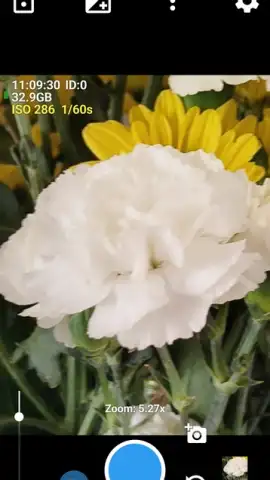
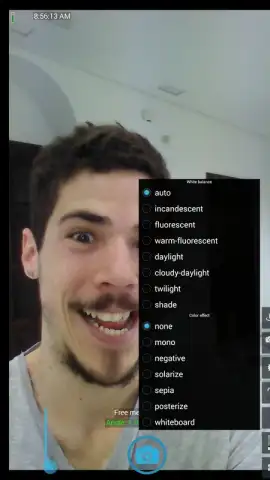
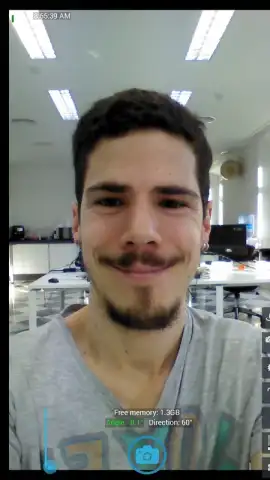
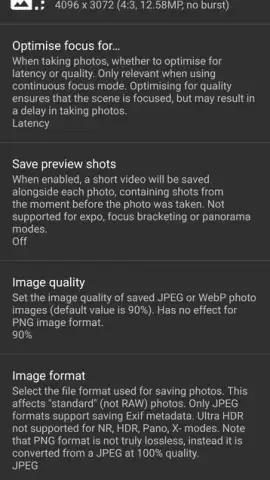
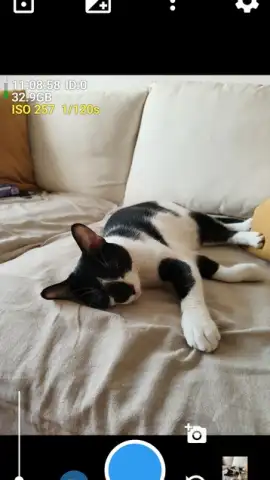
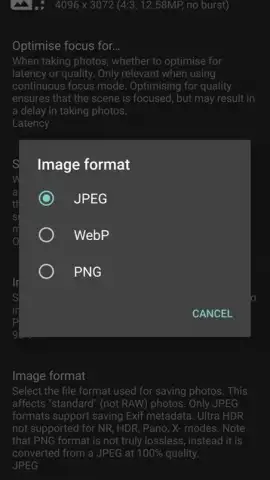
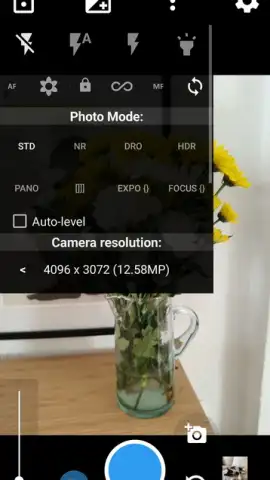
The application’s interface is a dense grid of toggle switches, sliders, and dropdown menus, each corresponding to a specific camera API parameter. The manual zoom control, for instance, isn't a simple pinch gesture but a precise slider that can adjust focal length in minute increments, provided your device's lens hardware supports it. The stabilizer function can be toggled between auto and specific modes like "continuous picture" or "continuous video," giving you control over how the software counters handshake. The array of shooting modes—STD (standard), NR (noise reduction), DRO (dynamic range optimization), HDR, and Panorama—are presented as raw tools. Selecting HDR doesn't just enable a magic button; it often exposes sub-settings for bracket count and EV step, allowing for fine-tuning of the merge process. The commitment to choice extends to the file itself: you can select not just JPG quality, but the image format (JPG, PNG, WebP) and resolution down to the specific sensor output modes your hardware allows. This level of granularity transforms photography from a point-and-shoot activity into a technical exercise.
The Hardware Liaison
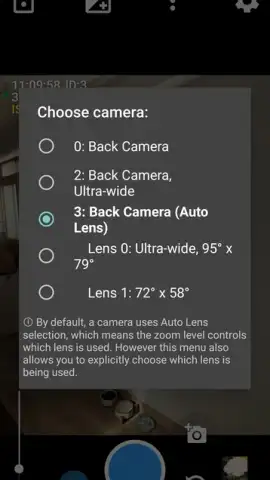
A critical, often overlooked feature is Open Camera's ability to act as a direct liaison to your device's physical camera array. Most apps use a logical "back camera" identifier, letting the system decide which physical lens to activate. This app breaks that abstraction. It can enumerate and allow you to manually select individual camera IDs—the wide-angle, telephoto, or ultra-wide sensor. This means you can, for example, deliberately choose the lower-resolution but wider-aperture sensor for a specific depth-of-field effect, or force the use of the telephoto lens even in low light, bypassing the system's default digital crop from the main sensor. This hardware-level access is device-dependent, but where available, it provides a level of creative control typically reserved for professional equipment. Similarly, the metadata management is comprehensive; you can choose to embed or strip EXIF data with precision, including GPS coordinates, device model, and software tags, which is crucial for privacy or workflow purposes.
- Manual Hardware Selection: Directly choose which physical camera lens to use, bypassing automated system decisions for precise creative control.
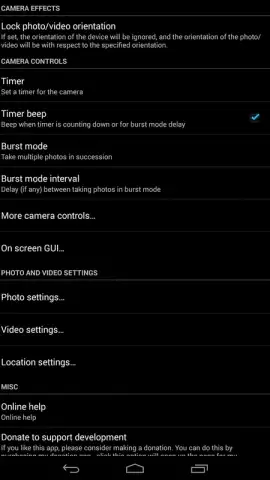
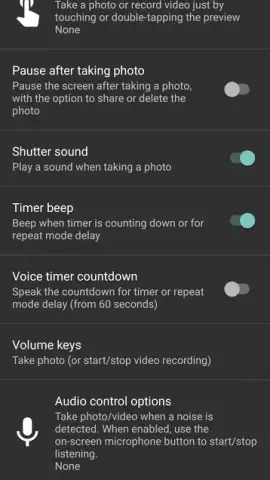
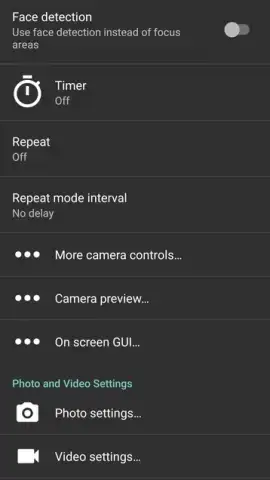
- Granular Capture Settings: Configure timer delay, manual zoom sliders, focus modes, and stabilization types independently for photos and video.
- Complete Output Control: Select image format (JPG, PNG, WebP), exact resolution, quality level, and customize EXIF metadata inclusion.
This application occupies a unique niche. It forgoes social sharing buttons, curated filter packs, and cloud albums to focus exclusively on the physics of capture. Its advantage is its staggering efficiency: the APK is remarkably lightweight, often a tenth the size of mainstream alternatives, and it operates completely free of advertising or hidden paywalls. The trade-off is a steep learning curve and an interface designed for function, not flair. It is, in essence, a professional-grade camera remote for your phone, packaged as an app.
Download Open Camera now to unlock the full, unfiltered potential of your Android device's hardware. This is a limited-time opportunity to access professional controls without the professional price tag—get the APK today and start capturing images on your own terms.
Disclaimer: This application requires an internet connection for initial download and may access device-specific camera hardware features that are not universally supported. Functionality of certain advanced modes depends on your Android device's manufacturer and API level. The developer is not responsible for device-specific compatibility issues.
 GooglePlay


