Opera Touch

Opera Touch

4.6 62 ratings
73 Views
35.69 MB Size
3+ Age

Opera Touch screenshots (9)

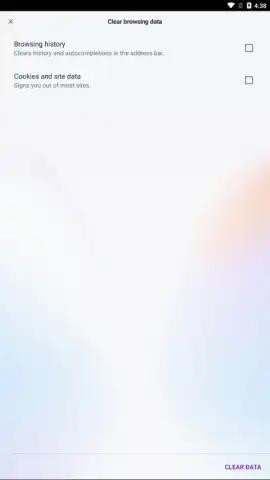
Opera Touch скриншот 1
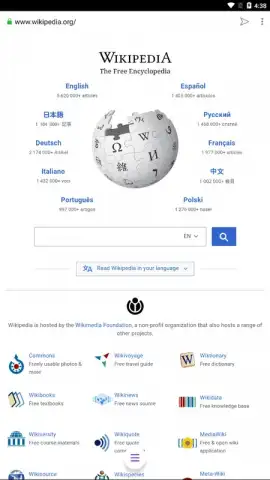
Opera Touch скриншот 2
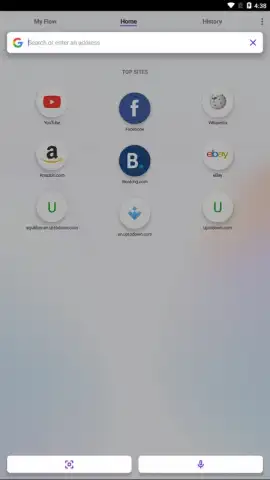
Opera Touch скриншот 3
Opera Touch скриншот 4
Opera Touch скриншот 5
Opera Touch скриншот 6
Opera Touch скриншот 7
Opera Touch скриншот 8
Opera Touch скриншот 9

Description Opera Touch

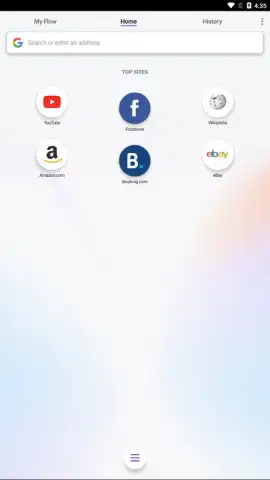
Tired of juggling your phone and computer just to share a link? What if your mobile browser could instantly beam content to your desktop with a single tap? Opera Touch reimagines mobile browsing with its groundbreaking Flow technology, designed for a seamless cross-device experience. Built from the ground up for one-handed use, it combines powerful, privacy-focused tools with an intuitive interface that puts everything you need right at your thumb's reach.

Engineered for Instant Cross-Platform Flow

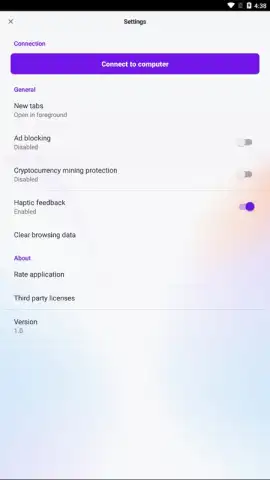
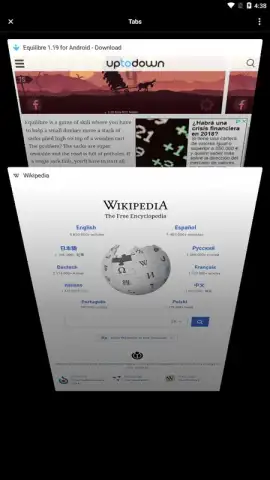
The core innovation of Opera Touch is the proprietary Flow feature. This creates a dedicated, encrypted channel between your phone and your Opera desktop browser, allowing you to send links, notes, and images instantly without any cumbersome logins or file sharing apps. It’s not just a sharing tool; it’s a continuous conversation with yourself across devices. The browser’s entire interface supports this efficient philosophy, with a unique Fast Action Button (FAB) permanently anchored at the bottom of the screen. A single press reveals your open tabs, search options, and Flow history, making navigation a one-thumb operation.

A Multi-Modal Search & Built-In Privacy Shield

Beyond its ergonomic design, Opera Touch provides multiple pathways to find information. You can use the traditional address bar, initiate a voice search via the microphone icon, scan QR codes directly through the camera, or even perform a visual search by taking a photo. This flexibility ensures you can search in the way that suits your moment. Underpinning this experience is a robust suite of privacy protections. The integrated ad blocker can be toggled on to remove intrusive ads and speed up page loading, while the Cryptojacking Protection feature actively guards against malicious scripts that mine cryptocurrency using your device’s resources without your consent.

Core Features at a Glance

  • Instant Flow to Desktop: Send links & notes seamlessly.
  • True One-Handed Navigation: Optimized Fast Action Button.
  • Multi-Mode Search: Voice, camera, QR, and text.
  • Built-In Ad Blocker: Toggle on for cleaner browsing.
  • Cryptojacking Protection: Blocks hidden crypto-miners.
  • Opera Turbo Mode: Compresses data to save bandwidth.

This isn't just another mobile browser—it's a productivity hub that connects your digital life. For a limited time, new users get exclusive early access to all premium privacy features at no cost. Download Opera Touch today and experience the fastest way to flow between your devices.

Heads up: you'll need wifi for optimal Flow performance and data-heavy tasks. Some advanced privacy features and settings are part of ongoing premium updates.

Manually checked and VirusTotal

Latest version

Version
2.9.9
Date
17.03.2026
Signature
f2d073c3ce094380f2201d9752fb0f81
Architecture
armeabi-v7a, x86, arm64-v8a, x86_64

About this app

Developer
Opera
Package name
com.opera.touch
Min. Android
Android + 8.0
Age
3+

Version history Opera Touch

Opera Touch 2.9.9
17.03.2026
35.69 MB
Opera Touch 2.9.6
17.03.2026
26.21 MB
Opera Touch 2.9.5
17.03.2026
21.8 MB
Opera Touch 2.9.4
17.03.2026
21.74 MB
Opera Touch 2.9.3
17.03.2026
21.74 MB
Opera Touch 2.8.4
17.03.2026
21.56 MB
Opera Touch 2.7.5
17.03.2026
18.63 MB
Opera Touch 2.7.3
17.03.2026
18.63 MB
Opera Touch 2.6.6
17.03.2026
18.51 MB
Opera Touch 2.6.1
17.03.2026
14.27 MB
Opera Touch 2.5.2
17.03.2026
14.3 MB
Opera Touch 2.4.6
17.03.2026
7.75 MB
Opera Touch 2.3.9
17.03.2026
14.13 MB
Opera Touch 2.2.3
17.03.2026
6.55 MB
Opera Touch 2.2.2
17.03.2026
7.35 MB
Opera Touch 2.0.0
17.03.2026
22.86 MB
Opera Touch 1.9.2
17.03.2026
10.02 MB
Opera Touch 1.9.0
17.03.2026
10.01 MB
Opera Touch 1.8.5
17.03.2026
9.86 MB
Opera Touch 1.8.4
17.03.2026
9.86 MB
Opera Touch 1.8.1
17.03.2026
9.85 MB
Opera Touch 1.8.0
17.03.2026
9.71 MB
Opera Touch 1.7.2
17.03.2026
9.7 MB
Opera Touch 1.6
17.03.2026
12.12 MB
Opera Touch 1.5
17.03.2026
12.11 MB
Opera Touch 1.4
17.03.2026
11.96 MB
Opera Touch 1.3
17.03.2026
11.95 MB
Opera Touch 1.22.3
17.03.2026
13.97 MB
Opera Touch 1.21.1
17.03.2026
13.93 MB
Opera Touch 1.2
17.03.2026
11.9 MB
Opera Touch 1.18.0
17.03.2026
6.2 MB
Opera Touch 1.17.3
17.03.2026
6.1 MB
Opera Touch 1.16.7
17.03.2026
6.09 MB
Opera Touch 1.16.6
17.03.2026
13.69 MB
Opera Touch 1.16.2
17.03.2026
5.97 MB
Opera Touch 1.16.1
17.03.2026
5.96 MB
Opera Touch 1.16.0
17.03.2026
13.46 MB
Opera Touch 1.15.2
17.03.2026
13.07 MB
Opera Touch 1.15.1
17.03.2026
13.07 MB
Opera Touch 1.15.0
17.03.2026
12.98 MB
Opera Touch 1.14.2
17.03.2026
12.92 MB
Opera Touch 1.14.1
17.03.2026
12.92 MB
Opera Touch 1.14.0
17.03.2026
12.92 MB
Opera Touch 1.13.1
17.03.2026
12.9 MB
Opera Touch 1.11.4
17.03.2026
11.67 MB
Opera Touch 1.10.4
17.03.2026
10.26 MB
Opera Touch 1.10.3
17.03.2026
10.27 MB
Opera Touch 1.10.1
17.03.2026
10.22 MB
Opera Touch 1.1
17.03.2026
11.88 MB
Opera Touch 1.0
17.03.2026
9.59 MB

Ratings and reviews for Opera Touch

4.6
62 ratings

Leave a review

7 + 6 =
Manually checked and VirusTotal
Latest version
Version
2.9.9
Date
17.03.2026
Signature
f2d073c3ce094380f2201d9752fb0f81
Architecture
armeabi-v7a, x86, arm64-v8a, x86_64
About this app
Developer
Opera
Package name
com.opera.touch
Min. Android
Android + 8.0
Age
3+