

PDF Extra - Scan, Edit & Sign
PDF Extra - Scan, Edit & Sign screenshots (8)

Description PDF Extra - Scan, Edit & Sign
Imagine a world where every paper document on your desk—that important contract, a child’s drawing, a faded receipt—instantly becomes a clean, organized digital file. No more bulky scanners, no more lost papers. This is the reality that PDF Extra - Scan, Edit & Sign brings directly to your pocket. It transforms your smartphone into a powerful document hub, turning chaotic physical pages into professional PDFs you can edit, sign, and share from anywhere. The process is so seamless it feels like magic, yet the control it gives you is completely real.
Your Digital Filing Cabinet, Reimagined
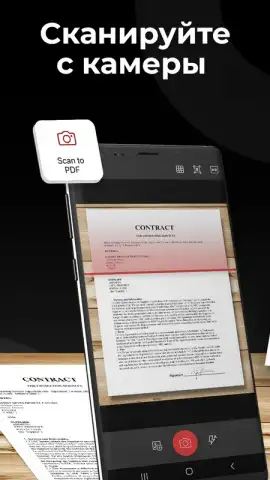
The journey begins the moment you open the app. The interface welcomes you with a clean, intuitive layout where every tool is logically placed on a single main screen. There’s no hunting through menus; the power to digitize your world is literally at your fingertips. You point your camera at any document, and with a single tap, you capture it. The app doesn’t just take a photo; it intelligently detects the edges of the page, cropping out the messy background of your desk or table to give you a pristine scan.
But your control doesn’t end there. After capturing, you can fine-tune the scan area with simple finger gestures. Even if your initial photo includes the entire page, you can easily select and isolate just the specific paragraph, chart, or signature block you need. The app provides advanced image correction tools, allowing you to apply automatic white balance or manually adjust contrast and brightness. This ensures that even documents with poor lighting or faded ink become crisp, readable digital files.
While the default and most powerful output is a PDF, your flexibility is total. You can save any scan in multiple image formats, including high-quality JPEG, PNG, or BMP, depending on your needs. The built-in Optical Character Recognition (OCR) engine is a game-changer, actively working to digitize the text within your scans. This turns static images into searchable and selectable text, making it effortless to find information later or copy text from a scanned document.
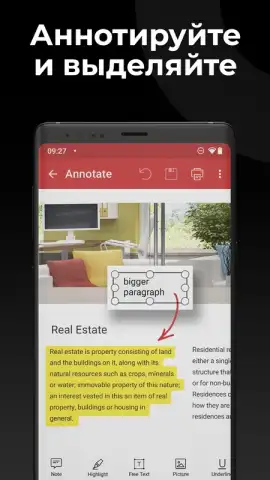
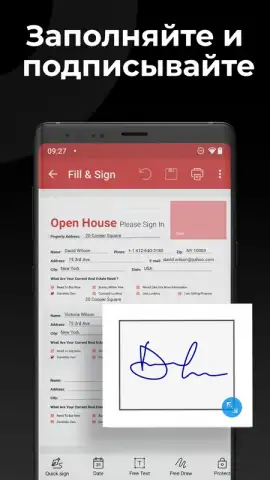
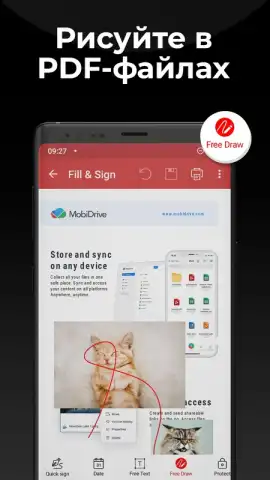
The editing suite within PDF Extra removes the need for any external software. You can directly insert text boxes, type notes, or highlight crucial information on any PDF. The signature function is particularly valuable; you can create a saved signature and apply it to documents with a tap, turning the tedious process of printing, signing, and rescanning into a 30-second task. All of this functionality is delivered in an experience completely free of advertisements, ensuring a focused and uninterrupted workflow.
Core Features at a Glance
- Transform paper into digital PDFs instantly
- Precise scan cropping and image enhancement tools
- Built-in text editing and digital signature capabilities
- Advanced OCR for creating searchable documents
Stop letting paper clutter your physical and digital life. Take command of your documents today. Download PDF Extra - Scan, Edit & Sign now and experience the ultimate freedom of a paperless workflow. Get it immediately!
A functional internet connection may be required for certain features. The app may offer in-app purchases.
 GooglePlay


