

Photo Background Remover
Photo Background Remover screenshots (3)

Description Photo Background Remover
Tired of Complicated Editing? Your One-Tap Background Remover is Here
Ever needed a clean, transparent background for a product photo, a creative portrait, or a fun meme, but felt stuck because professional software is too complex? You just want the object, without the busy background, and you want it now. Manually tracing around edges with your finger is frustrating and never looks quite right. That struggle ends here. This tool transforms your phone into a powerful, instant editing studio, putting professional-grade cutouts directly in your palm. Imagine isolating anything or anyone from a photo in seconds, not hours.
How It Works: AI-Powered Precision at Your Fingertips
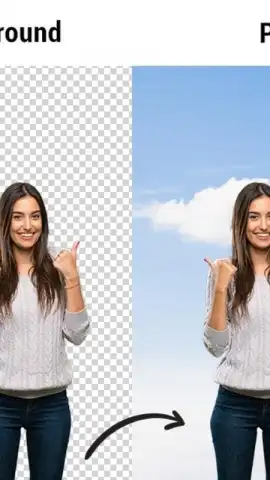
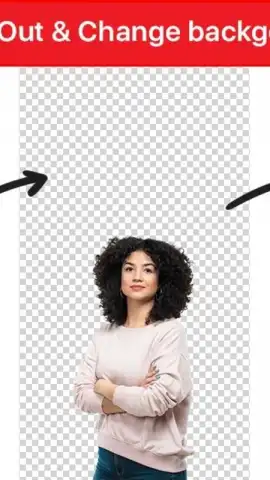
The core of this experience is an intelligent AI that does the hard work for you. You simply select a photo from your gallery or take a new one. The app automatically detects the main subject—be it a person, a pet, an item of clothing, or a piece of jewelry—and separates it from the background with impressive accuracy. You are then presented with your subject on a transparent or solid-colored canvas, ready for use. For finer control, intuitive brush tools let you manually add to or erase from the selection, ensuring every hair and intricate detail is captured perfectly. Once your subject is cleanly extracted, the creative possibilities open up.
Key Advantages That Make Editing Effortless
- One-Tap Automatic Removal: Experience the magic of AI with a single press. Watch as backgrounds disappear instantly, saving you immense time and effort.
- High-Quality Edge Detection: The advanced algorithm handles tricky elements like frizzy hair, translucent fabrics, and complex shapes, delivering a clean, natural-looking cutout without harsh or jagged edges.
- Versatile Post-Editing Suite: After removal, you are not left with just a transparent image. Easily add a new solid color background, choose from a library of stylish gradients and patterns, or insert your own custom background image to create entirely new scenes.
- User-Friendly Manual Tools: For ultimate precision, use the brush and eraser tools to fine-tune the AI's work. Zoom in and adjust the selection pixel by pixel for flawless results on any image.
- Quick Export & Share: Your edited images are saved in high-quality PNG format with transparency preserved. Share your creations directly to social media, messaging apps, or save them to your device for use in other projects.
Stop letting complicated editing tools slow down your creativity. Get the perfect cutout every time and unlock a new level of photo editing freedom.
Download Photo Background Remover now and transform your images in seconds!
Disclaimer: This application requires an internet connection for full functionality, including AI processing. Some premium features or background collections may require in-app purchases. The app is intended for general use; please be mindful of copyright and personal privacy when editing and sharing images. Data usage may apply depending on your connection. Requires Android 4.4 or later.


