

Pinbox
Pinbox screenshots (5)

Description Pinbox
What if your smartphone's most private files had a dedicated, code-protected vault?
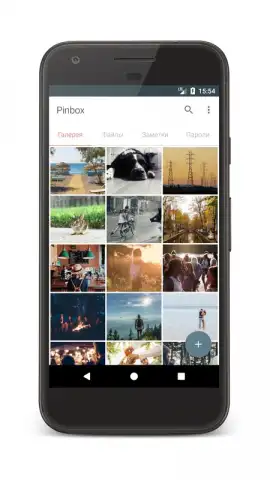
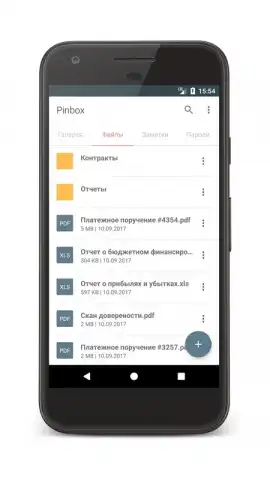
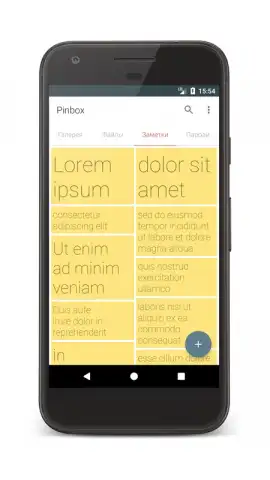
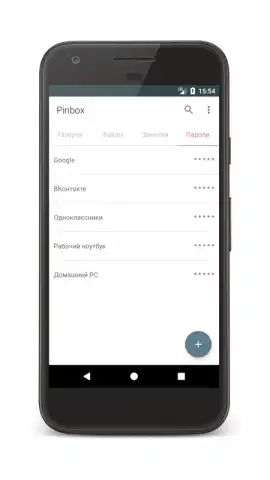
Pinbox addresses a common yet critical need in mobile personalization: creating a secure, segregated space for sensitive documents, images, notes, and passwords directly on your Android device. It functions not as a simple folder hider, but as a structured digital safe with a clear, minimalist interface that prioritizes straightforward operation. The initial setup is intentionally direct, requiring you to establish a numeric access code immediately, which becomes the singular key to your protected content. Once inside, the app organizes imported files into four distinct, intuitive categories, eliminating clutter and providing immediate clarity on what is stored where. This foundational structure makes Pinbox a practical tool for anyone from students securing personal notes to professionals needing to carry confidential work documents.
Core Mechanics and Advanced Security Layers
Beyond basic file locking, Pinbox incorporates thoughtful security enhancements that elevate it above rudimentary solutions. A primary feature is the intrusion alert system, which activates after several failed login attempts. When triggered, it discreetly uses the device's front-facing camera to capture an image of the individual attempting access and can automatically dispatch this photo via email to the vault owner. This transforms a simple lock into an active monitoring system. Furthermore, to combat code observation or fingerprint smudge analysis, the app offers a keyboard shuffling function. This feature randomizes the number pad layout each time it is displayed, making it significantly more difficult for onlookers to deduce your PIN based on finger movement patterns. The absence of advertisements in the core experience, especially when utilizing the Turbo benefits, ensures these security interactions remain uninterrupted and focused.
- Establishes a secure vault for documents, images, private notes, and passwords.
- Utilizes a mandatory numeric access code for primary security.
- Implements an intrusion alert with automatic photo capture of failed attempts.
- Features a keyboard shuffler to prevent PIN code observation.
- Organizes all protected content into four clear, categorical sections.
Get your bonus of privacy and control—download the Pinbox mobile app now to instantly secure your sensitive files.
Requires an internet connection for certain functions like email alerts. The app may offer in-app purchases for additional Turbo features.


