

Pixelcut
Pixelcut screenshots (13)











Description Pixelcut
Imagine a world where your digital photos are cluttered with unwanted objects—a stray trash can in a scenic landscape, an ex-partner in a cherished memory, or a photobomber ruining a perfect group shot. For years, this meant either accepting the flaw or embarking on a complex journey through desktop software. Pixelcut redefines this process, placing professional-grade photo editing power directly into the palm of your hand, transforming your smartphone into a precise digital scalpel for your visual content.
Core Editing Mechanics and Tools
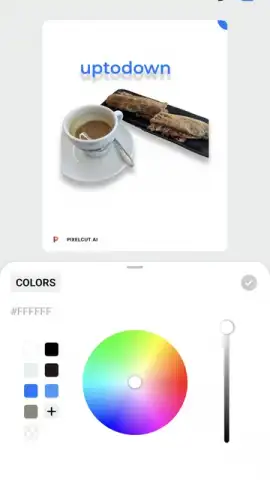
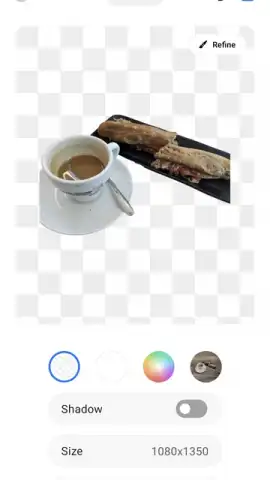
Pixelcut operates on the principle of intelligent, AI-assisted object manipulation. The primary tool is an advanced 'Remove Object' function. You simply brush over the unwanted element—a person, text, a shadow, or any blemish—and the app's algorithm analyzes the surrounding pixels to seamlessly reconstruct the background. It doesn't just delete; it synthesizes new texture and pattern data that blends perfectly with the existing image, making the removal virtually undetectable. Beyond deletion, the app offers a robust suite for creative control. You can isolate subjects with a single tap for clean background removal, instantly generate new backgrounds from text prompts, or use the 'Unblur' feature to salvage details from slightly out-of-focus shots. Each action is processed on-device or via secure cloud servers, delivering results in seconds without compromising the original image's resolution.
Key Advantages and User Experience
The principal strength of Pixelcut lies in its democratization of complex editing. It strips away the steep learning curve of layers and masks, presenting a minimalist, intuitive interface where tools are accessible but not overwhelming. Performance is a key differentiator; the AI processing is remarkably fast for the computational load it handles, providing near-instant previews. The output quality consistently achieves a high standard, with clean edges on cut-outs and plausible in-painting for removed objects, making it suitable for both social media content and more serious photographic correction. Visually, the app maintains a calm, focused aesthetic that puts your image at the center, reducing cognitive load and allowing for a meditative, detail-oriented editing session.
- AI-Powered Object Removal: Erase people, text, and imperfections with a brush stroke, leaving no trace.
- One-Tap Background Changer: Instantly isolate subjects and replace backgrounds with solid colors or new scenes.
- Magic Background Generator: Create entirely new, AI-generated backgrounds for your photos using simple text descriptions.
- Photo Unblur Tool: Sharpen and recover detail from slightly blurred or shaky photos in seconds.
- Batch Processing Capabilities: Apply edits like background removal to multiple images simultaneously to save time.
Start transforming your photo library today. Claim your advantage now and experience the simplicity of professional editing.
Download mobile app now
Disclaimer: This application requires an internet connection for certain AI-powered features and cloud processing. It may contain in-app purchases for premium tools or subscription plans. The app is intended for users aged 12 and over. User data, including processed images, may be used to improve service performance as outlined in the developer's privacy policy.
 GooglePlay


