
Pixolor
Pixolor screenshots (5)


Description Pixolor
Ever need to know the exact color of anything on your phone's screen? Whether you're tweaking a design, matching a shade from a photo, or just satisfying a moment of curiosity, pinpointing that precise pixel color can be a frustrating guesswork. What if you had a digital magnifying glass that could instantly identify any color, anywhere on your display?
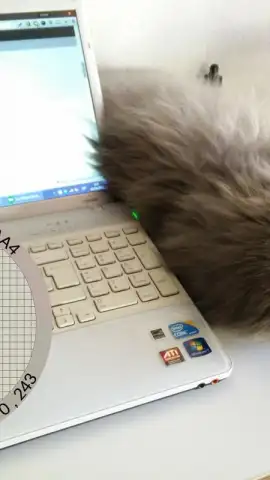
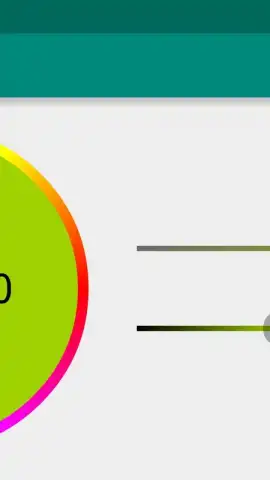
Pixolor transforms your Android device into that precise color detection tool. Imagine a floating, movable circle that you simply drag over any part of your screen. The moment you position it, the app analyzes the pixel underneath and reveals its true color identity. This happens in real-time, whether you're looking at a picture in your gallery, scrolling through social media like Twitter, or viewing a message in WhatsApp. You are no longer left wondering about a specific hue; you capture it instantly.
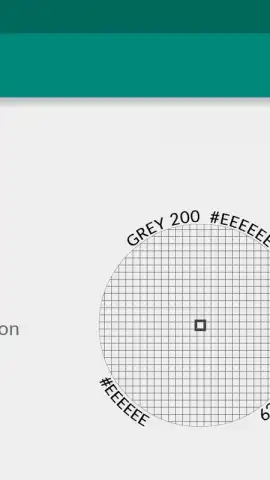
The application displays the crucial technical data right inside the overlay circle. You get the immediate RGB color code, the universal language for digital color, telling you the exact mix of red, green, and blue. Furthermore, it provides the precise DIP coordinates of the selected pixel on your screen, offering valuable spatial reference. This combination of data is incredibly powerful for tasks like matching a color directly to the nearest shade in Google's Material Design palette, ensuring perfect design consistency.
To achieve absolute accuracy, you can zoom in on any area of your screen. This action enlarges the pixels, making your target easier to isolate and guaranteeing your color pick is flawless. The process is designed for efficiency, removing the need for cumbersome screenshots and external software.
- Live On-Screen Color Picker: A persistent, draggable circle allows for real-time color sampling from any application or screen.
- Instant RGB Code Display: See the exact RGB values for the captured pixel directly within the tool's interface.
- Precise Pixel Coordinates: Access the DIP coordinates for advanced design and development workflows.
- Integrated Zoom Functionality: Pinch-to-zoom on the screen to magnify pixels for meticulous, error-free color selection.
- Universal Screen Compatibility: Works seamlessly over any app, website, or image displayed on your Android device.
- Streamlined for Designers: An essential utility for graphic designers, UI/UX developers, and artists needing quick color matching.
Consider downloading Pixolor to replace color guesswork with absolute certainty. This tool provides the professional-grade color analysis you need directly on your device.
Download the Pixolor mobile app now to instantly identify any color on your screen.
Internet required. IAP available.
 GooglePlay





