
Privacy Screen Filter Free
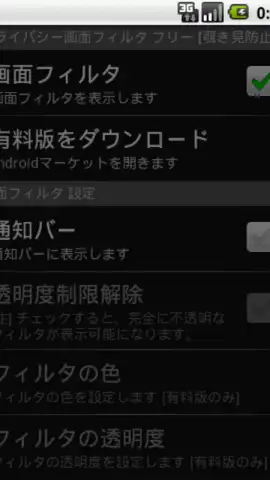
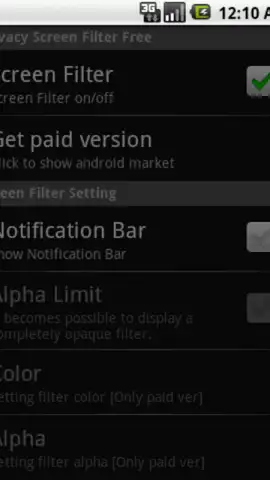
Privacy Screen Filter Free screenshots (2)
Description Privacy Screen Filter Free
Protect Your Screen from Prying Eyes
In public spaces, your smartphone screen is visible to anyone nearby, exposing private messages, banking details, or personal photos. A standard screen protector does nothing to prevent this visual hacking. This application addresses that specific privacy vulnerability by applying a real-time filter that makes your screen content appear darkened or obscured from any side angle, while remaining perfectly clear to you, the primary user, looking straight on.
Core Privacy Filtering Mechanics
The app operates by generating a persistent, adjustable overlay across your device's display. The primary function is a selective blur or darkening effect that activates based on the phone's orientation or through manual toggle. Users can customize the filter's intensity, choosing from patterns like a solid dark tint, a pixelated mosaic, or a frosted glass effect to scramble the off-angle view. It integrates at the system level to work across all applications—from your messaging client and email to gallery and banking apps—without requiring individual app permissions. A quick settings toggle or notification shade shortcut allows for instant activation and deactivation when privacy is or isn't a concern.
Key Functional Advantages
The utility is defined by its operational simplicity and system-wide coverage.
- Universal App Coverage: The filter layer works seamlessly over any other application, securing your entire device interface without exceptions.
- Customizable Visual Security: Select from multiple obfuscation styles and adjust density to balance your privacy needs with on-axis screen clarity.
- Instant Activation Toggle: Enable or disable the privacy screen instantly via a persistent notification or a dedicated widget for rapid response in changing environments.
Get your bonus of privacy and control over your personal information in any setting.
Download mobile app now
Disclaimer: This application requires an active internet connection for initial setup and potential ad-serving functionality. It may contain in-app purchases for premium filter styles or features. The app is intended for users over the age of 4 due to general content guidelines. Use of this app will consume battery and system resources to maintain the active screen overlay. Please be aware of your surroundings when using a darkened screen filter.


