

QR & Barcode Scanner
QR & Barcode Scanner screenshots (6)
Description QR & Barcode Scanner
A Comprehensive Tool for Modern Digital Interaction
This QR & Barcode Scanner application by 1MB Apps Studio establishes itself as a definitive utility for Android, moving beyond basic scanning to offer a fully integrated system for managing coded information. It functions as both a high-speed reader and a versatile generator, designed to decode the physical world and create shareable digital links with equal proficiency. The absence of disruptive advertising, a noted feature in its Turbo experience, allows for a focused and uninterrupted workflow, whether you're checking product details in a store or configuring a personal contact QR code for professional networking.
Core Functionality and Analytical Breakdown
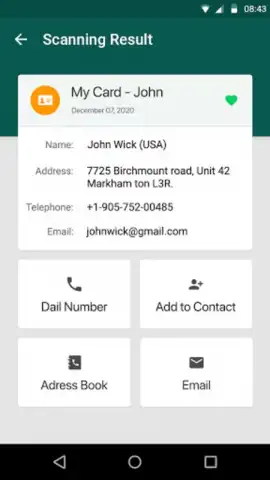
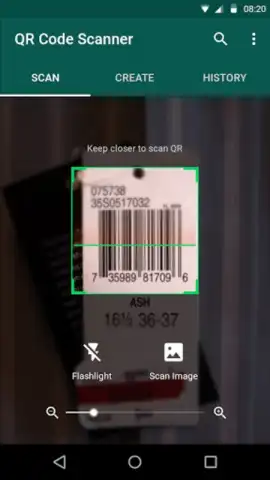
The scanner engine operates on a principle of automated recognition, eliminating the need for manual mode selection between QR codes and various barcode formats like EAN-13 or UPC-A. Upon activation, the device's camera, aided by an adaptive focus algorithm and an optional LED flashlight overlay for low-light conditions, captures the code. The application then parses the embedded data—be it a URL, plain text, vCard contact details, or WiFi credentials—and presents the structured result with relevant actionable buttons. A secondary input method allows for processing static images imported directly from the device's gallery, useful for digitizing codes from screenshots or printed materials.
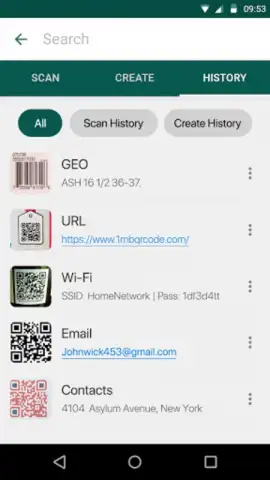
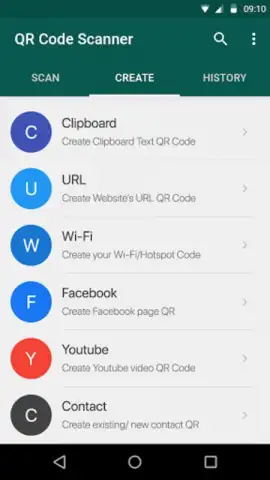
Beyond reading, the generation module provides a structured form to create custom QR codes and barcodes. Users input data such as website links, telephone numbers, event details, or predefined WiFi network configurations, selecting from a range of output formats. The resulting graphic can be visually customized with basic color adjustments before being exported. A critical organizational feature is the local history log, which automatically catalogs every scan and creation event. This log supports categorization, search, and marking favorites, effectively building a personal database of interactions that can be revisited or shared via standard Android sharing protocols at any time.
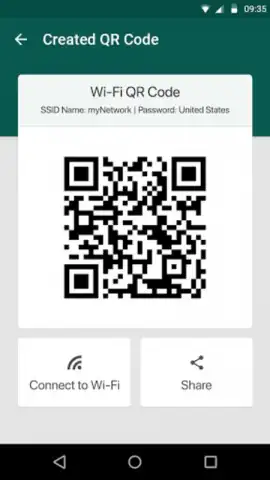
For power-use scenarios, the application supports batch scanning, enabling the sequential capture of multiple codes without closing the camera viewfinder—a efficiency gain for inventory checks or processing a series of promotional materials. The dedicated WiFi code parser is particularly noteworthy; when it encounters a QR code containing network credentials, it can initiate a seamless connection prompt, bypassing the need to manually enter long passwords. The entire experience is contained within a minimalist interface that prioritizes camera view real estate, with settings and history accessible via unobtrusive menu icons.
Key Feature Set
- Automated recognition of QR codes and multiple 1D/2D barcode formats without manual switching.
- Integrated generator for creating custom QR codes and barcodes for contacts, links, and WiFi.
- Persistent local history log with search, favorites, and categorization for all scanned/created items.
- Batch scanning mode for sequential code reading and gallery import for processing saved images.
- One-tap WiFi connection from compatible QR codes and a built-in flashlight for low-light operation.
Get your bonus of an ad-free, efficient scanning experience and start organizing your digital interactions today.
Download mobile app now
Requires an internet connection for certain online lookups (e.g., product prices). The app may contain in-app purchases for advanced features.
 GooglePlay


