

Root Explorer
Root Explorer screenshots (5)
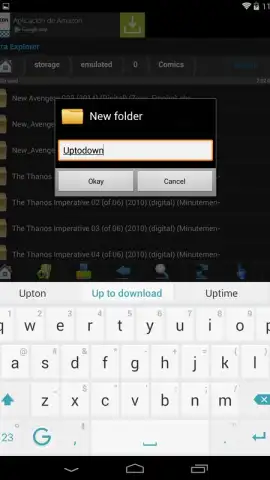
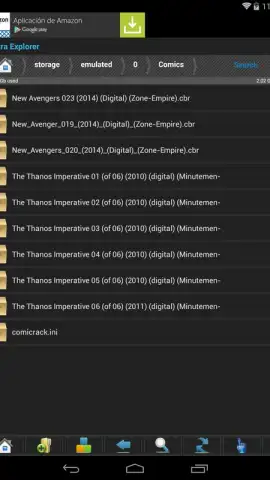
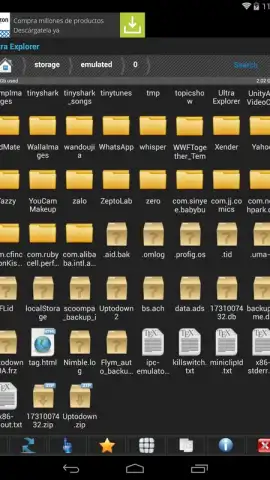
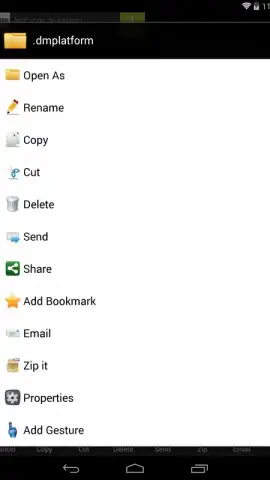
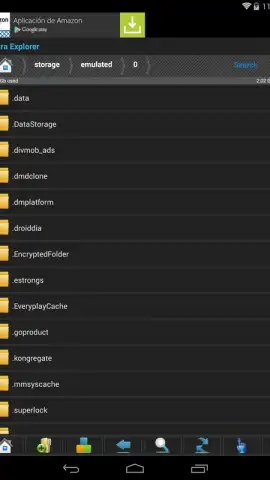
Description Root Explorer
Unlock Your Android's True Potential
Ever felt like your phone or tablet is holding back? Like there's a whole hidden world of files and system settings just out of reach, locked behind permissions? That feeling ends today. Imagine having the master key to your Android device, giving you the freedom to modify, optimize, and control every single aspect of its operation. That’s the power Root Explorer puts directly into your hands. This isn't just another file manager; it's the ultimate toolkit for anyone who wants to transform their device from a consumer gadget into a fully customizable powerhouse.
Total File System Command at Your Fingertips
With Root Explorer, you step into a new level of device management. This powerful application grants you deep, administrative access to the entire Android file system—but only if your device is rooted. That root access is your ticket. Once inside, the possibilities become virtually limitless. You’re no longer a passenger; you’re the administrator. Manage system files that other apps can't even see, remove pre-installed bloatware to free up precious space, and tweak settings for maximum performance. The interface is designed for power, yet remains intuitive, putting immense control into a clean, manageable layout.
The way you interact with files is transformed. Forget tedious menus for every little task. Root Explorer introduces a fluid, gesture-based control system that makes file operations feel instantaneous. A simple swipe or tap combination lets you cut, copy, paste, rename, or archive files and folders. It turns complex management into a smooth, almost effortless dance of gestures, saving you time and making you incredibly efficient.
Why Root Explorer Stands Apart
- Complete Root-Level Access: Navigate, view, and modify the entire root directory and system partitions. Change permissions, edit critical configuration files, and truly own your device's software.
- Intelligent Gesture Controls: Redefine how you manage files. Set up custom swipe gestures and combinations for your most frequent actions, making you faster and more productive than any traditional file manager allows.
- Advanced File Operations: Go beyond basics. Easily create, extract, and examine ZIP or RAR archives directly. View hidden files, check MD5 checksums, and manage SQLite databases—all within a single, powerful app.
- Dual-Pane & Network Mastery: Work in a split-view mode to drag and drop between locations effortlessly. Plus, manage files over FTP, SMB, and other network protocols, connecting your device to PCs and NAS drives seamlessly.
- The Turbo Advantage: The free version is fully functional but includes advertisements. However, you have immediate control—you can minimize ad banners to the screen's edge to reduce intrusion instantly. For the ultimate, streamlined experience, the premium Turbo version removes all ads and unlocks the app's full, uninterrupted potential.
Your Exclusive Access to Advanced Control Awaits
This is your moment to stop compromising with your technology. Root Explorer is the trusted tool developed by KShark Apps for advanced users who demand more. Why wait to optimize, customize, and liberate your Android device? For a limited time, new users can explore the robust free version with its unique gesture controls. Step up and claim the control you deserve.
Download Root Explorer now and become the true admin of your device. This level of access is exclusive—grab it today before you miss out!
Internet required. IAP available.


