

Регулятор громкости
Регулятор громкости screenshots (5)
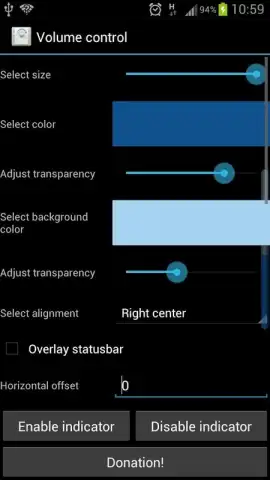
Description Регулятор громкости
Tired of Your Phone's Volume Never Being Quite Right?
You know the feeling. You're trying to listen to a podcast in a noisy cafe, and the volume slider just doesn't go high enough to hear the host clearly. Or you're settling in for bed with a calming audiobook, and the lowest setting is still too loud, jolting you awake. Your device's built-in controls offer a one-size-fits-all approach that never seems to fit your moment. What if you could fine-tune every sound to match your environment and your ears perfectly?
Take Precise Control of Every Sound
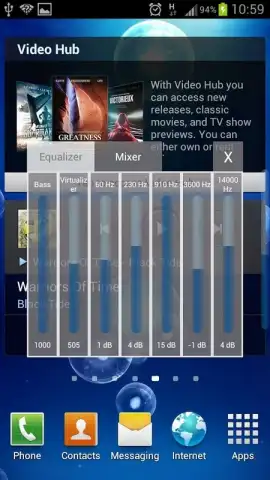
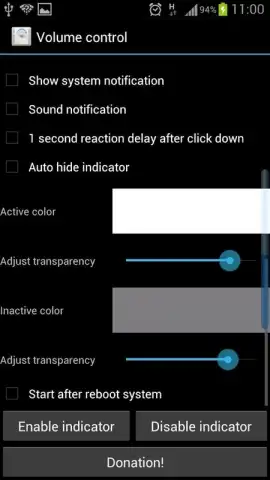
This app hands you a professional-grade volume mixer for your Android device. Forget about the basic, limited steps your phone offers. You gain access to a much wider range of adjustment, allowing you to push volume higher for media when you need it or drop it to a whisper-quiet level for nighttime listening. It seamlessly integrates with your system, giving you granular control over your media, alarms, ringtones, and notification volumes from one intuitive interface. The clean, minimal design puts all the power at your fingertips without any clutter, making it simple to create the perfect audio profile for any scenario in seconds.
Why This Volume Tool Becomes Essential
The advantage lies in its simplicity and profound utility. You stop fighting with your device and start enjoying content exactly as you want. The interface is designed for immediate understanding, requiring no technical knowledge to use effectively. It operates smoothly in the background, becoming a natural extension of how you interact with your phone's audio every single day.
- Granular volume control beyond system limits
- Separate sliders for media, ringtone, and alarms
- Clean, non-intrusive user interface
- Quick settings tile for instant access
Stop compromising on your listening experience. Download the mobile app now and hear the difference precise control makes.
Heads up: you'll need wifi for the initial download. Some advanced audio profiles or widgets may be part of additional optional features.


