

Samsung DeX
Samsung DeX screenshots (1)
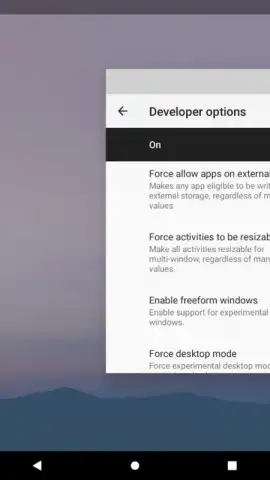
Description Samsung DeX
Transform Your Phone into a Desktop Computer
Samsung DeX is a platform that redefines mobile productivity by allowing compatible Samsung Galaxy devices to power a desktop-style computing experience. It solves the fundamental problem of screen and interface limitations on smartphones, enabling users to transition from a mobile-centric workflow to a full desktop environment with a monitor, keyboard, and mouse. This is not merely screen mirroring; it is a distinct, optimized interface that delivers the efficiency of a PC from the hardware you already carry.
Core Functionality and User Experience
The core mechanic involves connecting your Samsung smartphone or tablet to an external display via a USB-C to HDMI cable, a dedicated DeX Station, or wirelessly to supported smart TVs and monitors. Upon connection, the device launches the DeX interface, which presents a familiar desktop environment complete with a taskbar, resizable application windows, and a file manager. Applications run in dedicated windows, allowing for true multitasking. The phone itself can function as a trackpad or secondary display, or be used independently for tasks like taking calls. The system leverages the device's native processing power and storage, creating a seamless continuum between mobile and desktop workflows without requiring cloud syncing or secondary subscriptions for core functionality.
Key Operational Advantages
The primary strength of Samsung DeX lies in its system-level integration and utilitarian design. It provides a tangible expansion of your device's capabilities without demanding significant additional investment in software or hardware, assuming you have a compatible display and input peripherals. The user experience is characterized by its practicality: it turns a single device into a dual-purpose tool, effectively consolidating your digital workspace. Performance is directly tied to the host Galaxy device, meaning application responsiveness and capability scale with your phone's or tablet's specifications. The visual presentation is clean and functional, prioritizing clarity and efficient window management over decorative elements, which aligns with its productivity focus.
- Desktop Interface Conversion: Launch a complete PC-like environment with a taskbar, multi-window support, and drag-and-drop functionality directly from your phone.
- Wired and Wireless Connectivity: Connect to external displays using a simple USB-C cable, a DeX docking station, or via wireless screen mirroring on compatible TVs.
- Enhanced Multitasking Workflow: Run multiple Android and supported web applications in separate, resizable windows simultaneously to boost productivity.
- Integrated File and System Management: Access and manage your phone's files through a dedicated desktop-style file explorer within the DeX interface.
- Peripheral and Phone Integration: Use your connected phone as a touchpad, keyboard, or secondary screen while utilizing the main display for primary tasks.
Download the Samsung DeX mobile app now to unlock your phone's full desktop potential—exclusive access for first users to this integrated productivity platform is a limited-time opportunity to redefine your mobile workflow.
Heads up: you'll need wifi for optimal wireless DeX performance and for app updates. Some advanced features and full app compatibility may require specific Samsung Galaxy models and Android versions. A stable HDMI connection or compatible wireless display is needed for the core experience.


