

Samsung LockStar
Samsung LockStar screenshots (5)
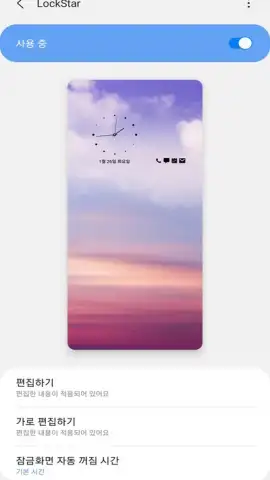
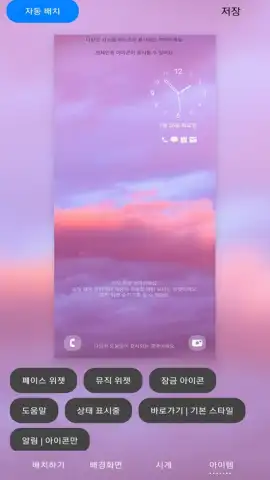
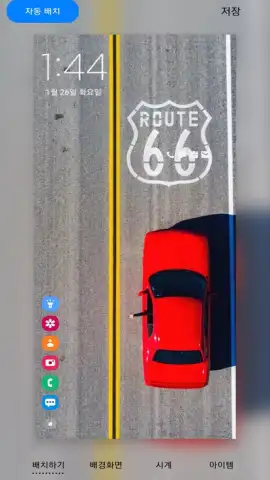
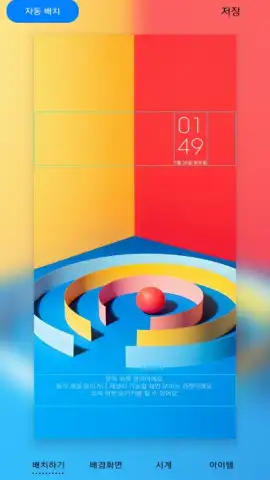

Description Samsung LockStar
A Tool for Those Who Find Default Lock Screens Limiting
Many Samsung smartphone users encounter the same limitation: a lock screen interface that feels generic and offers minimal control over its layout and information density. While functional, the default setup often places elements in fixed positions, uses a prescribed clock style, and provides little room for personal aesthetic adjustment. This can make the device feel less personally curated during one of its most frequently viewed states. Samsung LockStar addresses this directly by functioning as an integrated customization module within the Good Lock suite, granting granular, system-level control over the lock screen's composition without requiring third-party launchers or complex modifications.
The application operates by unlocking design parameters typically restricted by the standard One UI interface. It allows users to reposition virtually every on-screen element—including clock widgets, notification cards, shortcut icons, and the status bar—through a simple drag-and-drop interface within its editor. This is not merely about applying a new wallpaper; it is about architecting the information hierarchy and visual balance of the screen itself. You can select from multiple clock designs, adjust their size and transparency, and choose specific date formats. Furthermore, it enables the placement of up to five direct-action shortcuts on the lock screen, configurable for both left and right sides, providing faster access to frequently used apps like the camera or flashlight without unlocking the device.
A key operational detail is its non-intrusive nature; the app integrates seamlessly, and changes are applied instantly without lag or instability. The editing environment is visual and intuitive, showing a live preview of adjustments, which eliminates guesswork. For users who prefer a minimalist lock screen, it is possible to hide all elements except for essential notifications. Conversely, those who want immediate access to more information can expand the widget area and adjust padding. The tool respects system security, meaning all biometric and credential gates remain fully intact and operational after any cosmetic alteration.
- Precise Element Placement: Drag and drop to reposition clocks, notifications, and shortcuts anywhere on the lock screen canvas.
- Extensive Clock Customization: Choose from various clock styles and independently modify their size, color, and alignment.
- Flexible Shortcut Configuration: Assign and position up to five app shortcuts for instant access from the locked state.
- Dynamic Date & Status Control: Select your preferred date format and control the visibility of the status bar icons.
- Visual Layout Editor: Utilize a real-time preview panel to see all adjustments live before applying them.
We suggest trying Samsung LockStar if your current lock screen layout feels inefficient or visually unappealing. It provides a professional-grade toolset for refining one of your phone's most interactive surfaces, turning a standard interface into a personalized dashboard. Consider downloading it to systematically eliminate the friction between you and the information you need at a glance.
Internet required. IAP available.


