

Samsung Messages
Samsung Messages screenshots (6)





Description Samsung Messages
A Comprehensive Review of the Default Samsung Messaging Experience
Samsung Messages is not merely a pre-installed application; it is the foundational communication layer engineered by Samsung for its Galaxy ecosystem. This review examines the mechanics of this default SMS and MMS client, analyzing its operational logic and the integrated features that define its user experience. For Samsung device owners, it represents the primary and most optimized channel for text-based communication, designed for cohesion within the One UI environment. Its presence is a given, but its functionality warrants a closer look to understand its role as a core system utility.
The application's interface is built on a principle of chronological clarity, presenting message threads in a linear, time-ordered list. Navigation is gesture-based, allowing users to scroll through conversations with standard swiping motions. Tapping any thread opens it in a focused view optimized for rapid reading and response. Beyond basic display, the app incorporates a robust and granular search tool. This function allows for precise filtering, enabling users to locate specific messages using keywords, contact names, associated phone numbers, or exact dates of receipt, effectively turning your message history into a searchable archive.
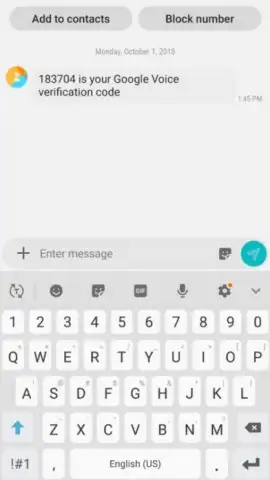
Management and control are central to its design philosophy. The app provides direct tools for contact management, including the ability to block specific numbers directly from a message thread or notification. This action silences all future communications from that sender. Furthermore, notification handling is streamlined, allowing users to mark alerts as read without necessarily entering the full application, aiding in inbox triage. It operates without advertising, presenting a clean, uninterrupted user interface dedicated solely to the task of messaging.
- Chronological and Gesture-Based Interface: All conversations are listed in clear time order, navigable through intuitive swipe gestures for efficient browsing.
- Advanced Granular Search Function: Locate any message instantly using filters for keywords, contacts, phone numbers, or specific dates.
- Direct Contact and Notification Control: Block unwanted numbers directly from a thread and manage alerts by marking notifications as read externally.
- Optimized Default SMS/MMS Client: Pre-integrated and fully optimized for stability and battery efficiency on Samsung Galaxy devices.
- Ad-Free, Focused Messaging Environment: Provides a clean interface dedicated solely to sending, receiving, and managing your texts.
We suggest trying Samsung Messages to experience the fully integrated, system-level messaging solution designed specifically for your device's hardware and software. Consider downloading it to utilize the most stable and efficient text communication channel available on your Samsung smartphone.
Internet required. IAP available.


