

Samsung Music
Samsung Music screenshots (6)


Description Samsung Music
Your Personal Music Hub, Organized and Ready to Play
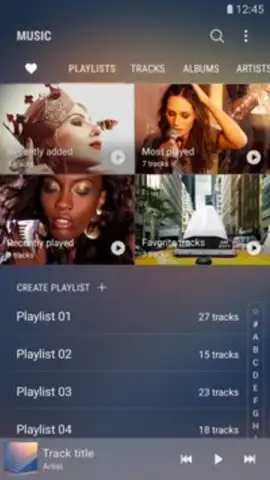
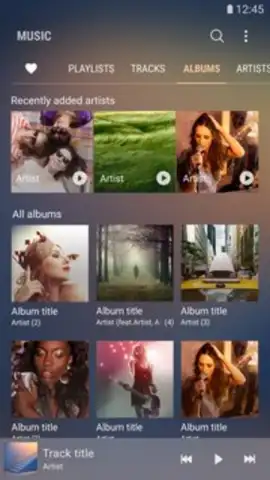
Imagine opening your phone to find your entire music collection perfectly sorted, from your latest downloads to your oldest favorites, all waiting for you. That’s the experience that greets you with this audio player. It seamlessly scans your device, gathering every track to create a personal library that feels both vast and intimately yours. You are greeted by a clean, elegant interface that puts the music first, removing any clutter between you and your playlist.
Tailored Sound and Effortless Control
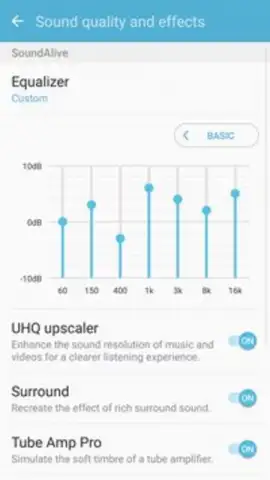
This application goes beyond simple playback, giving you precise control over how your music sounds and feels. The built-in equalizer allows you to fine-tune the audio profile, whether you want to boost the bass for your workout or clarify the vocals for a focused listening session. Manage your music directly from your lock screen without ever unlocking your device, a convenience that feels essential once you have it. You can craft custom playlists for every mood and moment, transforming your scattered tracks into curated experiences for a long commute, a party, or relaxation.
The player supports a wide range of audio formats including MP3, WMA, AAC, and high-fidelity FLAC files, ensuring no song in your collection is left unplayed. A notable feature is the absence of advertisements, providing an uninterrupted listening journey. For optimal performance and full feature functionality, using the application on a Samsung-branded device is recommended.
- Automatic Library Import & Organization
- Multi-Format Audio Support
- Customizable Equalizer Settings
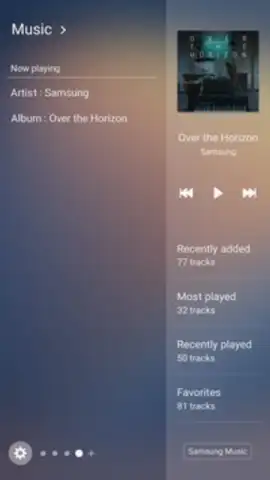
- Lock Screen Music Controls
Stop searching through folders and start listening. Download Samsung Music now and transform your device into a powerful, personalized stereo system today!
Download mobile app now!
Requires an internet connection for initial setup and potential service updates. The app may offer optional in-app purchases.
 GooglePlay


