

Finger Gesture Launcher
Finger Gesture Launcher screenshots (6)
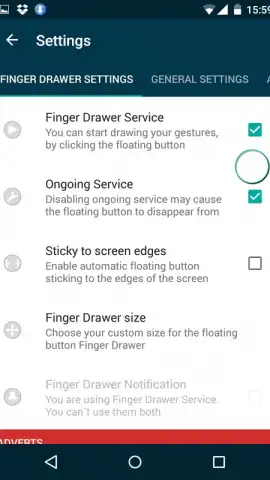
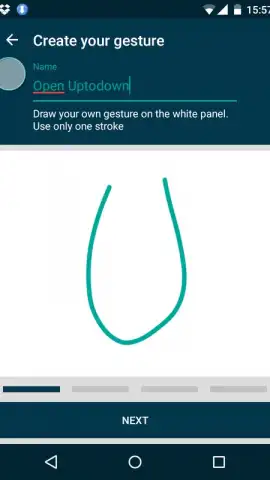
Description Finger Gesture Launcher
Redefine Your Android Interaction with Gesture-Based Control
Finger Gesture Launcher transforms your device's navigation from a series of taps into a fluid, intuitive command system. This utility addresses the core inefficiency of standard Android interfaces, where accessing apps and functions requires multiple steps and precise screen targeting. By mapping actions to simple finger gestures drawn directly on the screen, it eliminates menu diving and streamlines device control into a single, seamless motion, fundamentally changing how you interact with your phone or tablet.
Core Functionality and System Mechanics
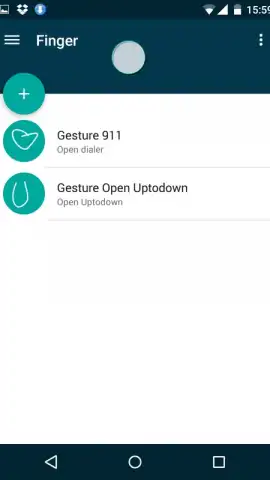
The application operates as an overlay service, activating a gesture canvas from any screen—including the lock screen—when configured. Users define custom gestures by drawing a shape or pattern, which is then linked to a specific action. The primary mechanics involve a straightforward process: draw the assigned gesture to instantly trigger the corresponding function. This system bypasses the standard app launcher and notification shade, providing a direct path to your most-used tools. The app’s architecture is built for low-latency response, ensuring the registered gesture is interpreted and executed without perceptible delay, making the interaction feel native to the system.
Analytical Breakdown of Key Features
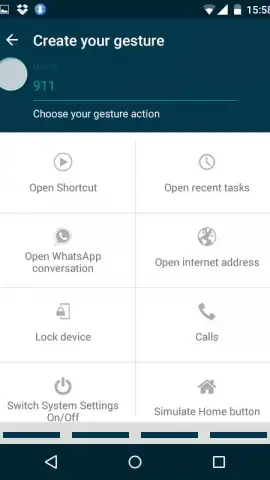
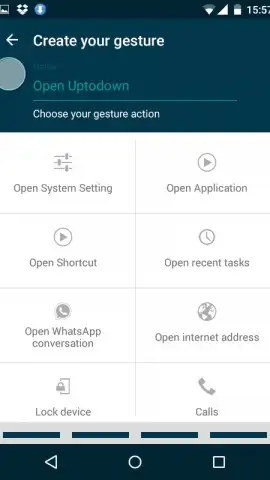
The utility's value is derived from its depth of customization and system-level integration. It is not merely a launcher but a comprehensive input layer. Performance is measured by its negligible impact on battery life and system resources, running efficiently as a background service. The visual design of the gesture trail and configuration menus is intentionally minimalistic to avoid distraction, focusing user attention on functionality and speed. Its robustness is evident in the granularity of assignable actions, moving beyond simple app launches to complex system commands.
- Assign any app, shortcut, or system action to a custom drawn gesture.
- Launch tools and toggle settings directly from your device's lock screen.
- Create multi-touch gesture commands utilizing two-finger input patterns.
- Utilize a highly responsive overlay that works on top of any other application.
- Configure gesture sensitivity and visual feedback to match your personal preference.
Install to Unlock a More Efficient Device
Claim your advantage in device navigation by installing Finger Gesture Launcher. This tool provides a tangible gain in daily phone interaction speed, turning cumbersome tasks into instantaneous actions.
Download mobile app now
Internet required. IAP available.


