

Samsung Photo Editor
Samsung Photo Editor screenshots (13)


Description Samsung Photo Editor
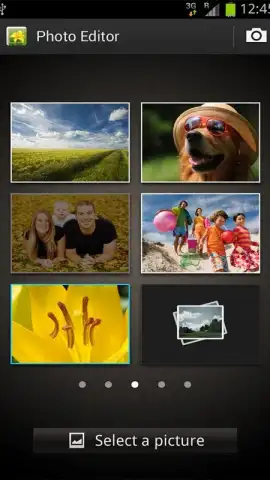
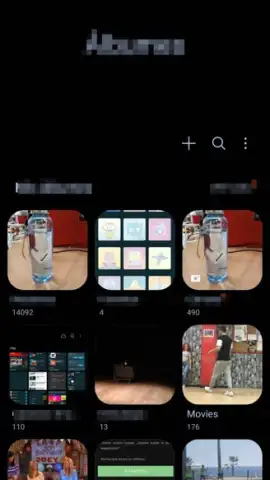
Imagine opening your Samsung phone's gallery and finding a powerful editing suite already built in, designed specifically for your device's camera. This is the Samsung Photo Editor, the default application that transforms your snapshots into polished images directly from your smartphone. It provides a streamlined workflow for adjusting, enhancing, and creatively assembling your photos without ever needing to leave the Samsung ecosystem.
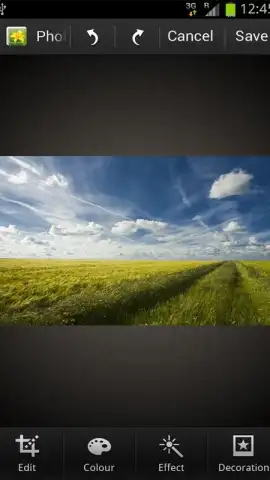
The application functions as a comprehensive toolkit for on-device photo management and enhancement. It includes a dedicated photo viewer for immediate access to your library and a full set of adjustment tools. Users can perform essential corrections such as rotating, straightening, and cropping images to fit specific dimensions or compositional rules. The editor provides advanced color grading options with a wide palette for tone and temperature adjustments, alongside a collection of visual filters and effects to apply distinct stylistic themes.
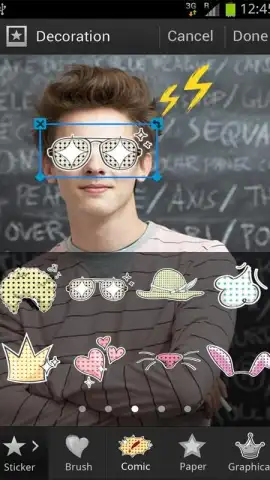
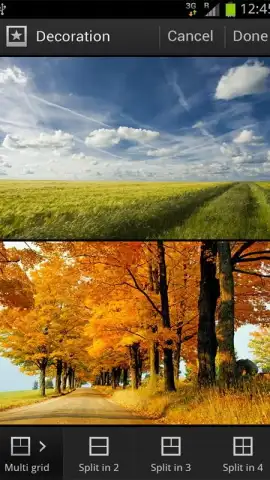
For multi-image projects, the app features a collage maker that supports an unlimited number of source photos. This mode allows for custom background selection and permits the application of individual edits and effects to each photo within the collage layout. Additional creative tools include a library of stickers and overlay effects designed to add humorous or decorative elements to any image composition.
- Device-Integrated Editing Suite: Access a full set of crop, rotate, and straighten tools directly from your Samsung gallery.
- Advanced Color and Filter Library: Apply tonal corrections and artistic visual effects to define your photo's style.
- Unlimited Photo Collage Creator: Build multi-image layouts with custom backgrounds and per-photo edits.
We suggest trying the Samsung Photo Editor to handle all basic and creative photo adjustments directly on your compatible Samsung device. Consider downloading it from the Galaxy Store to utilize its integrated features.
Heads up: you'll need wifi for initial download and some asset updates. Some advanced features or sticker packs may be available as extra downloads.


