

Samsung Theme Park
Samsung Theme Park screenshots (6)

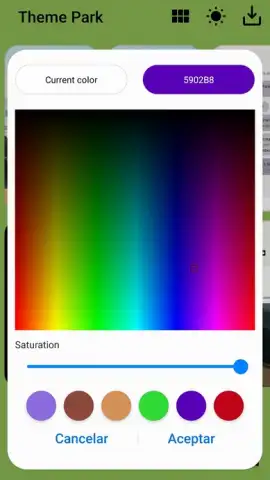
Description Samsung Theme Park
Looking for a way to break free from the standard look of your Samsung phone and express your personal style? Samsung Theme Park provides the complete toolkit, transforming your device's interface with deeply customizable themes built from the ground up. This dedicated personalization app moves beyond simple wallpapers, offering granular control over system colors, app icons, fonts, and more, all through a streamlined interface designed for immediate creativity.
Core Customization Capabilities
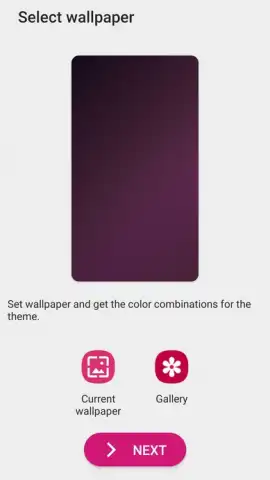
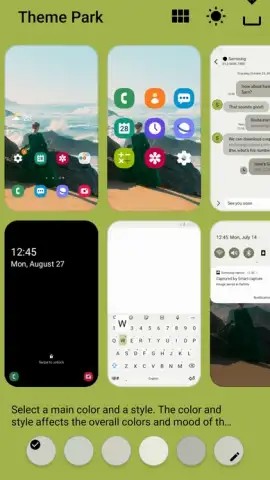
Samsung Theme Park functions as an integrated design studio for your device's One UI. The application provides separate modules for each visual element, allowing for methodical theme construction. You operate a color picker to define a primary palette that automatically applies across system menus, notifications, and supported apps. The icon customization tool lets you apply new shapes and styles to your app shortcuts, while the wallpaper engine supports static images, live wallpapers, and multi-page setups. A dedicated typography section offers a selection of system-wide fonts to alter the text display.
Real-Time Preview and Refinement
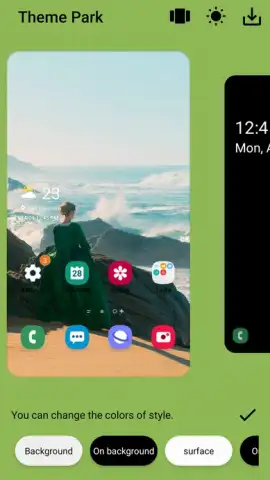
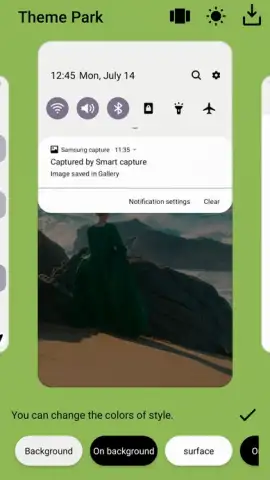
A critical technical feature is the live preview pane, which renders all your adjustments in a simulated device interface as you make them. This allows you to observe the interaction between your chosen wallpaper, icon set, and highlight color before applying the theme. You can toggle between viewing the lock screen and the home screen to ensure visual consistency, making iterative changes to contrast or brightness until the layout meets your specifications. This process eliminates the trial-and-error typically involved in system theming.
Comprehensive Theme Components
The app consolidates all personalization settings into a single workflow. You are not merely applying a pre-packaged theme but engineering one by selecting and combining individual components.
- System-Wide Color Engine: Define a primary and secondary color set that automatically tints UI elements like buttons, sliders, and toggle switches across the operating system.
- Icon Pack Designer: Reshape and restyle the appearance of all application icons on your home screen and app drawer with cohesive design templates.
- Live Preview Simulator: Instantly visualize every change on a dynamic model of your phone's interface, enabling precise adjustments before final application.
Get complete creative control over your device's aesthetic and build a unique visual identity that reflects your taste. Download Samsung Theme Park now and start crafting your perfect interface today.
Disclaimer: This application requires a compatible Samsung device running a supported version of One UI and an internet connection for initial access to resources. Some theme components or advanced features may be available via in-app offerings.


