

Samsung Watch ClockFace
Samsung Watch ClockFace screenshots (5)

Description Samsung Watch ClockFace
What if your Samsung watch face could be as unique as your personal style?
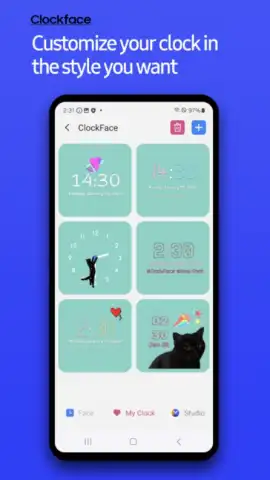
Samsung Watch ClockFace, a core system application within the Samsung Good Lock ecosystem, provides a comprehensive toolkit for transforming the default clock display on compatible Samsung devices. This is not merely about applying a new skin; it is a dedicated editor that grants granular control over every visual element you interact with throughout the day. The primary function is to replace the standard watch face with a fully personalized design, enabling users to reflect their aesthetic or functional preferences directly on their device's screen without resorting to unverified third-party applications. The process is streamlined and integrated, offering a sanctioned method for deep customization that feels native to the One UI experience.
A Detailed Analysis of the Customization Engine
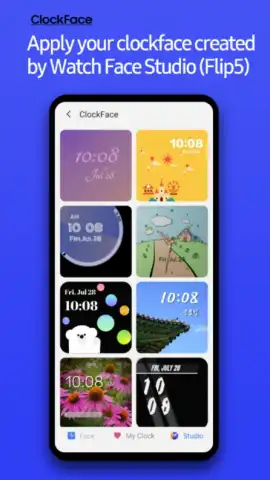
The application operates on a dual-axis system: accessibility for immediate results and depth for meticulous creators. Its foundation is an extensive, curated gallery of pre-designed watch faces. These range from minimalist analog designs to complex digital layouts with multiple complications, all available for immediate application with a single tap. For users seeking a tailored result, the intuitive visual editor unlocks profound customization. You are not limited to preset combinations. Each component can be manipulated independently—swap typefaces for the digital readout, adjust the hue and opacity of analog hands, or reconfigure the placement of the date and battery indicators. The editor provides a live preview, so every adjustment is visualized in real time, eliminating guesswork.
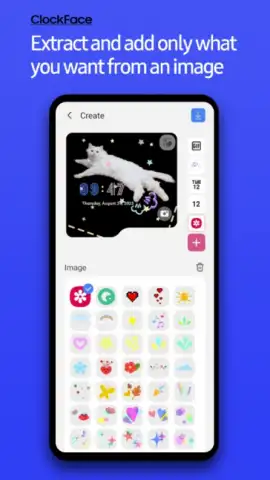
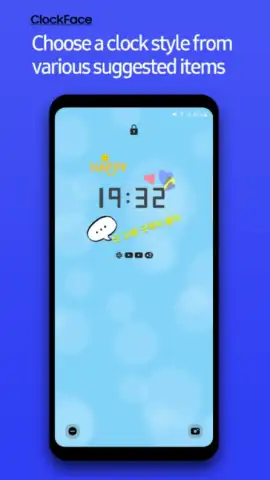
Beyond static elements, Samsung Watch ClockFace supports dynamic personalization. You can layer additional components onto your design, including custom text labels, imported photographs, sticker packs, and even animated GIFs, creating a living canvas on your screen. A critical technical feature is its full integration with Samsung's Always On Display (AOD) functionality. Any design you create or select can be configured to appear in a power-efficient mode when the device is idle, ensuring your personalized clock face remains visible without needing to wake the device. This seamless integration extends the utility of your customization beyond the active screen, providing constant, at-a-glance information.
- Granular Visual Editor: Modify colors, fonts, hand styles, widget size, and element positioning with a live-preview interface.
- Multi-Format & Media Library: Choose from vast analog/digital templates and add text, images, stickers, or GIF animations.
- Always On Display Integration: Ensure your custom clock face remains visible in low-power mode for constant timekeeping.
The absence of advertising within the app creates an uninterrupted design experience, allowing focus purely on the creative task. Whether your goal is to emulate a classic timepiece, create an information-dense dashboard, or design a whimsical photo display, the tools provided are both powerful and approachable. It effectively bridges the gap between a simple theme changer and a professional design suite, all while operating within Samsung's secure and optimized system environment.
Get Your Exclusive Design Advantage Now
Stop settling for generic watch faces. Download Samsung Watch ClockFace today to claim complete creative control over your device's most-viewed screen and start each day with a truly personalized interface.
Disclaimer: This is a system application designed for compatible Samsung devices, often requiring the Good Lock module. Functionality may vary by device model and region. An internet connection may be necessary for accessing the full design gallery and updating the application. The app may request permissions to access media files for custom image integration. It is intended for personal use and is subject to Samsung's terms of service. Please check your device compatibility and system requirements before installation.


