

Scene
Scene screenshots (2)

Description Scene
Capturing the Moment, Curated by AI
In the age of digital photography, we capture more than ever, yet our galleries often become cluttered archives where truly remarkable shots are lost in a sea of duplicates and casual snaps. The challenge is no longer taking a photo, but finding it, enhancing it, and presenting it with the narrative impact it deserves. This is the operational space for Scene, a mobile application that functions as an intelligent curator and enhancement suite for your personal photo library, moving beyond basic filters to offer a structured, AI-assisted workflow for photo management and refinement.
Core Functionality and Analytical Overview
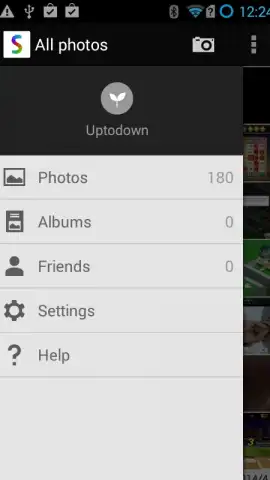
Scene operates on a multi-layered system designed to automate organization and provide professional-grade editing tools. Upon granting access to your gallery, its proprietary algorithm performs an initial diagnostic scan, identifying and grouping images by detected subjects, locations, and dates. This creates a dynamic, searchable index rather than a static chronological roll. The primary interface is divided into distinct modules: 'Albums', which are auto-generated and user-customizable collections; 'Discover', which surfaces forgotten or high-quality images based on compositional analysis; and 'Studio', the comprehensive editing environment.
The Studio module is the technical core of the application. It provides a tiered editing panel starting with foundational corrections like exposure, contrast, and color temperature, which are often automatically suggested based on scene analysis. A second tier introduces selective editing tools, allowing for adjustments to specific areas of a photo through intuitive brush or gradient masks. The most distinctive feature is its suite of AI-powered filters, which are not mere color overlays but complex adjustments that analyze the photo's content—such as a landscape, portrait, or urban scene—and apply nuanced enhancements tailored to that genre, aiming to replicate the decision-making process of a professional editor.
Operational Advantages and User Experience
- Context-Aware Library Management: The app continuously indexes your photos, creating smart albums for people, pets, places, and event types without manual tagging, enabling retrieval through natural language search queries.
- Non-Destructive, Layer-Based Editing: All adjustments in the Studio are applied on separate, stackable layers, preserving the original image and allowing any edit to be modified or removed at any point in the future.
- One-Tap AI Enhancement Profiles: Beyond standard filters, these profiles perform dozens of micro-adjustments to elements like local contrast, sky saturation, and skin tone uniformity based on a deep analysis of the image's subject matter.
The application maintains a clean, modal interface that keeps advanced tools accessible but not overwhelming, favoring gesture-based controls for common actions like cropping and brushing. Performance is optimized for large libraries, with background processing ensuring the scanning and indexing does not impede active editing sessions. Export options include configurable compression settings and direct sharing to major social platforms while preserving metadata.
We suggest trying Scene if your photo library has become unmanageable and you seek a more intelligent system for both organization and quality enhancement that prioritizes the integrity of your original shots.
Download mobile app now.
Disclaimer: This application requires an internet connection for certain AI-processing features and initial library analysis. It may offer optional in-app purchases for advanced filter packs and cloud storage expansion. The app requires access to your device's photo library and storage. Data usage may vary based on library size and sync settings. User discretion is advised regarding personal data management.
 GooglePlay


