

Screenshot UX Trial
Screenshot UX Trial screenshots (4)
Description Screenshot UX Trial
Transform Your Android Screenshot Workflow
Screenshot UX Trial fundamentally redefines how you capture and manage screen images on any Android phone or tablet. This application provides a comprehensive suite of tools that move beyond the basic hardware button combinations, offering granular control over the entire process from activation to final export. It is engineered for users who require efficiency and customization in their digital documentation.
Core Functionality and Customization
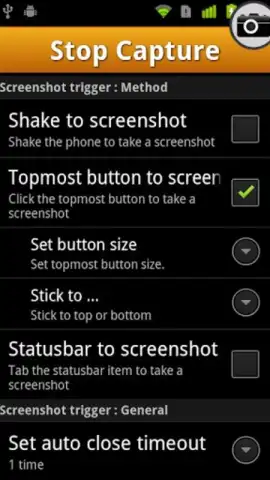
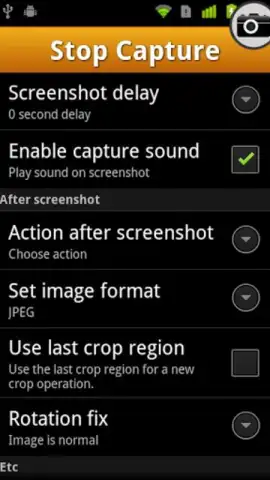
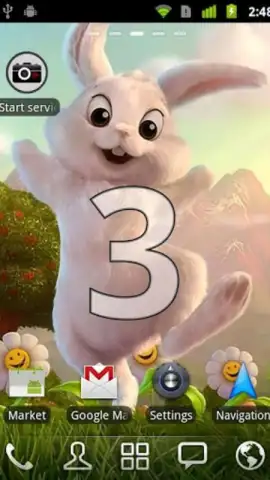
The app places immediate control in your hands by offering multiple activation methods. You can initiate a capture by simply shaking your device or by adding a persistent one-tap icon to your status bar for constant access. To ensure you capture the perfect moment, a configurable delay timer can be set for 2 or 3 seconds between trigger and capture. Furthermore, Screenshot UX Trial allows you to define the output format, defaulting to JPG but providing alternatives for compatibility and quality needs.
Integrated Editing and Sharing Suite
Once a screenshot is captured, basic editing tools are available directly within the application's interface. You can crop the image to focus on relevant content or use your finger to draw and annotate directly onto the screenshot for clarity. The app then functions as a powerful sharing hub, enabling you to instantly dispatch the final image via your chosen channel—be it email, text message, or directly to a major social media platform—without leaving the app.
- Flexible Activation: Choose between shake-to-capture or a permanent status bar icon for instant screenshot triggering.
- Capture Timer & Format: Set a 2–3 second delay and select your preferred image file format before saving.
- Inline Annotation Tools: Crop images and draw freehand annotations directly on the screenshot with your finger.
Download Screenshot UX Trial now and upgrade your mobile productivity—get it immediately!
Heads up: you'll need wifi for most features. Some cool stuff is extra.


