
sDraw
sDraw screenshots (8)

Description sDraw
A Minimalist Drawing App That Prioritizes Function Over Fluff
In a category often bloated with complex interfaces and disruptive monetization, sDraw by Fsoft Production presents a compelling alternative. This sub-1MB art and design application strips digital sketching back to its essentials, offering a remarkably fast and clean canvas. Its defining philosophy is immediate utility: you launch the app and begin drawing within seconds, bypassing tedious setup wizards or account creation. This review examines whether its lightweight build and focused toolset deliver a professional-grade experience for rapid ideation and sketching on Android devices.
Core Functionality and User Experience Analysis
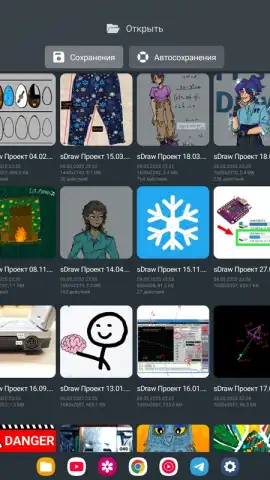
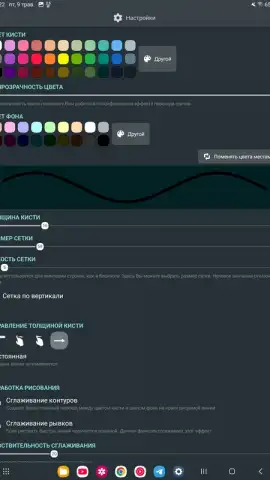
The application’s performance is anchored by its Turbo mode, which systematically removes all advertising elements to create an uninterrupted workflow. This is not merely an ad-blocker; it reallocates system resources to ensure brush strokes are rendered without lag, even on legacy hardware running Android 2.3 and above. The interface is highly malleable, allowing users to reconfigure button shapes and layouts, which is a rare feature in such a lightweight tool. Input flexibility is robust, with dedicated optimization for pressure-sensitive styluses like the sPen and Microsoft's Active Pen, while maintaining full touch control. A pragmatic, automated backup system operates silently in the background, safeguarding projects against data loss without requiring user intervention.
Comprehensive Feature Breakdown
- Instant Project Launch: Eliminates all initial configuration dialogs for immediate sketching upon opening the app.
- Fully Customizable UI: Offers deep interface personalization, including the ability to alter the physical shape of on-screen tool buttons.
- Contextual Help System: Provides non-intrusive, useful tips that appear based on user activity without blocking the canvas.
- Hardware Key Integration: Maps essential functions like undo/redo or brush sizing to the device's physical volume buttons for faster access.
- Stylus-Optimized Performance: Delivers enhanced pressure sensitivity and palm rejection for compatible active pens and styluses.
Professional-Grade Digital Art Tools
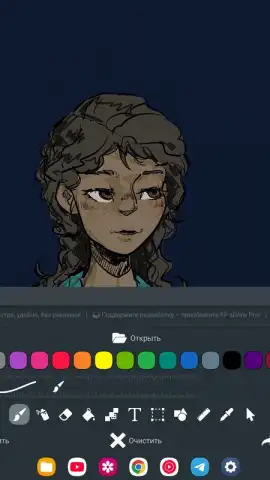
The toolset, while concise, covers the fundamental needs for sketching, drafting, and annotation. Each instrument is engineered for low latency.
- Brush and Eraser Tools: Customizable size and opacity with minimal input lag.
- Fill and Text Tools: One-tap area fill and vector-based text insertion.
- Selection and Shapes: Lasso/marquee selection and predefined geometric shape drawing.
- Ruler and Eyedropper: Guided straight lines and instant color sampling from anywhere on the canvas.
- Mosaic and Precision Brush: Pixelation effects and a dedicated brush for detailed pixel-perfect editing.
The complete absence of advertising in its Turbo-enhanced state is a significant performance advantage, transforming the app into a pure, responsive creative environment. This focus makes it ideal for quick sketches, wireframing, or note-taking where speed and reliability are paramount.
Claim your ad-free creative advantage now and start drawing instantly.
Internet required. IAP available.
 GooglePlay


