

ShortCuts
ShortCuts screenshots (7)

Description ShortCuts
A Utility Layer That Redefines Android Multitasking
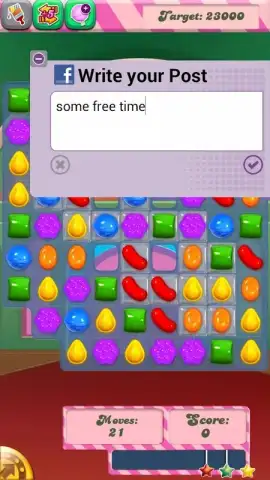
ShortCuts, developed by 7MTechnologies, is not merely another productivity app; it functions as a persistent utility layer designed to eliminate the disruptive friction of app-switching on Android. Its core proposition is technical and direct: it allows you to execute a suite of common tasks from a floating, always-accessible panel without minimizing your current foreground application, whether that's a document, a game, or a social media feed. This architecture fundamentally changes the workflow from a sequential, interrupt-driven model to a more parallel and fluid experience, preserving your focus and momentum.
Detailed Analysis of Functionality and Implementation
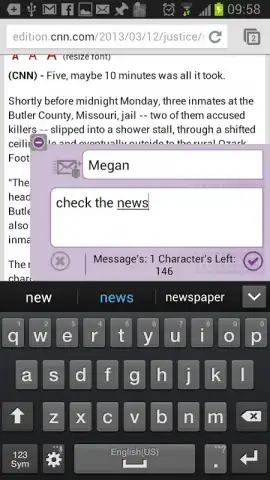
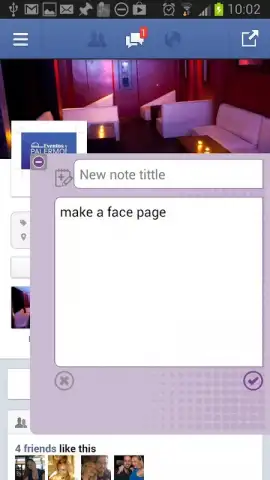
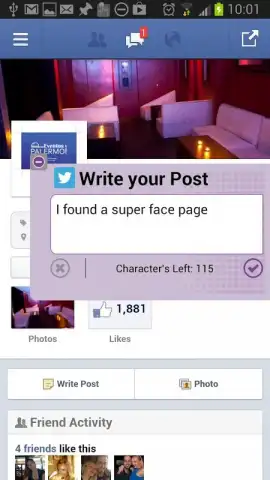
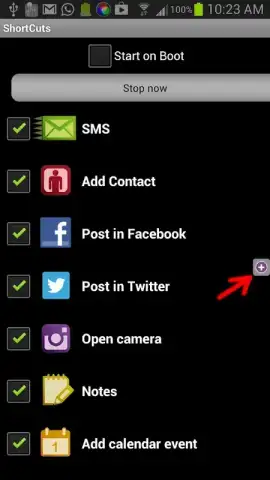
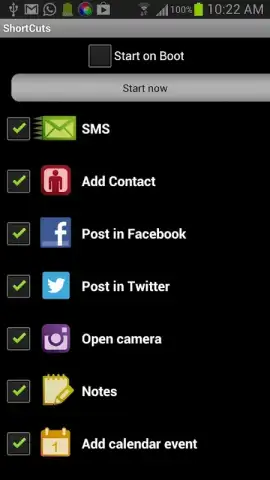
The application provides a compact, customizable overlay that can be summoned with a gesture or tap. From this panel, you gain immediate access to a curated set of actions. You can compose and send a new SMS, add a phone number directly to your contacts, or draft a calendar event without ever entering the respective dedicated apps. Its social media integration is handled through direct share intents, enabling you to post text or images to platforms like Facebook and Twitter from within any other application. The utility extends to core device functions: triggering the camera for a quick photo or opening a notepad for instant jotting are both one-tap operations. This design philosophy prioritizes reducing the cognitive load and time penalty associated with traditional context switching.
From a monetization and interface perspective, ShortCuts adopts a clean, minimalistic design that avoids cluttering the screen. It is offered as a free application. Its development and maintenance are supported by an integrated search service. This service may, during use, add convenient shortcut icons, bookmark links, or a browser homepage link to your device. It is important to note for the technically-minded user that these additions are not permanent advertisements within the app interface itself and can be managed or removed through standard Android settings if desired, maintaining user control over the device environment. As a product labeled in beta, the development roadmap appears responsive, with updates aimed at refining stability and potentially expanding its action library based on user feedback.
Core Feature Set
- Overlay-based quick action panel
- Direct social media posting shortcut
- Instant contact and calendar management
- Camera and notepad quick-access tools
If your Android usage involves frequent, brief tasks that constantly pull you out of your primary activity, this tool offers a tangible efficiency gain. Consider downloading ShortCuts to consolidate those micro-interactions into a single, seamless layer.
Download the ShortCuts mobile app now.
Please note: The app requires an internet connection for certain features and integrates a search service. It is free to use with optional supported additions.


