

Sketch - Draw & Paint
Sketch - Draw & Paint screenshots (6)
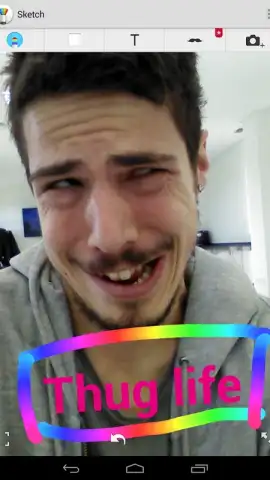
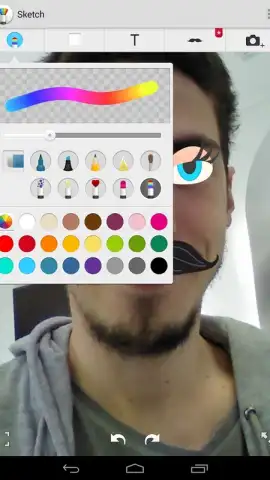

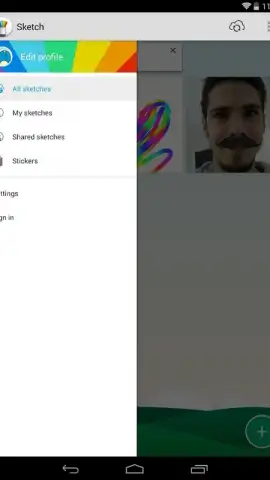
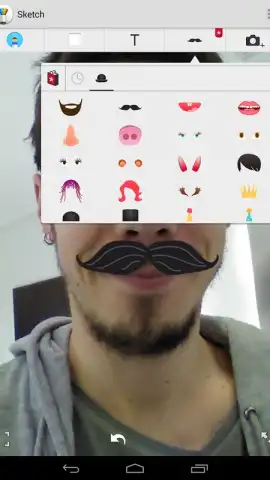
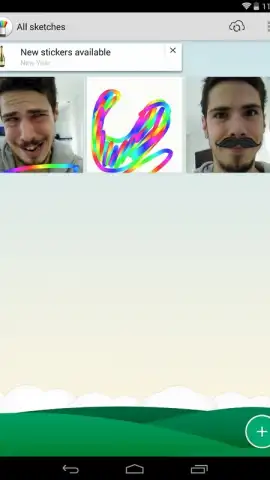
Description Sketch - Draw & Paint
Imagine capturing a moment, then transforming it into something uniquely yours—a playful caricature, a digital painting, or a personalized sticker collage. Sketch - Draw & Paint provides the complete digital toolkit to turn this creative impulse into reality, whether you're starting from a photo, a fresh canvas, or a camera shot. This application merges intuitive photo editing with robust drawing tools, offering a streamlined workflow for both spontaneous fun and serious artistic projects. Pre-installed on many Sony devices, it delivers a premium, ad-free creative experience directly to your fingertips, eliminating barriers between your ideas and their visual execution.
Core Functionality and Modes
The application structures its workflow around three distinct entry points, catering to different creative starting points. Users can capture a new image directly using the integrated camera, import an existing photo from the device's gallery, or initiate a project on a blank digital canvas. This flexible foundation allows for immediate editing of live scenes, the enhancement of saved memories, or the creation of original artwork from the ground up. Each path unlocks a specialized set of tools tailored to the task, ensuring the interface remains relevant and uncluttered regardless of the chosen project type.
When editing a photograph, the primary instrument for manipulation is the comprehensive sticker insertion tool. This feature provides an extensive library of decorative and humorous graphical elements to layer onto images. The default collection includes over twenty items such as virtual mustaches, beards, hats, and sunglasses, with the capability to download significantly more packs to expand the creative palette. For projects begun on a blank canvas, the application shifts to a full suite of digital drawing instruments. Artists can draw directly with their fingers, utilizing a variety of brushes, pens, and effects to simulate different artistic mediums and styles.
Key Features and Tools
- Multi-Source Project Initiation: Begin creating by taking a photo, importing from your gallery, or starting on a pristine blank canvas for total flexibility.
- Expansive Sticker Library for Photo Editing: Decorate images with a default set of over twenty fun overlays, including accessories, with options to download extensive additional packs.
- Direct Finger-Drawing Canvas Tools: Utilize a full array of digital brushes and pens to paint or sketch original artwork directly on-screen using touch controls.
- Integrated Portfolio Management System: Automatically save all completed creations to a dedicated in-app portfolio for instant retrieval and review of your past works.
- Optimized, Ad-Free User Experience: Enjoy seamless performance and an uninterrupted creative flow thanks to system-level optimization and the absence of advertising.
Every completed creation is seamlessly archived within the application's built-in portfolio. This organized repository automatically stores your work, providing a chronological gallery where you can instantly locate, review, and share all previous projects. The combination of powerful editing features, a distraction-free interface, and reliable project management makes this tool a comprehensive solution for on-the-go digital art and photo fun.
Don't wait to unleash your creativity—download this essential mobile app now and start transforming your world today!
This application requires an internet connection for downloading additional sticker packs. The core functionality is provided free of charge; some extended content may be available via in-app purchases.


