

Smart Notifications
Smart Notifications screenshots (5)
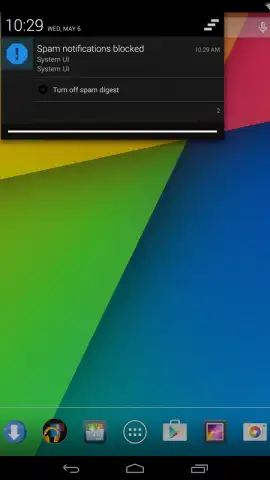
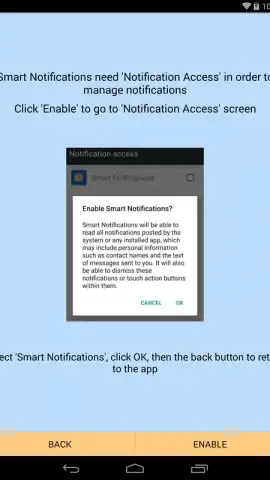
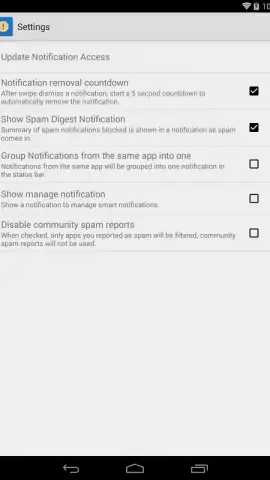
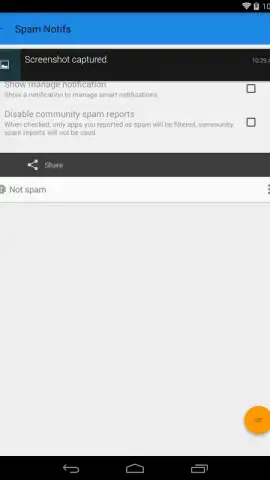
Description Smart Notifications
Stop Missing What Matters in the Noise
The default notification system on Android is a blunt instrument, treating a critical message and a trivial social update with the same visual priority. This creates a cluttered, distracting stream where important alerts are easily lost. Smart Notifications functions as a precision filter and design studio for your alert feed, transforming it from a source of interruption into a curated, actionable information panel.
Features and Core Mechanics
This application operates on a dual-axis system of intelligent categorization and deep visual customization. The primary mechanic is a rule-based engine that allows users to assign specific notification channels—from individual apps or contacts—to distinct visual styles and behaviors. For instance, you can set all work emails to appear with a minimalist grey-scale theme and no sound, while messages from key contacts use a bold color and a distinct vibration pattern. The secondary, and equally significant, mechanic is the integrated design toolkit. This provides granular control over every aesthetic element of a notification's appearance within the shade. Users can modify background colors, transparency levels, font styles, icon shapes, and even apply custom corner radii or subtle shadows, effectively treating each notification group as a separate design object to be styled.
Key Advantages and User Experience
The principal advantage is the restoration of contextual awareness at a glance. By decoupling an alert's importance from its audial interruptiveness and encoding priority into its visual design, the app significantly reduces cognitive load. The interface for creating these rules and styles is notably systematic, employing a card-based layout that makes complex conditional logic manageable. Performance is focused on efficiency; the app utilizes Android's native notification listener service without introducing noticeable latency to the alert delivery pipeline. From a design perspective, it offers a rare level of system-level aesthetic control, allowing the notification panel to be harmonized with a user's overall phone theme or personal visual preferences.
- Granular per-app notification styling
- Rule-based filtering and prioritization
- Advanced color and typography controls
- Minimal impact on system performance
Download this mobile app now and take definitive control over your attention. Transform your notification panel into a functional and visually cohesive information hub today.
Internet required. IAP available.


