

smbxfer
smbxfer screenshots (3)
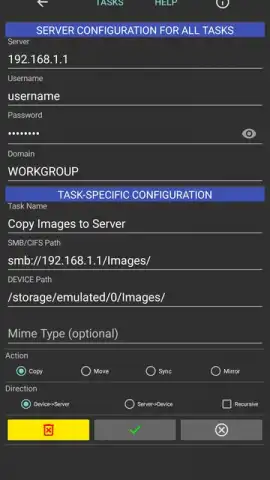
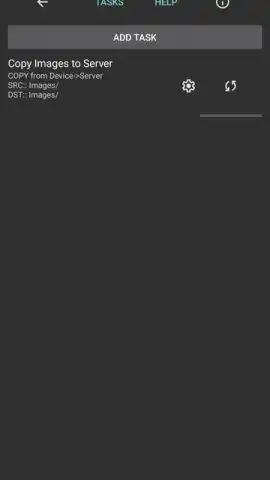
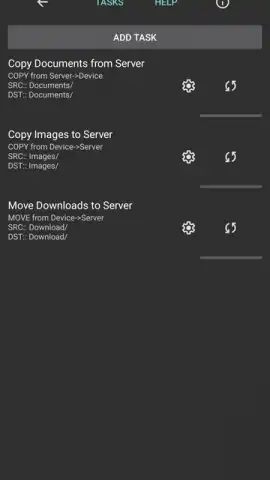
Description smbxfer
Struggling with File Transfer Between Your Phone and PC?
Moving photos, documents, or videos from your Android device to a computer often involves cumbersome cables, slow email attachments, or unreliable third-party apps. smbxfer eliminates this friction by establishing a direct, high-speed connection between your devices over your local Wi-Fi network. It transforms your phone into a wireless storage drive, accessible from any desktop browser, streamlining what is typically a multi-step process into a simple, one-tap operation.
Core Functionality and User Experience
The application operates on a client-server model. Once launched on your Android device, smbxfer creates a personal, secure web server. By entering the provided local IP address and port into the web browser on any computer connected to the same network, you gain instant access to your phone's storage. The interface from the computer side is a clean, file-manager-style view, allowing for intuitive drag-and-drop uploads and downloads. You can browse directories, preview images, and transfer files in bulk without installing any software on the computer. The transfer happens directly over your local network, which means speeds are limited only by your Wi-Fi router's capability, often significantly faster than cloud-based solutions and without consuming mobile data.
Key Advantages of smbxfer
The primary strength of smbxfer lies in its minimalist design and focused utility. It forgoes unnecessary features for a streamlined, reliable performance. The connection is ad-hoc and requires no internet connection once set up, ensuring privacy and security for your data. It respects system storage permissions, allowing you to select which directories to share. The app is lightweight, has a negligible impact on battery life during use, and maintains a stable connection for the duration of your transfer session. Its universal compatibility with any desktop operating system (Windows, macOS, Linux) via a standard web browser makes it an exceptionally versatile tool.
- Direct Wi-Fi Transfer: Move files at local network speeds without cables, Bluetooth, or internet.
- Zero Computer Installation: Access your phone from any desktop browser; no PC software required.
- Full File Manager Access: Browse, upload, download, and organize files through a web interface.
- High-Security Local Connection: Your data never leaves your private Wi-Fi network for maximum privacy.
- Lightweight and Efficient: Minimal battery usage with a clean, ad-free interface focused on performance.
Download smbxfer now and experience the simplest way to bridge your phone and computer. This streamlined tool is available for immediate use—get exclusive, hassle-free access today and transform your workflow.
Disclaimer: A stable Wi-Fi connection is required for both devices to establish a local network link. The app is free to use and contains no in-app purchases.


