
Month Calendar Widget
Month Calendar Widget screenshots (10)
Description Month Calendar Widget
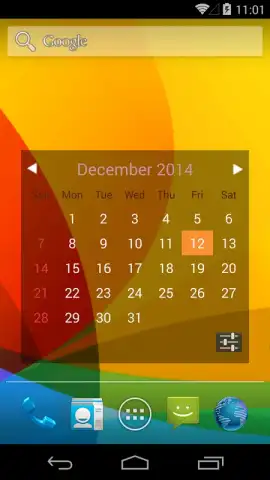
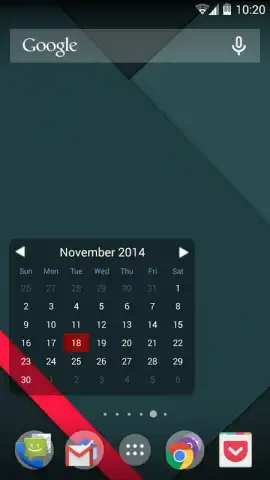
Never Miss a Date Again with a Clean, At-a-Glance Calendar
You glance at your phone's home screen, not to check notifications, but to orient yourself in time. A traditional calendar app requires tapping, opening, and navigating. What you need is simplicity itself: the entire month, laid out clearly, right where you start your digital day. This is the core promise of the Month Calendar Widget for Android. It transforms a portion of your home screen into a permanent, minimalist monthly planner, removing the friction between you and your schedule. For anyone who values a clean aesthetic and instant visual reference over complex event management, this widget delivers a fundamentally streamlined way to track dates.
A Deep Dive into Customization and Clarity
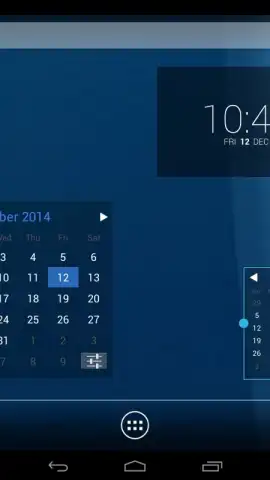
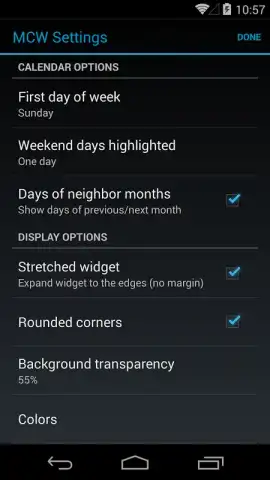
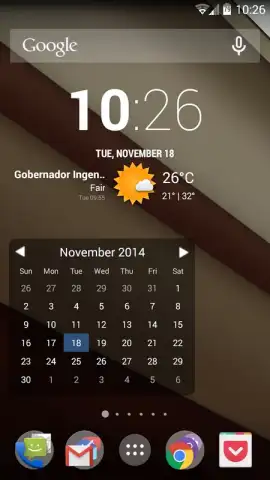
The widget’s primary function is to provide that crucial, unobstructed monthly overview. You won’t find deep integration for creating detailed appointments within the base widget itself; it is designed as a visual anchor, not a full calendar suite. However, its true strength lies in its expandability and thoughtful design. The latest version 2.1.0 has refined the visual experience, correcting previous rendering issues and adjusting fonts for optimal readability across devices and screen sizes.
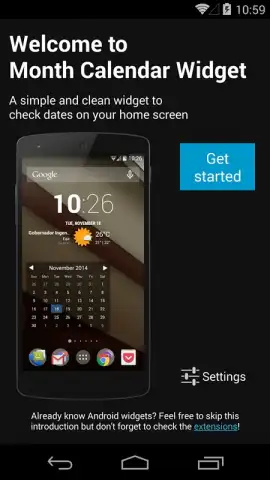
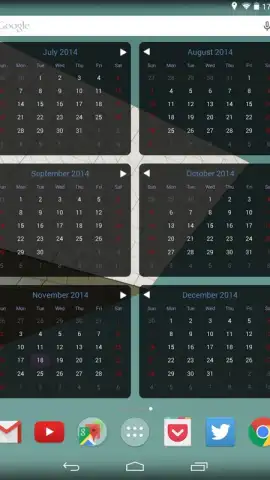
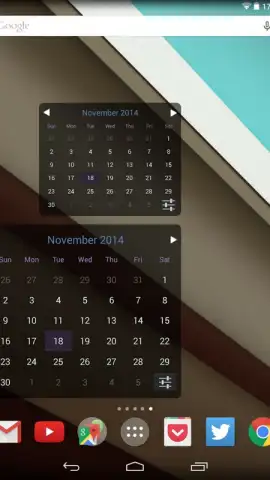
Setting it up is an intuitive process. You add it from your widget drawer, place it on your home screen, and can immediately begin resizing it to fit your preferred layout. You can even place multiple instances if you want different views or sizes. A key note for existing users: if you are updating from version 1.9.0, you will need to replace any old widget instances with the new unified widget size, which can then be adjusted to mimic the previous smaller layout if desired.
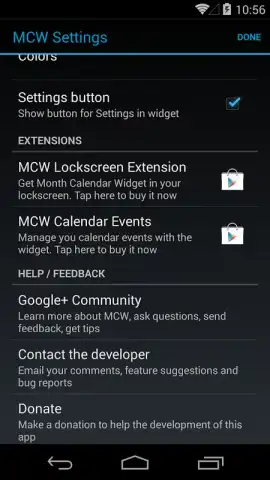
Where the app truly evolves is through its dedicated companion applications. By downloading these separate extensions developed by the same team, you can unlock integrated event management features directly within the widget view. These are offered as premium upgrades, a model that supports ongoing development and ensures the core widget remains free from advertisements. The design philosophy is clear: keep the base tool lean, fast, and visually pure, while offering powerful, optional additions for those who need them.
Support and accessibility are also considered. Should you have questions or feedback, the developer provides responsive support via email and social media channels. The application supports multiple core languages, including English, Spanish, and Portuguese, and offers community-driven translation tools to broaden its reach, making it a versatile tool for a global user base.
- Instant Monthly Overview: See the entire month at a single glance directly on your home screen, with today’s date clearly highlighted for immediate orientation.
- Fully Customizable Widget: Resize the widget to your exact preference, from a compact square to a more prominent rectangle, and place multiple copies anywhere on your home screens.
- Ad-Free Core Experience: The main widget functions without any advertisements, ensuring a clean, distraction-free view of your calendar.
- Expandable with Companion Apps: Enhance functionality by integrating basic event management features through dedicated, premium companion applications available from the same developer.
- Visual and Performance Refinements: Version 2.1.0 brings improved font rendering and resolved display issues for sharper text and a more reliable visual experience.
- Multi-Language Support: Use the widget in English, Spanish, or Portuguese, with tools available for community translations into other languages.
- Direct Developer Support: Receive prompt assistance and engage with feedback channels through email and social media for a supported user experience.
Consider downloading Month Calendar Widget to declutter your time management. It provides the essential function of date tracking in the most accessible way possible, merging utility with a minimalist design that complements any home screen setup.
Download mobile app now
Disclaimer: This application requires an Android device. Internet access may be required for initial download, updates, and for accessing certain companion features. Some advanced features are available via optional in-app purchases. The app may request permissions to function correctly on your device. Data usage depends on update frequency and companion app integration. Please review the app's listing on the Google Play Store for the most current information regarding age ratings and specific data privacy practices.


