

Solo Launcher
Solo Launcher screenshots (7)
Description Solo Launcher
A Cluttered Home Screen Demands a Smarter, Cleaner Solution
The default Android launcher often presents a rigid, inefficient environment that prioritizes manufacturer branding over user preference and daily utility. This forces users into a cycle of navigating through cluttered app drawers and disparate menus for basic functions, wasting time and creating a disjointed interaction with their device. The need for a tool that offers both aesthetic control and meaningful functional enhancement is clear for any user seeking to reclaim their phone's interface.
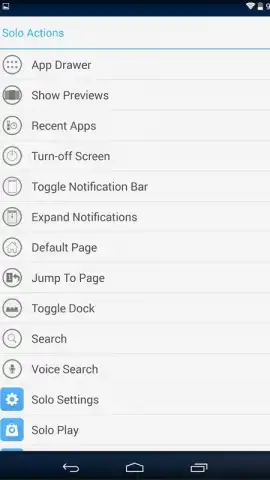
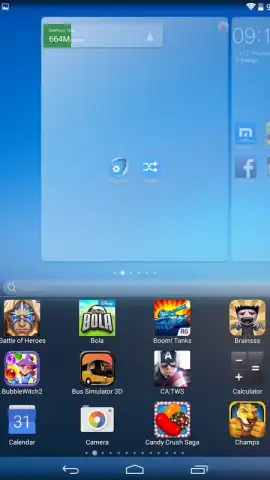
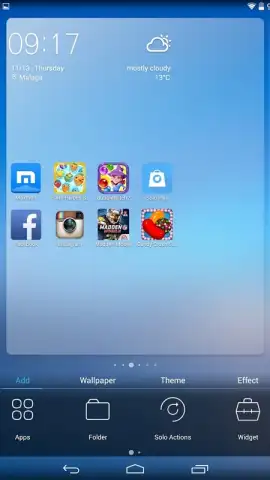
Solo Launcher addresses this core problem by functioning as a comprehensive replacement for your device's stock home screen system. It is built upon a foundation of refined visual design, characterized by a discreet and elegant interface that moves beyond the familiar aesthetics of standard Android versions. The attention to detail is systematic, extending to a cohesive icon pack that ensures even default application icons align with the launcher's overall stylish theme. Critically, this visual polish is paired with a robust, gesture-based command system that transforms navigation from a series of taps into fluid motions. A downward swipe from the top of the screen instantly reveals all installed applications, while an upward swipe from the bottom provides immediate access to the task manager, effectively layering efficiency beneath the surface.
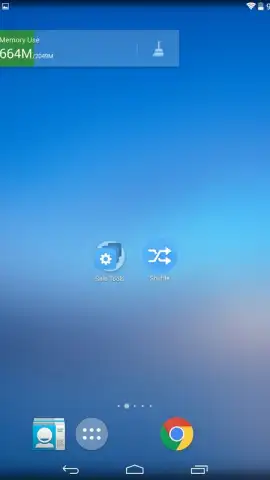
Beyond navigation, Solo Launcher introduces a suite of integrated utility widgets designed to provide at-a-glance information without compromising the visual harmony. These are not standard, bulky widgets but specialized tools like a world clock, battery assistant, and memory manager that are engineered to blend seamlessly with the launcher's own design language. The overall experience is marked by a notable reliability and smooth performance, a combination that is less common in third-party launchers than one might expect. It positions itself not merely as a cosmetic overlay but as a stable, full-featured alternative to other well-known launcher applications, offering a unified system for both form and function.
- Gesture Navigation Layer: Unlock rapid access to your app drawer and task manager with intuitive swipe-up and swipe-down commands directly from the home screen.
- Integrated Utility Widgets: Utilize specialized, stylistically coherent widgets for world time, battery optimization, and memory management directly within the launcher ecosystem.
- Cohesive Visual Design System: Experience a uniformly elegant interface with a discreet layout and a compatible icon pack that stylizes all on-screen elements.
Transform your device's core interaction model from a limitation into an asset. Download Solo Launcher now and immediately begin streamlining your mobile workflow with purpose-built tools and refined design. Don't wait to upgrade your Android experience—get it immediately!
Disclaimer: This application requires an internet connection for certain features and potential updates. It may contain in-app purchases. Please be aware of data usage charges from your provider. The launcher requires accessibility and draw-over permissions to function fully. Use is subject to the developer's terms. Age restrictions may apply.


