

Sunrise Calendar
Sunrise Calendar screenshots (4)
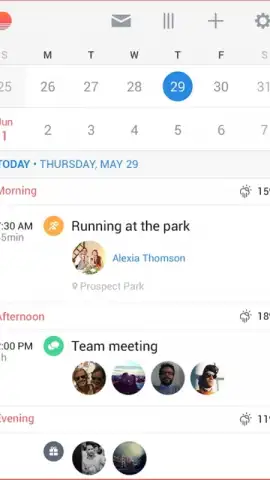
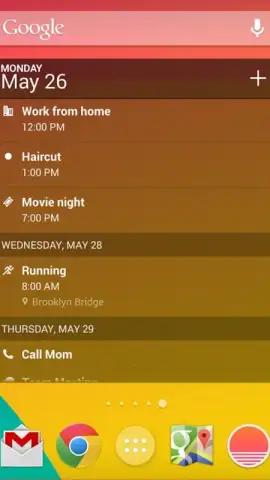
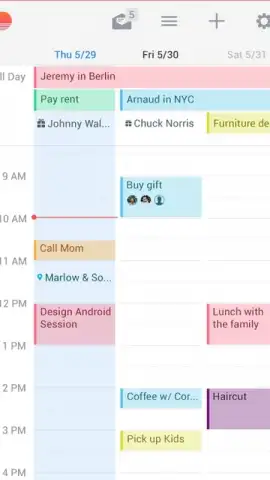
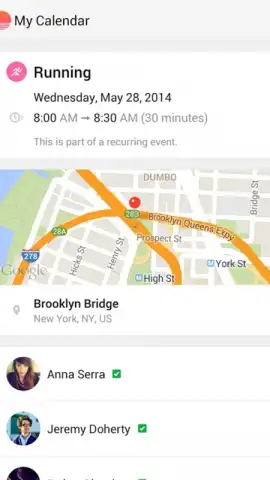
Description Sunrise Calendar
Looking for a calendar app that moves beyond basic scheduling to become a central hub for your time? Sunrise Calendar for Android delivers a powerful, integrated planning experience by seamlessly merging your digital life with a highly customizable interface.
Core Functionality and Integration
Sunrise Calendar operates as an advanced organizational layer for Android devices. Its primary function is the automatic, bidirectional synchronization with Google Calendar. This integration imports all existing events, birthdays, and reminders from your Google account directly into the Sunrise interface, eliminating the need for manual entry. The app provides a unified view of your schedule, pulling data from your primary calendar service to ensure no appointment is missed. Beyond simple viewing, it serves as an active management tool for these events.
Customization and Visual Management
The application offers extensive personalization controls that affect both aesthetics and utility. Users can assign distinct colors to different event types, calendars, or tags, creating a visual coding system for quick schedule assessment. The customization extends to selecting varied icons for events and applying specific tags to contacts or recurring meeting types. These visual modifications are designed to make notifications and calendar views immediately intuitive, allowing you to distinguish between work, personal, and social engagements at a glance. The interface itself is built for clarity, presenting a clean layout that emphasizes your events without visual clutter.
Operational Experience and Features
Sunrise Calendar functions as a comprehensive tool for tracking meetings, events, and important dates. Its system for organizing events goes beyond color-coding, enabling detailed planning and reminders. The experience is streamlined, focusing on presenting your schedule in a beautiful yet highly functional manner. The app consolidates multiple planning needs into a single, powerful dashboard for your day.
- Syncs with Google Calendar
- Custom colors and icons
- Intuitive event tagging
We suggest trying Sunrise Calendar to experience a deeply integrated and visually adaptable approach to managing your daily schedule. Consider downloading it to replace your default calendar app.
Internet required. IAP available.


