

Surfy Browser
Surfy Browser screenshots (6)

Description Surfy Browser
Tired of Browsers That Feel Insecure and Cluttered?
You know the feeling. You need to check something quickly on your phone, but you hesitate because you're not sure about privacy. Or you're browsing late at night, and the bright white screen is painfully harsh on your eyes. Standard mobile browsers often feel like a compromise, forcing you to adapt to their limitations rather than serving your specific needs. What if your browser could be molded around your habits, offering a layer of security and customization that makes every interaction feel personal and protected? Surfy Browser, originally crafted for Windows Phone and now fully realized on Android, is built on that exact principle. It transforms your browsing from a generic task into a tailored, secure, and highly efficient experience designed around how you actually use the web.
A Deep Dive into a Truly Personalized Web Experience
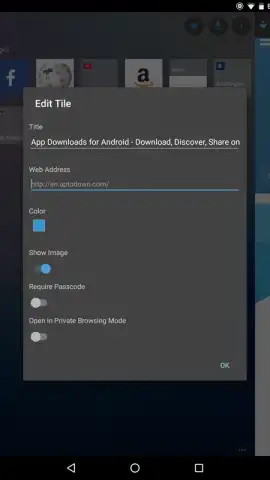
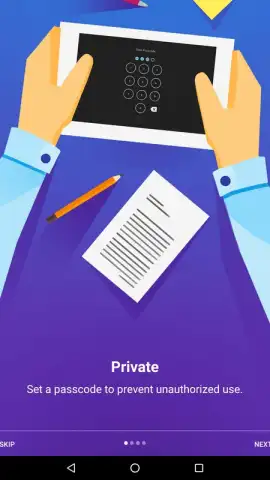
Surfy Browser moves beyond basic tab management by integrating features that actively work for you. The commitment to security is immediate and tangible. You can assign unique passwords to specific websites, creating a secure vault for your most sensitive logins directly within the browser. This means your banking, email, or private social media accounts get an extra, personalized gatekeeper. Your browsing data, credentials, and habits are compartmentalized and protected, allowing you to view personal information with greater confidence.
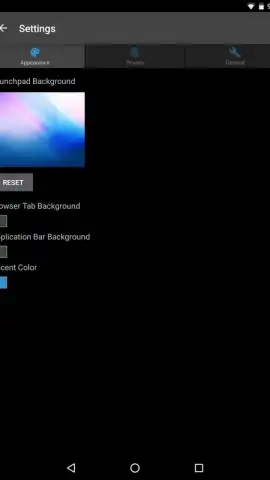
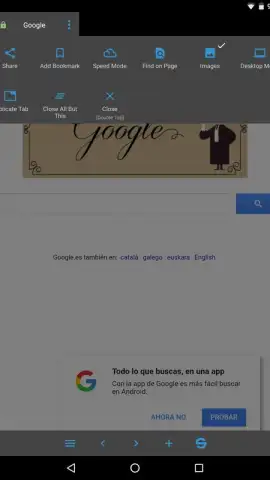
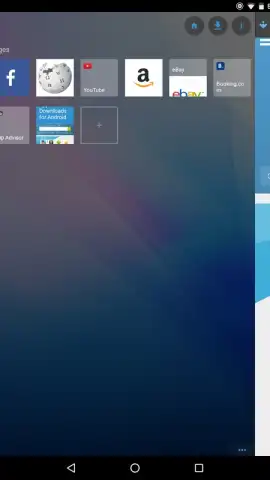
Customization is at the heart of the design. The unique mosaic-based bookmark system lets you save pages as visual tiles, turning your new tab page into a personalized dashboard of your most important sites. You have full control over the interface's color scheme, allowing you to match the browser to your phone's theme or your personal aesthetic. For every page you bookmark, you can set a default viewing mode, such as automatically opening it in private browsing for an added layer of discretion when you need it.
The attention to user comfort is exceptional. The night mode doesn't just apply a simple filter; it darkens the screen significantly beyond your phone's standard settings, providing genuine relief for your eyes during late-night reading sessions. Furthermore, the integrated text-to-speech system allows you to listen to articles, transforming reading time into hands-free time, perfect for commutes or multitasking. All these tools converge to create a compact yet fully functional browser that feels uniquely yours, streamlining your daily interaction with every site you visit.
- Password-protect specific websites
- Mosaic tile bookmark dashboard
- Ultra-dark night mode
- Integrated text-to-speech reader
You might enjoy stepping away from the ordinary and experiencing a browser that prioritizes your security and preferences. Consider downloading Surfy Browser to discover a more controlled, comfortable, and customized way to navigate the web on your Android device.
Download mobile app now
An internet connection is required for browsing. The app may contain optional in-app purchases.
 GooglePlay




