

Swipe Guru
Swipe Guru screenshots (5)


Description Swipe Guru
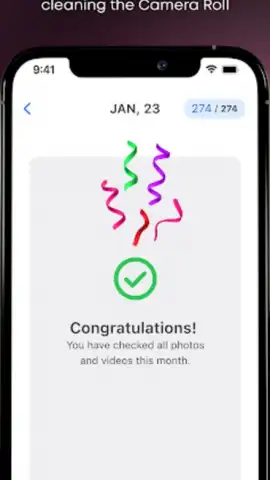
Looking for a method to systematically manage an extensive photo and video library without the usual clutter? Swipe Guru presents a utility-focused approach to media organization, employing a gesture-based sorting mechanic to filter and categorize content directly from your device's gallery. This application functions as a dedicated curation tool, automating initial sorting by date while placing final selection decisions under user control through a simple, binary swipe interface.
Core Functionality and Sorting Mechanics
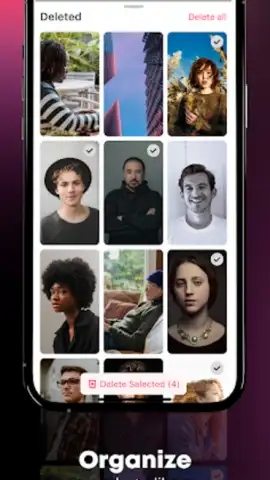
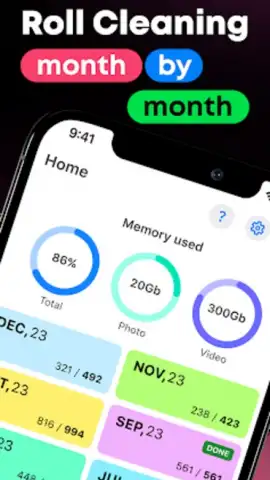
The primary operation centers on a left-or-right swipe gesture performed on individual photos and videos. A swipe to the right marks a file for preservation within your main library, while a swipe to the left flags it for immediate deletion. This creates a continuous, rapid-filtering workflow. The app pre-organizes media into chronological groups, typically by month, which provides a structured starting point for this review process. This design eliminates the need for manual folder creation or complex tagging systems, reducing organization to a repetitive, decisive action.
Interface Design and Usability Considerations
The user interface is minimalistic, prioritizing the media preview and the essential swipe prompts. This reduces cognitive load, allowing attention to remain solely on content evaluation. The gesture system is deliberately modeled on familiar navigation patterns from other common applications, minimizing the learning curve. The process is self-contained, requiring no export or sync steps to apply changes, as deletions and retentions are enacted directly on the device's stored files. For users seeking an accelerated workflow, an optional premium tier, referred to as Turbo, removes interstitial screens and streamlines transitions.
Practical Application and Storage Management
In practice, the utility is most apparent when dealing with large volumes of unsorted camera roll content, such as after an event or trip containing numerous similar shots. It enables batch processing that is more targeted than bulk deletion but less tedious than individual file management. The explicit goal is to identify and remove redundant, low-quality, or unwanted items to reclaim device storage capacity while consolidating a curated collection of valued media. The app does not include built-in editing filters or cloud backup features; its scope is strictly curation and cleanup.
- Chronological Auto-Grouping: Media is automatically sorted into monthly batches for organized, sequential review.
- Binary Swipe Curation System: Use right swipes to keep and left swipes to delete files with immediate effect.
- Turbo Mode Efficiency: An optional upgrade removes all interface delays for maximum sorting speed.
Install Swipe Guru immediately and start reclaiming your device's storage space today.
Internet required. IAP available.
 GooglePlay


