

SyncDroid
SyncDroid screenshots (4)
Description SyncDroid
Imagine you’ve just dropped your phone. The screen is shattered, and with it, the fear that your contacts, messages, and precious photos are gone forever. SyncDroid is engineered to eliminate that scenario. This free utility provides a structured, multi-platform backup solution for Android devices, allowing you to systematically preserve your data directly on your phone, on a connected computer, or through automated sync with DropBox. It functions as a comprehensive safeguard, turning potential data loss into a manageable, reversible event.
Core Functionality and Operational Modes
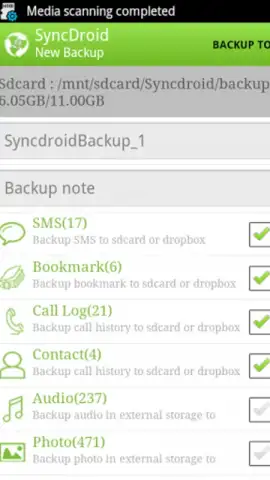
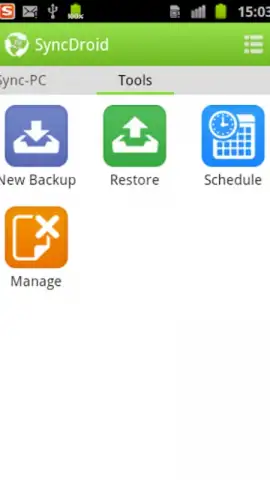
SyncDroid presents a categorized list of all backup-capable content on your device, from fundamental system data like call logs and contacts to multimedia libraries and information from integrated third-party applications. You maintain full selective control, manually choosing which items to include or exclude in any backup operation. For continuous protection, the application can be configured to perform automated, scheduled backups, increasing the frequency of data preservation to mitigate the impact of accidental deletion or device failure. The process is designed for simplicity, particularly when using a Windows computer: a direct USB connection establishes a secure link for immediate local backup and restore procedures, supported by numerous configurable parameters for data handling.
Detailed Feature Overview
SyncDroid’s architecture is built around precise, user-directed data management.
- Selective Multi-Format Backup: Choose specific data categories—including contacts, SMS, call history, app data, photos, video, and audio—for backup to local phone storage, a PC, or DropBox.
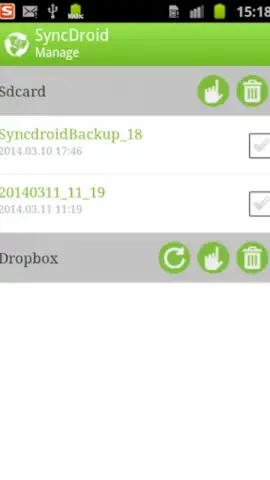
- Configurable Automated Scheduling: Set custom intervals for automatic backup creation to ensure your most recent data is consistently protected without manual intervention.
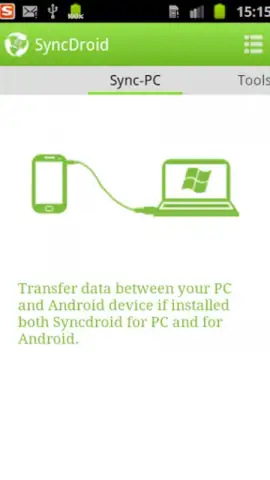
- Direct Windows PC Integration: Establish a straightforward USB connection to a computer for high-speed, local backup and restore operations with advanced configuration options.
Download SyncDroid now and execute a full system backup immediately—do not wait for a crisis to prove your data is unprotected. Get it today and secure your digital information across all your platforms.
Internet required. IAP available.


