

Talking Tom Cat
Talking Tom Cat screenshots (15)









Description Talking Tom Cat
A Digital Companion Revisited
The original Talking Tom Cat arrived not as a complex game, but as a simple, charming digital mirror. Its core premise—a virtual pet who parrots your voice with a comical squeak—captivated millions, establishing Tom as a pop culture icon. This application represents that foundational experience, preserved and iterated upon through years of updates. It has evolved from a novelty into a surprisingly deep interactive toybox, maintaining its signature humor while layering on a substantial array of activities and customization options. The experience is less about achieving goals and more about the spontaneous, often hilarious, moments of interaction it facilitates.
Core Mechanics and Feature Evolution
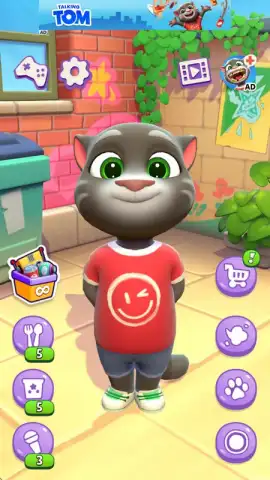
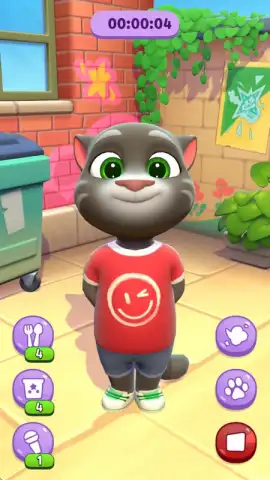
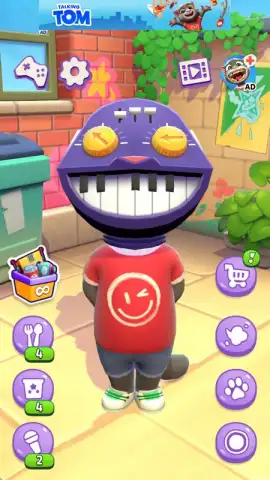
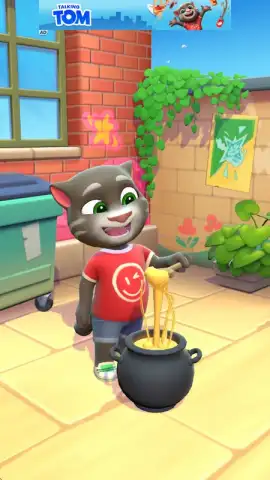
Upon launching, you are greeted by Tom in his familiar living room, a space that serves as the stage for all interactions. The initial simplicity is deceptive. While the classic repeat-after-me function remains the heart of the app, activated via your device’s microphone, the surrounding ecosystem has been greatly expanded. The interface is divided into intuitive tabs, primarily "Food" and "Gadgets," which house dozens of interactive items. Each interaction is crafted with distinct, high-quality animation and sound design. For instance, feeding Tom a chili pepper triggers a sequence where his face turns red, steam erupts from his ears, and he frantically seeks water, while a slice of watermelon results in a messy, seeds-flying-everywhere eating animation. The pleasure is in discovering these scripted reactions.
The voice modulation system has grown beyond the default chipmunk tone. By accessing various gadgets, you can apply real-time voice filters. Placing a cardboard box over Tom’s head creates a muffled, hollow echo. The megaphone gadget amplifies and distorts the output, and a selection of masks—like a robot or monster mask—alters the pitch and adds thematic sound effects. This transforms simple speech into a creative audio tool. Beyond vocal play, the tactile feedback is meticulous. A slow stroke across the screen prompts a purr; a swift poke to his paw, face, or belly elicits a yelp or a grumpy reaction. Persistent prodding can even lead to Tom retaliating, swiping back at the screen in a playful meta-moment.
Monetization Structure and the Turbo Experience
The application operates on a free-to-play model with advertising and certain limitations on consumable items like food. To access more snacks or gadgets, users typically watch a rewarded video ad. This model is circumvented by the one-time "Turbo" upgrade, a premium unlock. This purchase permanently removes all advertisements from the experience and grants unlimited access to every food item, gadget, and voice filter in the core game. It is a definitive enhancement for frequent users. Separately, the app offers standard in-app purchases for virtual currency bundles, which can be used to buy bulk packs of items, providing an alternative for those who prefer not to upgrade fully.
- Expressive Voice Studio: Utilize six distinct voice filters, from robotic to monstrous, applied in real-time as Tom repeats your words through gadgets like megaphones and masks.
- Animated Interaction Library: Discover dozens of detailed food and gadget reactions, each with unique, humorous animations, from donut feeding frenzies to magical book mishaps.
- Classic Tactile Play: Engage with timeless responses through screen touches, including petting to hear purrs or poking to trigger comical grumbles and physical retaliation sequences.
We suggest trying Talking Tom Cat to experience the refined origins of a global phenomenon, offering both nostalgic simplicity and expanded creative play in a single, polished package.
Download the Talking Tom Cat mobile app now.
Heads up: you'll need wifi for initial download and certain features. Some cool stuff is extra.
 GooglePlay


