

Time Cut : Smooth Slow Motion
Time Cut : Smooth Slow Motion screenshots (8)

Description Time Cut : Smooth Slow Motion
Struggling to Create Professional Slow Motion Videos on Your Phone?
Standard video editors often produce choppy, low-quality slow-motion effects that ruin the pacing and visual appeal of your clips. Time Cut: Smooth Slow Motion is a dedicated mobile editor built to solve this exact problem. It utilizes advanced frame interpolation technology to transform your standard videos into fluid, high-quality slow-motion or time-ramped sequences, allowing for precise control over time within your footage.
Core Functionality and Editing Tools
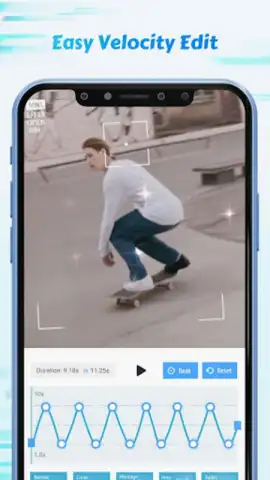
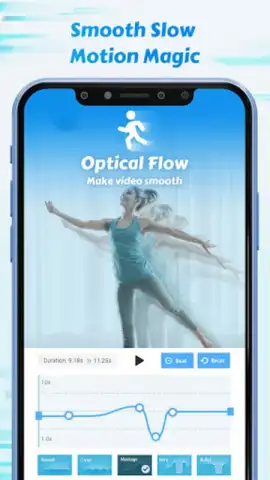
The application functions as a specialized temporal editor, focusing exclusively on speed manipulation and motion enhancement. Its primary engine is built on Optical Flow and the deep learning RIFE model, which analyzes and generates new frames to maintain smoothness at any playback speed. The interface provides direct access to a custom speed curve editor, allowing for granular control beyond simple linear speed changes. You can set specific points to freeze time, create gradual speed ramps, or apply preset velocity profiles to your entire clip or selected segments.
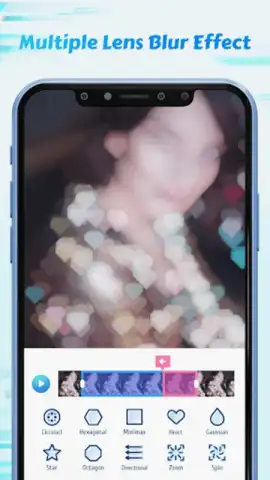
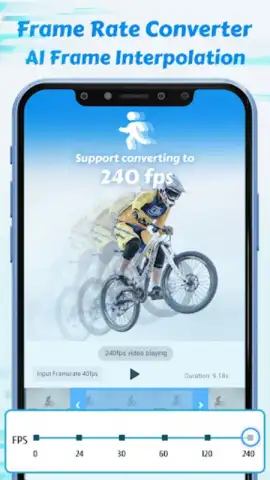
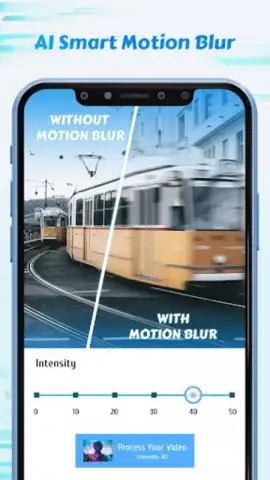
Beyond speed control, the app includes a suite of supporting tools to enhance the final output. The motion blur effects module uses optical flow data to add directional blur, simulating the natural motion blur of high-speed cameras. A dedicated frame rate converter allows you to standardize footage by upscaling to 60, 120, or 240 FPS for ultra-smooth playback, or down-convert high-frame-rate footage to cinematic 24 or 30 FPS. An AI-based quality enhancer can upscale resolution and reduce noise, while the highlight effects tool lets you overlay glitch, zoom, or color effects on key moments.
- Custom Speed Curve & Slow Motion Editor: Implement non-linear speed changes with a graph editor, set freeze frames, and apply speed presets for complex time remapping.
- Optical Flow Motion Blur: Generate and apply directional blur along motion paths to emulate professional camera techniques and increase visual realism.
- Intelligent Frame Rate Converter: Upscale video to 60, 120, or 240 FPS for smoothness, or downscale to 24/30 FPS for a cinematic look without losing fluidity.
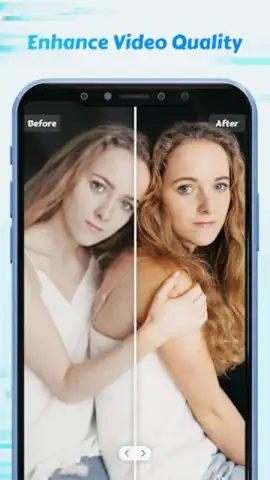
- AI-Powered Video Quality Enhancer: Utilize machine learning models to upscale resolution, reduce digital noise, and improve overall clip clarity.
- Creative Highlight Effects (Fx): Overlay instant visual effects like zoom, shake, or color filters onto specific highlighted sections of your timeline.
The toolset is designed for creating content optimized for modern platforms. Produce buttery-smooth slow-motion replays for YouTube highlights, dramatic speed ramps for Instagram Reels, or eye-catching, fluid sequences for TikTok and Twitch. The application also includes a functional GIF creator, enabling you to export short, looping clips perfect for social media messaging and reactions.
Claim your advantage now and start producing studio-grade slow motion directly from your device.
Heads up: you'll need wifi for most processing features. Some cool stuff is extra.
 GooglePlay


