
Total Commander
Total Commander screenshots (4)
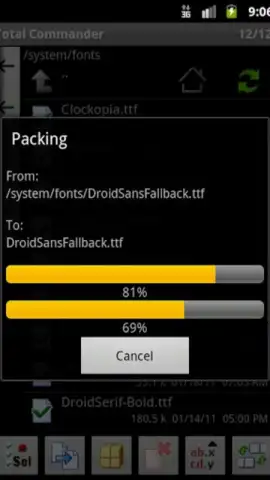
Description Total Commander
Your Phone's File System, Finally Under Your Control
Imagine needing to move a project folder, edit a configuration file on your server, or unpack an archive you just received—only to be met with the limited, frustrating tools your phone provides by default. You find yourself jumping between apps, unable to perform simple tasks that are second nature on a desktop. That feeling of being restricted ends now. Total Commander for Android brings the raw power and precision of its legendary Windows counterpart directly to your pocket, transforming your device into a true productivity workstation.
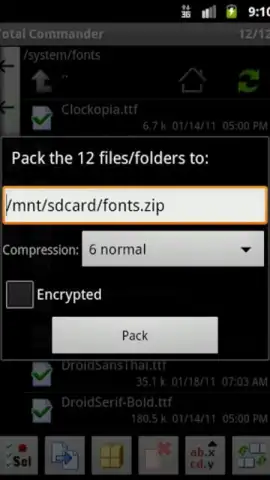
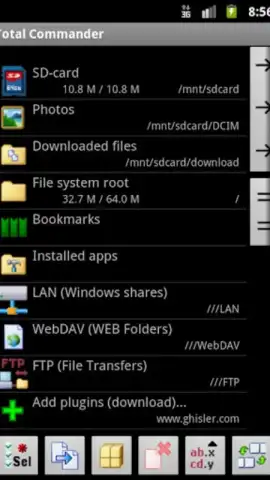
This application delivers a comprehensive suite of file management tools designed for those who demand efficiency. You gain the ability to perform bulk operations with ease, moving, copying, or renaming entire directory trees in a few taps. The application handles compressed archives seamlessly, allowing you to view, extract, and create new .ZIP or .RAR files directly, eliminating the need for separate utility apps. Beyond local storage, integrated FTP client functionality lets you connect to remote servers and manage files as if they were on your device, while the built-in text editor means you can modify documents without ever leaving the environment.
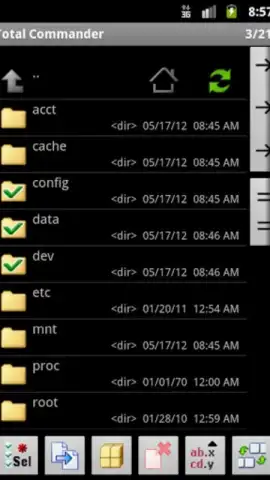
The interface prioritizes function over flash, presenting a clean, dual-pane layout that makes complex file operations intuitive. Every tool is within immediate reach, organized for speed rather than aesthetics. This is a professional-grade toolkit that respects your time and intelligence, stripping away unnecessary layers to give you direct command over your digital space.
Core Features at Your Fingertips
- Advanced File Operations: Execute powerful file management actions including moving, copying, renaming, and deleting entire folders and their subdirectories. Create new directories instantly and organize your storage with surgical precision.
- Full Archive Support: Directly open, browse, extract, and create compressed archives. The app supports popular formats like .ZIP and .RAR without requiring any additional applications.
- Integrated FTP Client: Connect to FTP servers for direct remote file management. You can add a convenient widget to your home screen for instant access to your servers.
- Built-in Text Editor: View and edit text files on the go. This integrated tool removes the need to switch to another app for quick code edits or note changes.
- Clean, Ad-Free Experience: The application operates without any advertisements. The focus remains entirely on your productivity, providing an uninterrupted workflow.
- Highly Practical Interface: Designed for efficiency with a straightforward, dual-panel layout that provides maximum information and control, making complex tasks simple and fast.
Download Total Commander Now
Stop compromising with basic file managers. Take exclusive, full control of your Android device's storage, cloud connections, and archives today. This is the professional tool power users have been waiting for—install it now and experience the difference immediately.
Disclaimer: This application requires an internet connection for FTP functionality. The core file management features operate offline. Please note that while the app itself is free, accessing certain advanced network features or future premium modules may involve in-app purchases. Always ensure you have a stable connection when managing files on remote servers.
 GooglePlay


