

TubeMate YouTube Downloader
TubeMate YouTube Downloader screenshots (21)










Description TubeMate YouTube Downloader
The Persistent Problem of Streaming Dependence
In an era of ubiquitous yet unstable internet connectivity, the desire to save online videos and music for reliable offline playback remains a constant, practical need. Relying solely on streaming services means being at the mercy of data limits, poor signal strength, or the sudden removal of content. A dedicated downloader is not a luxury but a utility for genuine media control. TubeMate YouTube Downloader by Devian Studio presents itself as a direct solution to this problem, functioning as a multi-platform download bridge rather than just another media player.
Core Functionality and Operational Analysis
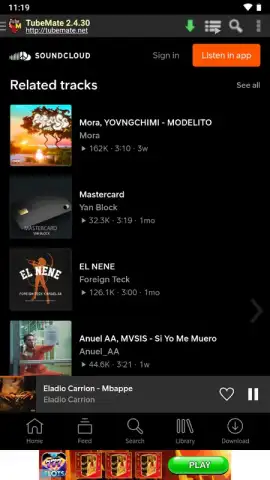
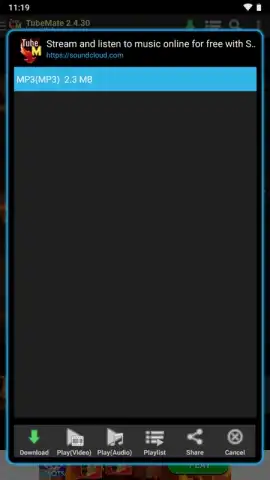
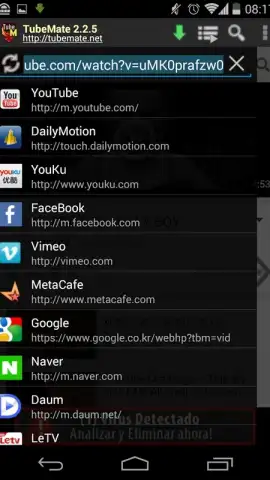
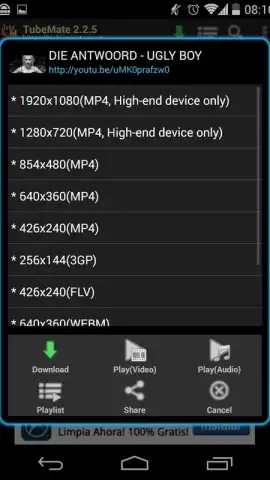
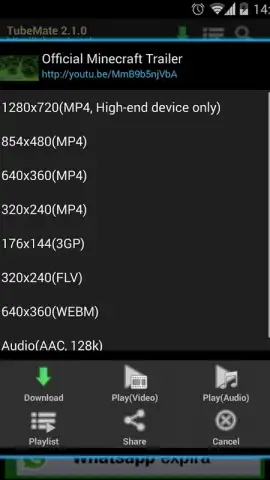
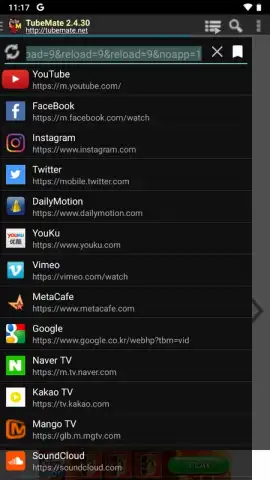
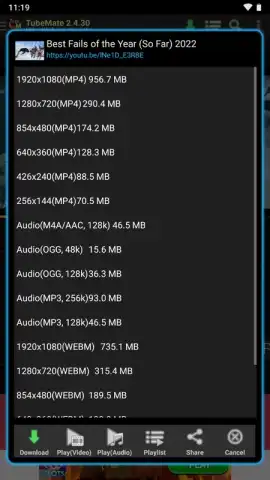
The application operates on a straightforward principle: it integrates a browsing layer with a powerful download engine. Upon launching, users are presented with a left-hand dropdown menu cataloging the extensive list of supported platforms, which extends beyond YouTube to include Vimeo, Facebook, SoundCloud, and over a dozen others. The process is intentionally non-disruptive; you navigate to your desired content through the app's built-in browser as you normally would. Once the target video or audio page is loaded, a prominent green arrow button activates in the interface header. Tapping this button triggers a comprehensive context menu that lists every available download format and quality option provided by the source website itself.
Detailed Examination of Features and Customization
The true technical merit of TubeMate lies in the granularity of its download options. For video content, the available formats typically include MP4, OGG, and WEBM, with the additional capability to extract audio as an MP3 file. Each format branch offers further quality selections. A single video might be available for download in resolutions ranging from 360p to 1080p or even 4K UHD, with clear trade-offs in file size. Similarly, MP3 audio downloads can be configured for bitrates like 48k, 128k, or 256kbps, giving users precise control over the balance between audio fidelity and storage consumption.
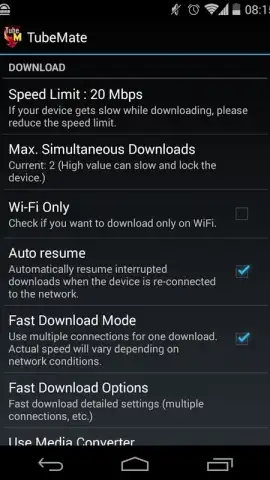
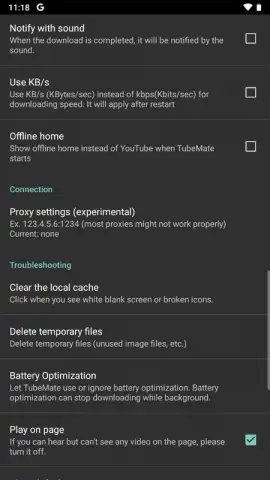
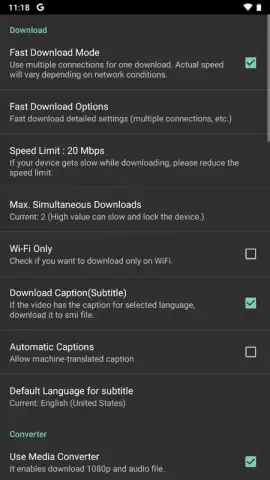
A dedicated settings menu, accessible from the top-right corner, reveals a layer of advanced network and storage management. Users can restrict downloads to Wi-Fi only to conserve mobile data, or conversely, permit them over cellular networks. Bandwidth throttling controls allow for setting a maximum download speed to prevent network congestion. Storage paths are fully customizable, with the ability to set separate default directories for video and audio files. A particularly useful feature for international users or those with hearing impairments is the option to automatically download available subtitles in SMI format alongside the video file, ensuring a complete offline package.
- Multi-Platform Download Support: Downloads video and audio from YouTube, Vimeo, Facebook, SoundCloud, and over ten other major content platforms directly.
- Granular Format & Quality Selection: Choose from MP4, OGG, WEBM, and MP3 formats with multiple resolution (up to 4K) and bitrate options for each download.
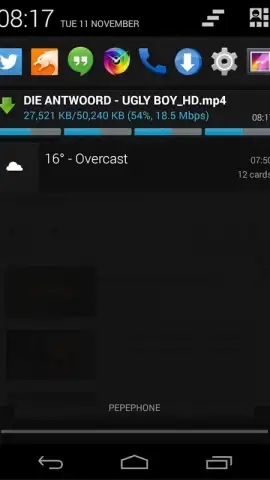
- Advanced Download Manager Controls: Configure Wi-Fi-only downloads, set bandwidth speed limits, and manage all queued or active downloads efficiently.
- Fully Customizable Storage Management: Designate separate default save locations for video files and audio tracks, organizing your offline library with precision.
- Integrated Subtitle Downloader: Automatically fetches and saves available subtitles in SMI format alongside your video files for complete offline accessibility.
The application’s design prioritizes immediate utility over complex setup. Its effectiveness and simplicity have been central to its longevity since its initial release. There is no lengthy configuration required; within moments of installation, users can begin archiving web content directly to their device's local storage, creating a personal, internet-independent media library.
Download TubeMate YouTube Downloader now! Stop being dependent on streaming buffers and data plans. Take direct control of your media and build your permanent offline collection today. Do not wait for your next commute or trip—get it immediately and start downloading in seconds.
Disclaimer: This application requires an active internet connection to browse and download content. It does not host any media files itself. Users are solely responsible for complying with all applicable copyright laws and the Terms of Service of the source websites when downloading content. The download speed and available quality options depend on the source platform and your network connection. Data charges may apply when downloading over a mobile network. This app may contain optional in-app purchases. Please be aware of your device's storage capacity when downloading high-resolution video files.


