

UC Downloader
UC Downloader screenshots (5)

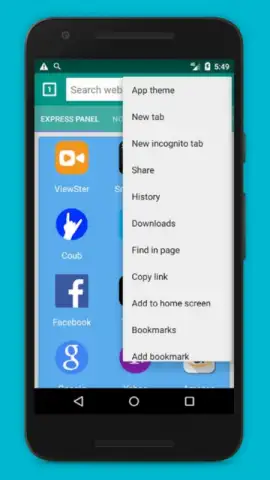
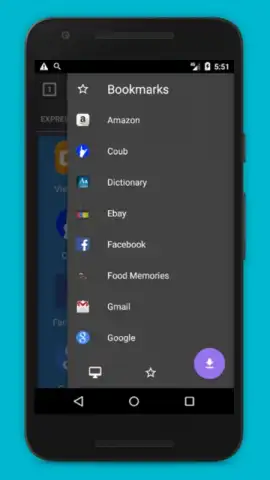

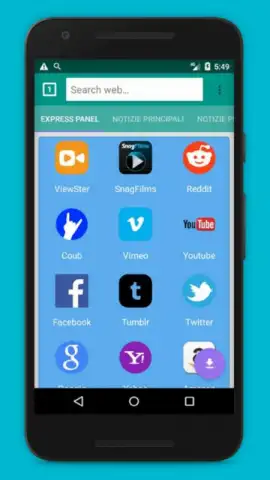
Description UC Downloader
What if a single tool could streamline your entire downloading workflow, handling everything from video grabs to batch file management with precision? UC Downloader positions itself as a comprehensive solution for Android users who need reliable, high-speed downloading capabilities directly on their device, moving beyond the limitations of standard browsers.
Core Functionality & Feature Set
UC Downloader operates as a dedicated download manager, engineered to accelerate and organize file acquisition. Its primary mechanic revolves around parsing and fetching content from a wide array of sources. You can input a direct URL, or more commonly, the app will detect downloadable media—such as videos from social platforms or documents from web pages—and present optimized download options. It supports pause and resume functionality, which is critical for managing large files or unstable connections. A built-in file manager categorizes downloads by type (videos, music, images, documents) for post-download access and organization. The app also includes basic editing tools for media files, like format conversion or compression, turning it from a simple gateway into a lightweight processing hub.
Performance & User Experience Analysis
The interface adopts a utilitarian yet clean design, prioritizing download queues and transfer speeds over decorative elements. Navigation is straightforward, with a central dashboard providing immediate access to active tasks, download history, and storage settings. In terms of performance, the app utilizes multi-threaded downloading technology, which segments files to maximize bandwidth usage and improve average download speeds significantly compared to native browser downloaders. It runs stably on a wide range of Android versions, ensuring compatibility even with older hardware. The background download service is robust, maintaining transfers even when the app is minimized, though this is dependent on the device's power management settings. Storage management is a key strength, allowing users to specify custom download directories on internal or external storage and offering clear warnings when space is low.
- Multi-threaded acceleration technology
- Background download continuity
- Integrated file organizer
- Wide format support
Gain control over your digital content and transform how you save media. Download UC Downloader now to experience a faster, more organized approach to downloading.
Requires an internet connection for downloading content. The app may contain optional in-app purchases for advanced features.


