

Uninstaller
Uninstaller screenshots (8)
Description Uninstaller
A Practical Review of Uninstaller for Android
Over time, an Android device can accumulate a significant number of applications, many of which go unused. This gradual buildup consumes storage, impacts battery life, and can slow down system performance. Uninstaller by Splend Apps addresses this common scenario directly, providing a focused utility for application management. This review examines its operational mechanics and feature set as a tool for systematic app cleanup and device resource oversight.
Core Functionality and Interface Design
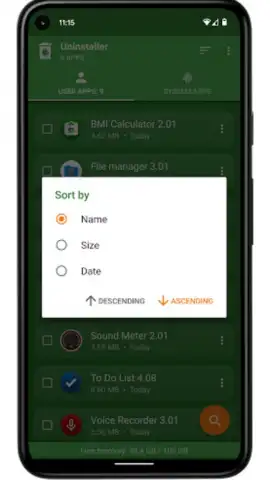
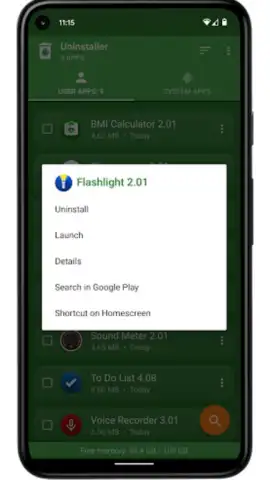
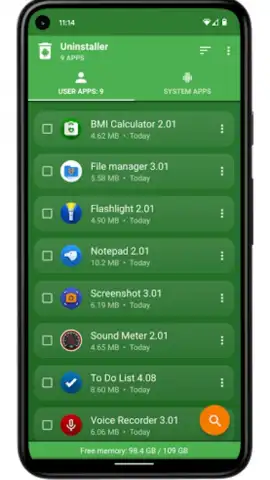
Uninstaller operates as a dedicated management console for installed applications. Upon launch, it presents a comprehensive list of all user-installed apps, bypassing protected system applications. Each entry is displayed with key metadata: the application name, version number, installation date, and its precise storage footprint. This data-centric interface allows for immediate assessment of which apps are the largest or oldest. The utility includes multiple sorting filters—by name, size, or installation date—enabling users to quickly identify candidates for removal based on objective criteria rather than guesswork.
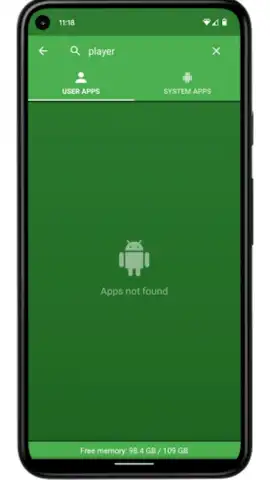
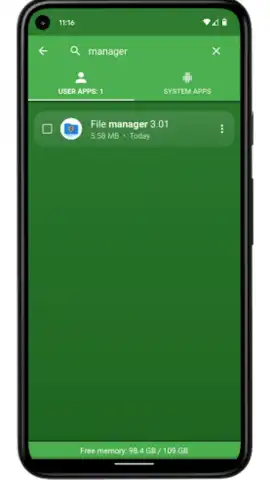
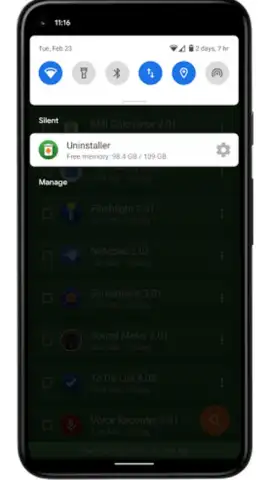
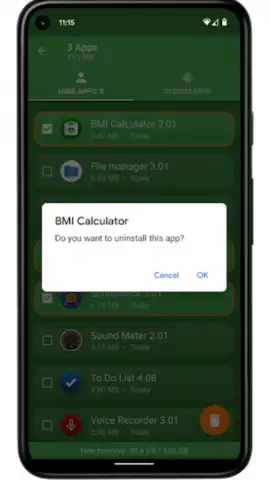
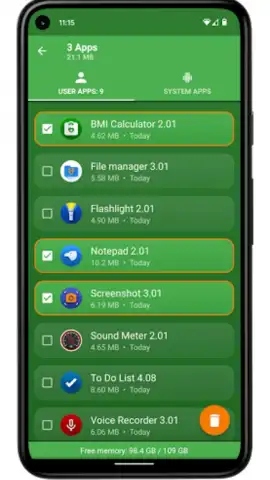
A central feature is the one-tap uninstall process, which initiates the standard Android removal dialog for a selected app. For efficiency, the tool supports batch operations, allowing users to queue several applications for sequential removal, saving considerable time compared to manual management through system settings. An integrated search function, accessible via manual input or voice command, facilitates rapid navigation within extensive app libraries. For ongoing management, the app provides a real-time monitor displaying available internal storage, and users can optionally place a quick-access shortcut in the notification panel or create direct home screen shortcuts for their most-used applications.
Detailed Feature Breakdown
- One-Tap & Batch Uninstallation: Execute single or multiple app removals directly from the utility's interface, streamlining the cleanup process and freeing up storage space efficiently.
- Comprehensive App Analytics: View detailed information for each installed application, including its exact size, version number, and installation date to make informed management decisions.
- Advanced Organization Tools: Utilize manual or voice search to find apps quickly and employ sorting by size, name, or date to systematically manage your device's application inventory.
The utility is designed with a clear focus on third-party applications, as it does not permit the removal of core system software. Its value lies in transforming app management from a sporadic, buried system task into a regular, streamlined maintenance activity. By maintaining a leaner application ecosystem, users can observe secondary benefits such as reduced background battery drain and less consumption of RAM, contributing to sustained device performance.
We suggest trying Uninstaller if you seek a straightforward, ad-free tool to audit and declutter your Android device's application library. Consider downloading it to gain granular control over your installed software and device storage resources.
Download the Uninstaller mobile app now.
Disclaimer: This application requires an Android operating system and an internet connection for initial download and potential updates. The app may contain in-app purchases for additional features.
 GooglePlay


