

USB File Browser
USB File Browser screenshots (4)
Description USB File Browser
Unlock Your Android's True Potential as a Universal File Hub
For years, Android's built-in file management has felt restrictive, especially when dealing with external drives, flash drives, or peripherals. USB File Browser fundamentally changes that dynamic, transforming your device into a powerful, desktop-grade file management terminal. This app directly addresses the core frustration of accessing, organizing, and transferring data across a vast ecosystem of USB-connected storage without the need for a PC. It provides a level of direct hardware access and control that feels both liberating and essential for power users, students, and professionals who rely on portable data.
Core Functionality and Analytical Overview
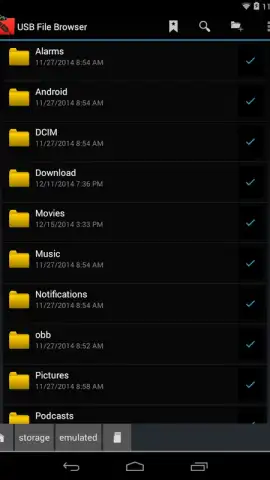
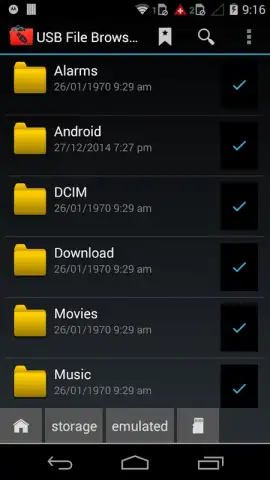
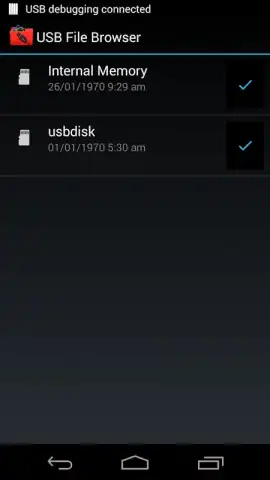
USB File Browser operates as a dedicated middleware layer, granting your Android device full read and write capabilities over USB On-The-Go (OTG) connections. The interface presents a clean, dual-pane file manager view, allowing for intuitive drag-and-drop or tap-based operations between your device's internal storage and any connected external drive. It supports a comprehensive range of filesystems including FAT32, exFAT, NTFS, and EXT4, ensuring compatibility with virtually any USB flash drive, external HDD, or SD card reader. Beyond simple file copying, the app enables direct media playback from external sources, bulk file renaming, archive extraction, and detailed file property inspection. A critical feature is its ability to function as a host for peripherals, allowing you to connect devices like mice, keyboards, or certain MIDI controllers, effectively expanding your device's utility beyond mere file storage.
The application's advantage lies in its uncompromising focus on performance and utility over superficial design flair. It establishes a stable, high-speed connection protocol that minimizes transfer errors and maximizes throughput, a technical achievement not always present in similar tools. The user experience is defined by its logical hierarchy and absence of clutter; settings for mounting drives, setting default paths, and configuring file visibility are comprehensive yet accessible. For users managing large projects or media libraries across devices, the ability to seamlessly shuttle gigabytes of data directly on a phone or tablet is not just a convenience—it redefines workflow possibilities.
Key Operational Advantages
- Universal Filesystem Support
- High-Speed Stable Data Transfers
- Dual-Pane Manager for Easy Operations
- Direct Media Playback from Drives
Gain exclusive, early access to this level of device mastery. For a limited time, new users can experience the full suite of professional file management tools without restriction. This is more than an app; it's an upgrade to your device's core functionality. Download USB File Browser now and transform your Android into a complete portable workstation today.
Requires an Android device with USB OTG (On-The-Go) support and a compatible OTG adapter or cable. A stable connection is necessary for optimal performance. The app may contain optional in-app purchases for advanced features.



